* The estimated amount of time this product will be on the market is based on a number of factors, including faculty input to instructional design and the prior revision cycle and updates to academic research-which typically results in a revision cycle ranging from every two to four years for this product. Pricing subject to change at any time.

Instructor Quick Actions

Get eBook Access Get access as soon as you validate!
Request a Print Sample Get a copy as soon as validated.
Contact a Rep Find a local rep best suited for you.
Find Rep

Product Information

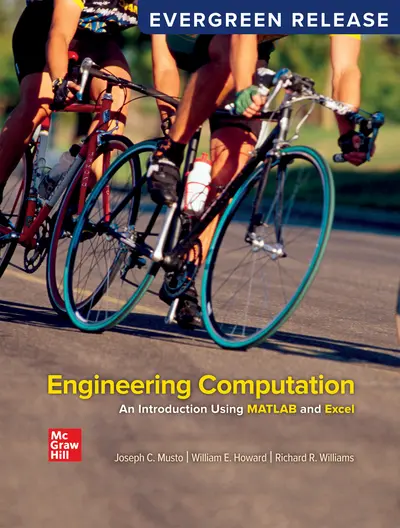
Engineering Computation: An Introduction Using MATLAB and Excel provides a detailed introduction to the computational techniques, numerical methods, and computational tools used by engineering students. It is aimed at first or second year students, and is intended to provide the theoretical and computational foundation required for advanced study in engineering.

The text provides a foundation in computational theory, and an overview of the numerical methods used by engineering students and practicing engineers. The text focuses on implementation of these computational techniques using two widely-used software packages: MATLAB, which provides a structured programming environment, and Excel, which is a ubiquitous spreadsheet application. Throughout the text, these two softwares are used to demonstrate the computational techniques developed in the text, and their advantages and limitations are described.

McGraw Hill eBooks and digital platforms use an Evergreen delivery model with a release-centered process that makes it easy to keep courses fresh, engaging, and relevant.

Release Notes provide detailed information about new and updated content delivered with each release.

Your account requires validation. Please contact your sales representative.

Covers the mechanics of programming and spreadsheet usage, such as: Introduction to computational theory, introduction to number representation, introduction to programming constructs, the mechanics of MATLAB and Excel usage, and best practices.

PART 1.Computational Tools

1. Computing Tools
2. Excel Fundamentals
3. MATLAB Fundamentals
4. MATLAB Programming
5. Plotting Data

PART 2. Engineering Applications
Focuses on applications motivated with engineering problems, including: root finding, matrix methods, simultaneous equations, numerical integration, and optimization.

6. Finding the Roots of Equations
7. Matrix Mathematics
8. Solving Simultaneous Equations
9. Numerical Integration
10.Optimization

About the Author

Joseph Musto

Joseph Musto holds a B.S. from Clarkson University, and an M.Eng. and Ph.D. from Rensselaer Polytechnic Institute, all in mechanical engineering. Before beginning his academic career, Dr. Musto worked in industry in held industrial positions with Brady Corporation (Milwaukee, WI) and Eastman Kodak Company (Rochester, NY). He is a registered professional engineer in the state of Wisconsin. He has been using and teaching solid modeling using SOLIDWORKS since 1998. 

William E. Howard

William "Ed" Howard holds a B.S. in civil engineering and an M.S. in engineering mechanics from Virginia Tech, and a Ph.D. in mechanical engineering from Marquette University. He is an associate professor in the East Carolina University Department of Engineering, where he teaches solid modeling, engineering computations, solid mechanics, and composite materials. Before beginning his academic career, Dr. Howard worked in industry for 14 years in design, analysis, and project engineering at Thiokol Corporation (Brigham City, UT), Spaulding Composites Company (Smyrna, TN), and Sta-Rite Industries (Delavan, WI). He is a registered professional engineer in the state of Wisconsin.

Richard R. Williams

Accessibility

Creating accessible products is a priority for McGraw Hill. We make accessibility and adhering to WCAG AA guidelines a part of our day-to-day development efforts and product roadmaps.

For more information, visit our accessibility page, or contact us at accessibility@mheducation.com

Need support?   We're here to help - Get real-world support and resources every step of the way.

Top