Accessing Reveal Math® Games for Grades K-5.
Learn how teachers access Reveal Math games for grades K–5 to reinforce math concepts.
- Math
- Getting Started & Orientation
- SSO & Manual-Rostering
- Customer Support
- Direct Login & Auto-Rostering
- Core
- Direct Login & Manual-Rostering
- Classroom Teacher
- SSO & Auto-Rostering
- PreK-12
- Preschool
- Elementary School
- Dashboard & Navigation Overview
- School Parent
- School Student


Recently there was an update with the games and Reveal Math K-5 for both students and teachers. The following steps will walk you through how to now find the games for both teachers and students.
Access Games as a Teacher:
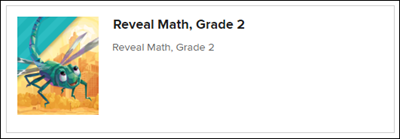
1. From your My Programs page, launch your Reveal class.
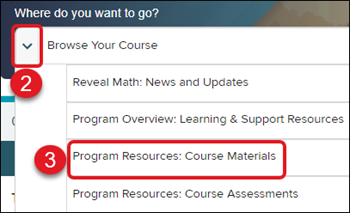
2. Click on the Browse Your Course arrow.
3. Select Program Resources: Course Materials from the menu.
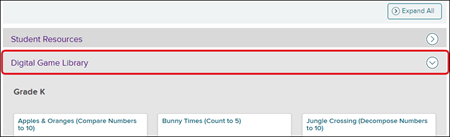
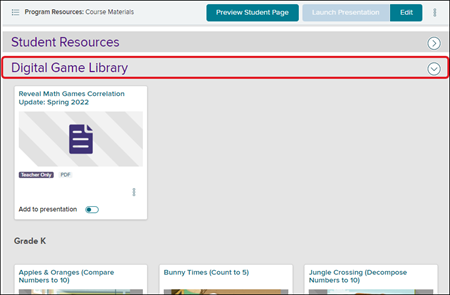
4. Expand the Digital Game Library blade to access all the available games that can be assigned to students.
Access Games as a Student:
The Games tile is no longer available through the Student Dashboard due to the update. The following steps will walk you through how to find the games as a student for all grade levels.
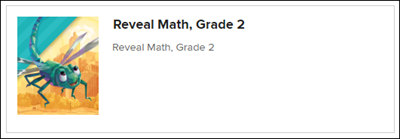
1. From your My Classes page, click on your class tile.
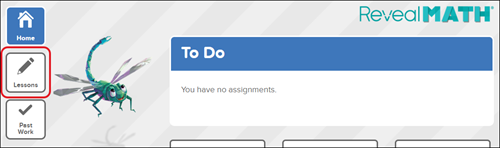
2. Click on Lessons on the left-hand side menu.
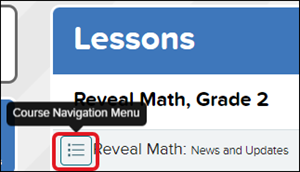
3. Click on the Course Navigation icon.
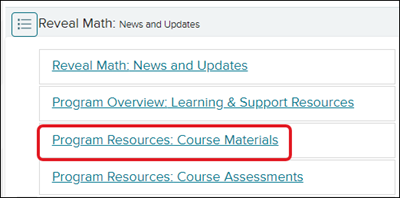
4. Select Program Resources: Course Materials at the top of the menu.
5. Expand the Digital Game Library blade to find and access all the available games for all grade levels.