* The estimated amount of time this product will be on the market is based on a number of factors, including faculty input to instructional design and the prior revision cycle and updates to academic research-which typically results in a revision cycle ranging from every two to four years for this product. Pricing subject to change at any time.

Instructor Quick Actions

Get eBook Access Get access as soon as you validate!
Request a Print Sample Get a copy as soon as validated.
Contact a Rep Find a local rep best suited for you.
Find Rep

Product Information

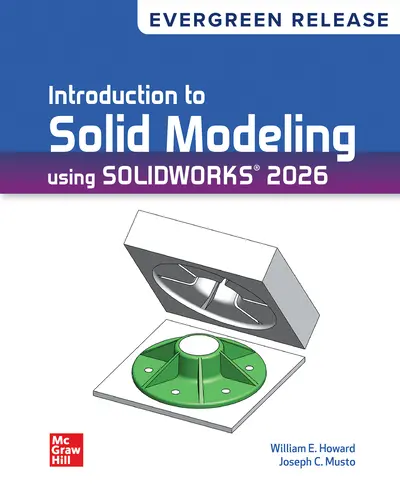
Howard and Musto's industry-leading text, Introduction to Solid Modeling Using SOLIDWORKS 2025 presents a tutorial-based introduction to solid modeling and the SOLIDWORKS software. Although the tutorials can be followed by anyone interested in learning the software, it is geared toward introductory engineering students or high school students interested in engineering. Accordingly, the examples and problems are based on the authors' experience with teaching engineering students.

Part One: Learning SOLIDWORKS®
1. Basic Part Modeling Techniques
2. Engineering Drawings
3. Additional Part Modeling Techniques
4. Advanced Part Modeling
5. Parametric Modeling Techniques
6. Creation of Assembly Models
7. Advanced Assembly Operations
8. Assembly Drawings
Part Two: Applications of SOLIDWORKS®
9. Generation of 2-D Layouts
10. Solution of Vector Problems
11. Analysis of Mechanisms
12. Design of Molds and Sheet Metal Parts
13. The Use of SOLIDWORKS to Accelerate the Product
Development Cycle

About the Author

William E. Howard

William "Ed" Howard holds a B.S. in civil engineering and an M.S. in engineering mechanics from Virginia Tech, and a Ph.D. in mechanical engineering from Marquette University. He is an associate professor in the East Carolina University Department of Engineering, where he teaches solid modeling, engineering computations, solid mechanics, and composite materials. Before beginning his academic career, Dr. Howard worked in industry for 14 years in design, analysis, and project engineering at Thiokol Corporation (Brigham City, UT), Spaulding Composites Company (Smyrna, TN), and Sta-Rite Industries (Delavan, WI). He is a registered professional engineer in the state of Wisconsin.

Joseph Musto

Joseph Musto holds a B.S. from Clarkson University, and an M.Eng. and Ph.D. from Rensselaer Polytechnic Institute, all in mechanical engineering. Before beginning his academic career, Dr. Musto worked in industry in held industrial positions with Brady Corporation (Milwaukee, WI) and Eastman Kodak Company (Rochester, NY). He is a registered professional engineer in the state of Wisconsin. He has been using and teaching solid modeling using SOLIDWORKS since 1998. 

Ways of reading

  • No information about appearance modifiability is available.
  • Not all of the content will be readable as read aloud speech or dynamic braille.
  • Has alternative text descriptions for images.
  • No information about prerecorded audio is available.

Conformance

This publication claims to meet EPUB Accessibility 1.1 Web Content Accessibility Guidelines (WCAG) 2.2 Level AA.

Navigation

  • Table of contents to all chapters of the text via links
  • Index with links to referenced entries
  • Elements such as headings, tables, etc for structured navigation

Rich content

  • Math formulas in accessible format (MathML)
  • Chemical formulas in accessible format (MathML)
  • Information-rich images are described by extended descriptions

Hazards

  • The publication contains no hazards.

Accessibility summary

  • For pedagogical reasons, certain images may not meet required contrast ratios. Boxed sidebars are marked as complementary regions (asides) to aid navigation. In-text references to figures, sections, and pages are linked for easy access however, there are no back links provided. Tables are properly marked up for screen reader compatibility, including summaries for complex tables.

Legal considerations

  • No information is available.

Additional accessibility information

  • Page breaks included

affordability icon

Affordability

Reduce course material costs for your students while still providing full access to everything they need to be successful. It isn't too good to be true - it's Inclusive Access.

Need support?   We're here to help - Get real-world support and resources every step of the way.

Top