New and Coming Soon in Connect

Connect is a complete course platform that enables you to take your students further. It supports you by automating time-consuming prep work, simplifying the addition of instructors to any section, and surfacing more information with fewer clicks.

connect screenshot

Fall 2026

  • Support More Multilingual Learners

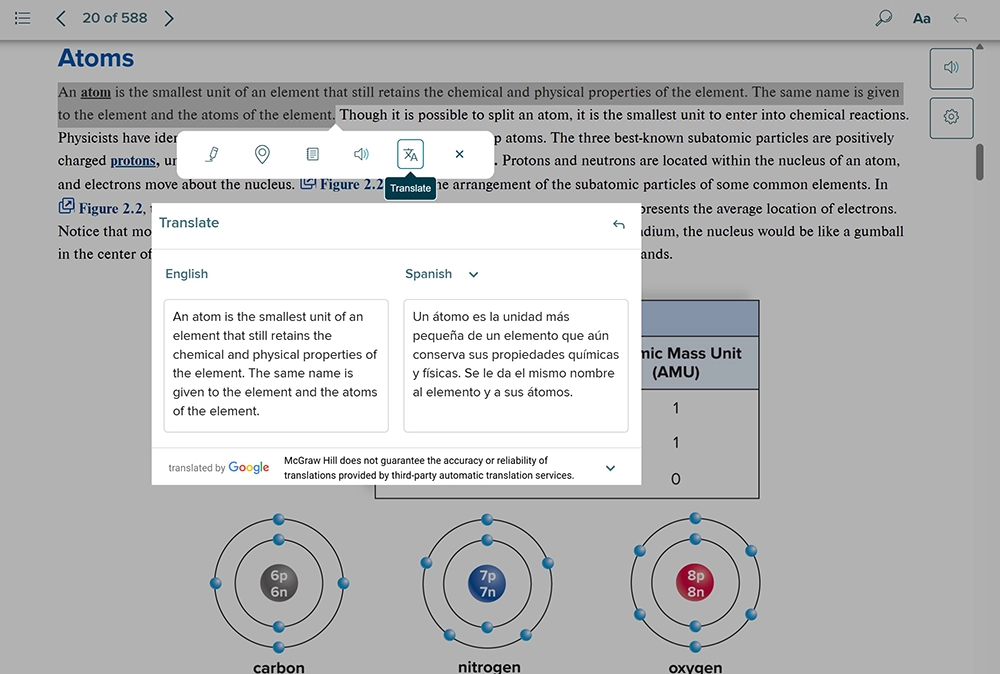
    Translation Tool now supports 50 languages across Connect and SmartBook, helping more students engage with course materials in their preferred language and making learning more accessible for diverse classrooms. *Translation tool is not available for World Languages titles

  • Simplify LMS Course Setup and Management

    New McGraw Hill Integration (LTI 1.3) enhancements help reduce manual setup and save time each term. Improvements to the MHI Landing Page, LMS pairing, assignment deployment, and automated workflows make managing Connect courses more efficient and streamlined. See the updates in action.

  • Manage Assignments More Efficiently

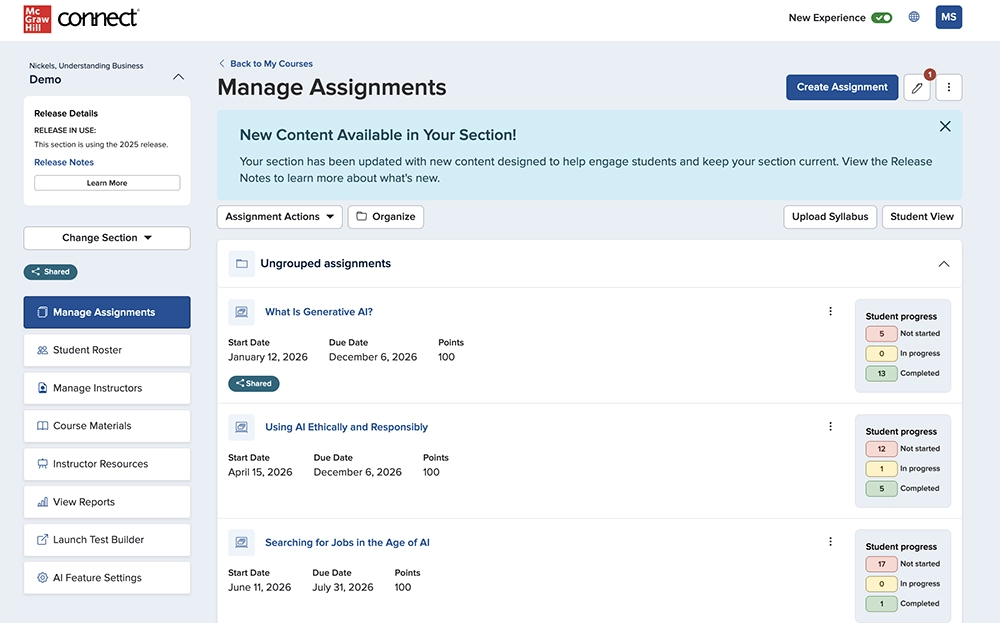
    Manage assignments with greater flexibility and fewer clicks. Quickly navigate folders, view assignment status and late submissions at a glance, choose the grading workflow that works best for you, and edit assignments directly from the Manage Assignments page.

  • Greater Visibility into Student Extensions

    See individual assignment extensions directly from the Student Roster for a more complete view of each student’s accommodations. Assignment-specific extensions appear alongside any personal time extensions already granted.

  • Faster Access to Assignment Information

    Access assignment questions, policies, and student performance reports more efficiently from Assignment Details. New enhancements make it easier to preview questions and policies for Question Bank assignments, reduce navigation, and quickly access student performance data when needed.

  • More Control When Sharing Assignments

    Gain more flexibility when managing shared assignments. Primary instructors can stop sharing and update permissions, including the option to leave an unrestricted copy in the secondary instructor’s section.

  • Recover Deleted Assignments Quickly

    Restore selected assignments to their previous location and order, including within folders, along with student progress data. Assignments previously linked to an LMS course will need to be resynced after restoration.

  • Reinforce Learning with Chapter Summaries and Podcasts

    AI-enabled Chapter Summaries and Podcasts give students flexible ways to engage with course content. Students can personalize summaries, review key concepts, and check understanding, while AI Feature Settings give instructors flexibility to control access based on course needs. *Available for select titles

  • Personalized Coaching for Every Learner

    Adapting to each student's unique needs, Learning Coach is a conversational AI tutor that reviews foundational concepts, answers questions, and provides step-by-step explanations to deliver real-time, targeted guidance and support active learning. *Available for Select Titles

Past Releases

  • Manage Assignments

    The redesigned Manage Assignments page provides an efficient, consistent, and easy-to-navigate experience. You can quickly find important section details, manage your workflow, and see how your students are performing at a glance.

  • Question Bank Assignment Creation Process

    Creating assignments from the Question Bank is now easier. The new side-by-side layout lets you view the question bank and your assignment at the same time. You can add questions directly from the preview window, with all your familiar tools still available in the updated design.

  • Assignment Details

    The redesigned Assignment Details page gives you a clearer view of student progress. You can easily track statuses, review key metrics, and manage grading, extensions, and assignment settings—all in one place.

  • Assignment Results Report

    The Assignment Results Report brings all your student performance data together. You can easily search and sort results, drill down into individual student attempts, and quickly spot key submission statuses. You can also customize your view and export data exactly how you need it across your sections.

  • Translation Tool in Connect ebook and SmartBook

    Our new Translation Tool, available for most Connect eBook titles and SmartBook, allows students to select text and view both the original and translated content side-by-side. With support for 38 languages at launch, this feature is especially beneficial for multilingual learners, enabling them to better navigate course materials while ensuring their reading remains aligned with instructor assignments.

    *Translation tool is not available for World Languages titles

Critical Thinking Assignment added Instructions

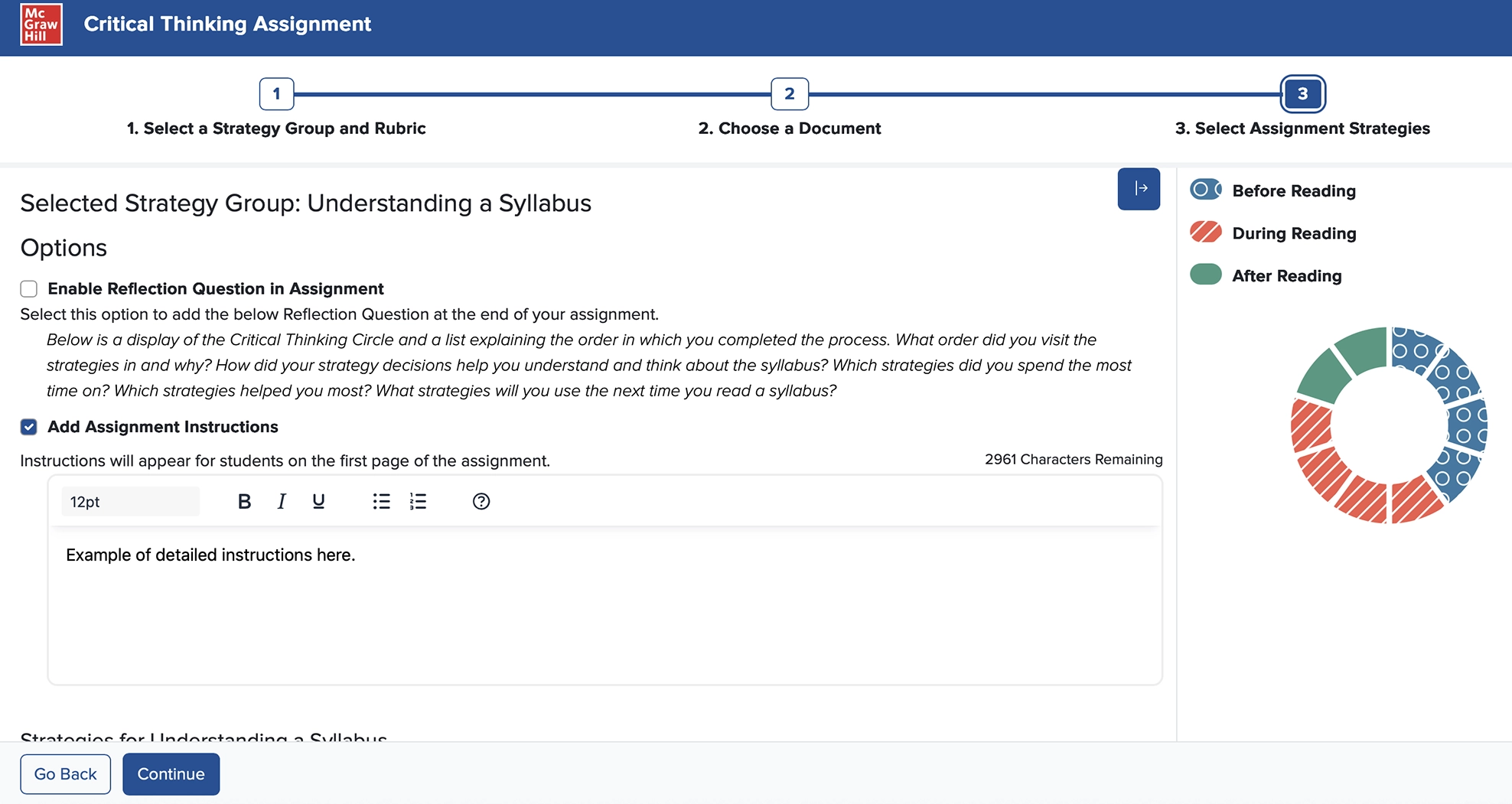
Add custom instructions into a Critical Thinking Assignment that students can review before starting the assignment on the cover sheet.

Assigning Multiple Drafts in Writing Assignment

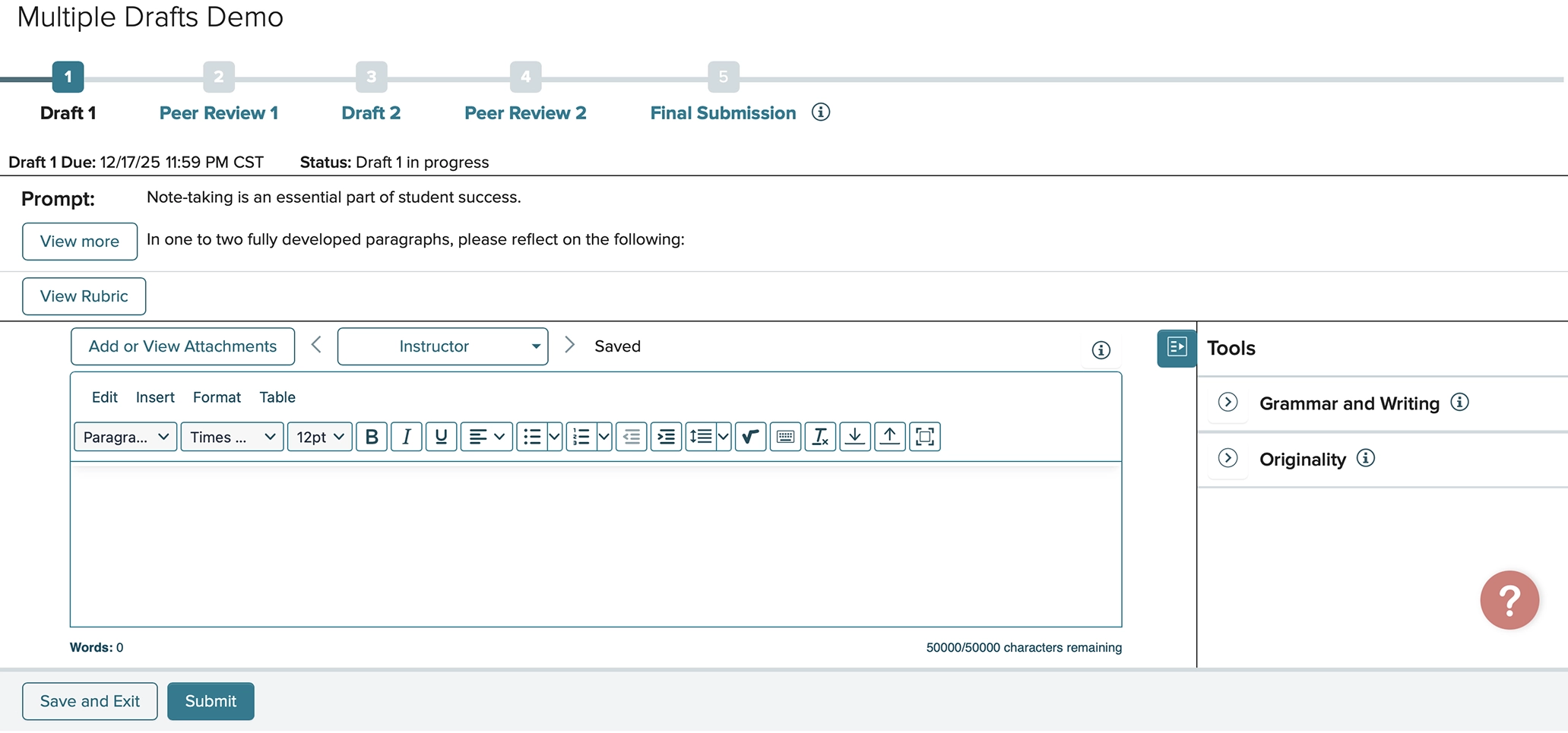
You can now assign up to three drafts for any given Writing Assignment. If you assign multiple drafts, you may opt to have students complete Peer Reviews on each draft or only the final one. These changes allow students to upload a draft at any stage and get feedback from their instructor and/or peers. 

AI Reader in SmartBook®

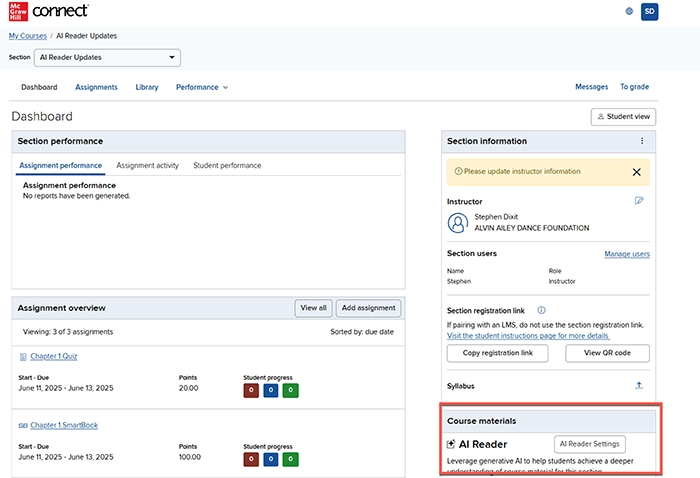
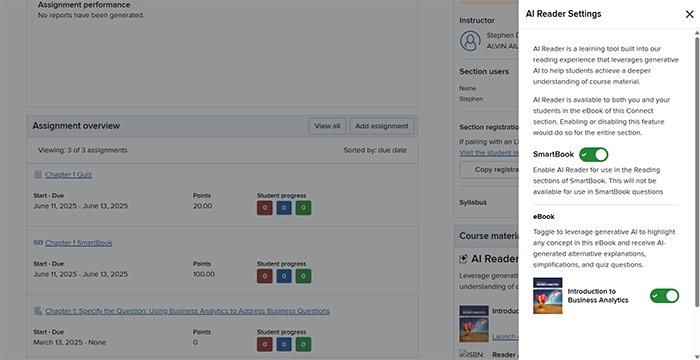
AI Reader is now available for students who launch to the Reading experience within SmartBook assignments in select titles. The instructor can select if AI Reader is enabled via the control settings on the instructor dashboard. Learn more about AI Reader here.

connect student experience screenshot

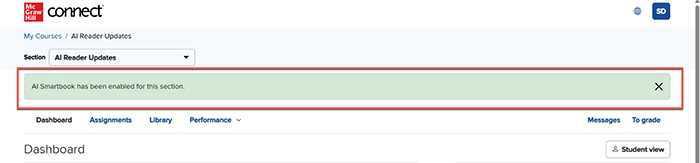
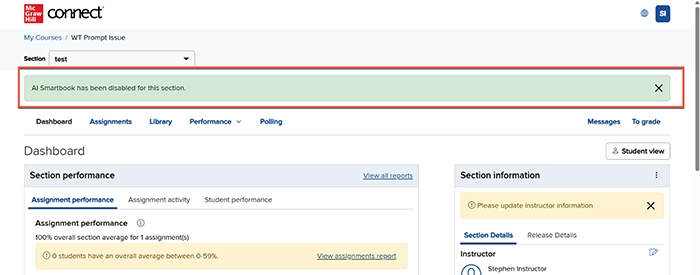
A message clearly displays when the AI Reader for SmartBook has been enabled or disabled in the section.

connect student experience screenshot

Critical Thinking Assignment Enhancements

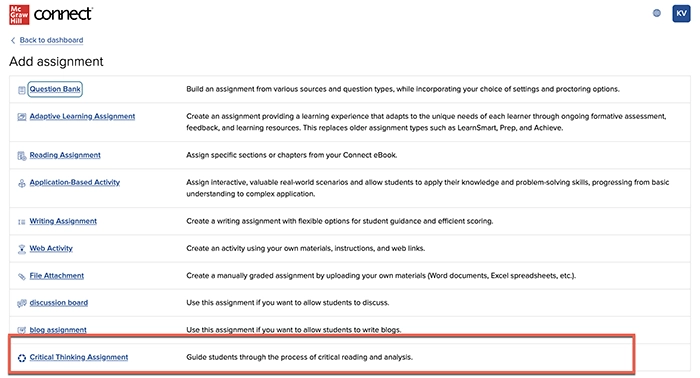
Critical Thinking Assignment is now available in most courses across Connect, helping students to develop critical reading and analytical skills.

connect student experience screenshot

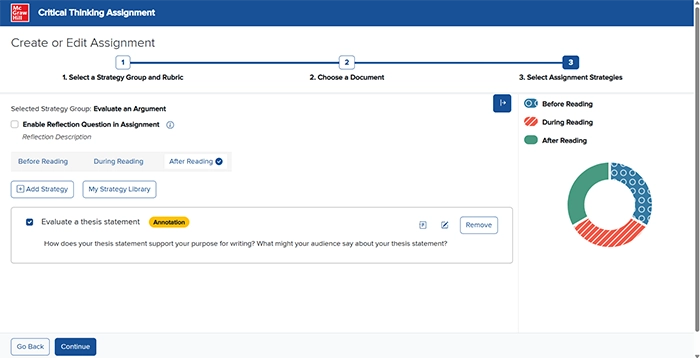
Enhanced accessibility updates are now live. The Process Wheel highlights new colors and patterns for enhanced accessibility compliance.

connect student experience screenshot

Integration Enhancement: ‘Set as Template Section for LMS’

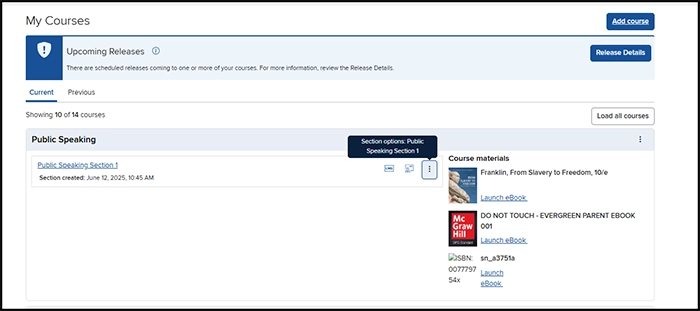
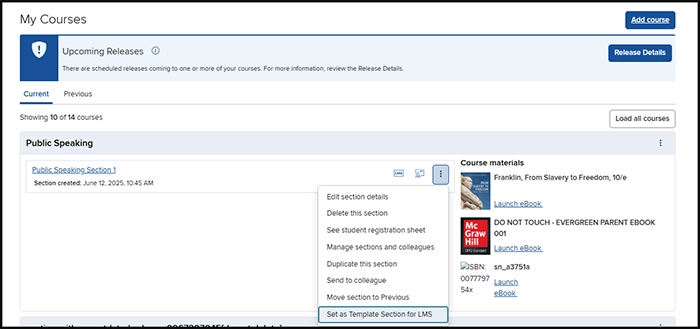
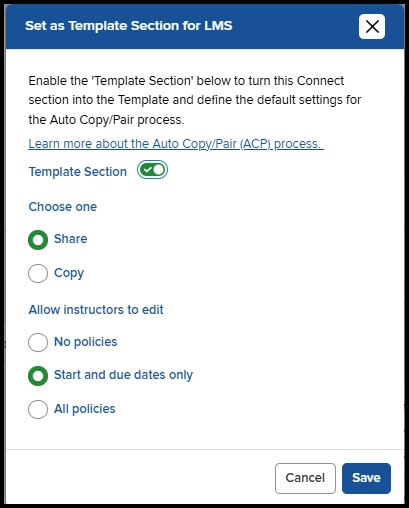
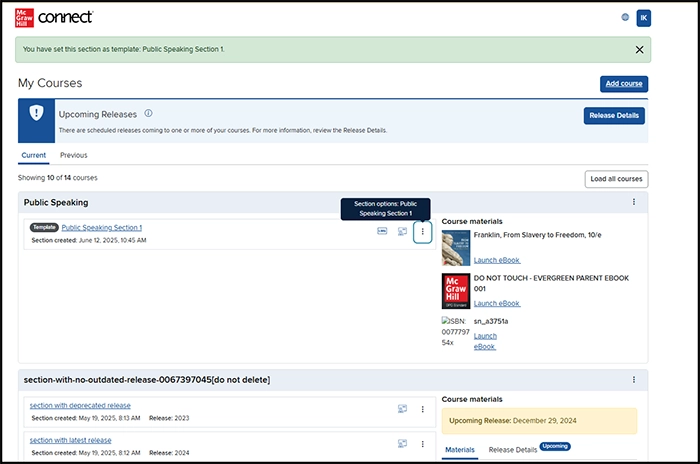
The workflow to integrate Connect with an LMS has been streamlined with the new ability to enable the ‘Set as Template Section for LMS’ directly from the My Courses page. This feature reduces the number of clicks to enable Auto Copy Pair (ACP) in a Connect section.

Click the dropdown menu to the right of a Connect section.

connect student experience screenshot

Select 'Set as Template Section for LMS.'

connect student experience screenshot

Select template settings and select Save.

connect student experience screenshot

Remain on the My Courses page to quickly enable the new Connect section as a template.

connect student experience screenshot

Power of Process Decommissioned

The Critical Thinking Assignment has replaced the former Power of Process assignment in Connect for a more accessible and user-friendly experience. Instructors no longer see Power of Process assignments in their section and students are unable to access Power of Process assignments previously assigned.