Weekly Ideas for Families for World of Wonders
Learn how teachers access and interpret Cognero reports to analyze assessment results and student performance.
- Literacy
- SSO & Manual-Rostering
- Customer Support
- World of Wonders 2017
- Direct Login & Auto-Rostering
- School Student
- Core
- Direct Login & Manual-Rostering
- School Parent
- SSO & Auto-Rostering
- PreK-12
- Preschool
- PreK
- Student Resources


Access Weekly Ideas for Families
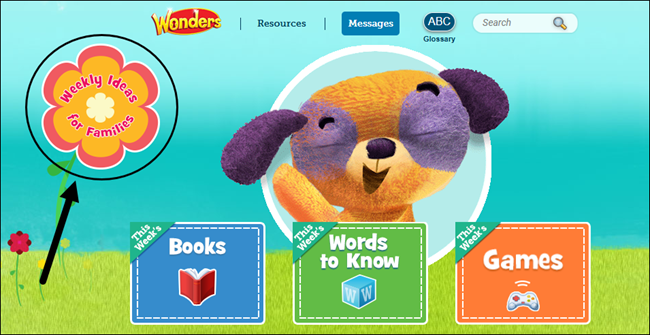
On the Student Dashboard, click on the Weekly Ideas for Families icon.
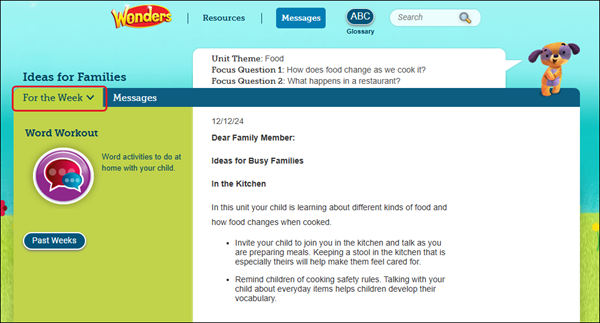
For the Week
The For the Week tab contains the Family Letter that is sent at the beginning of the week and provides information about the class.
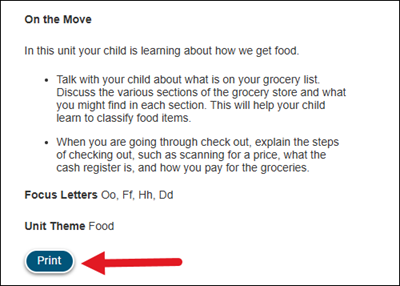
To save and/or print the Family Letter, click the Print button at the bottom.
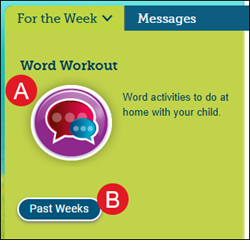
A. The For the Week tab also contains the Word Workout, containing word activities for this week. Click the icon on the left to view the activity.
B. To view the Family Letters from previous weeks, click the Past Weeks button. Use the navigation arrows to move between the different letters.
Messages
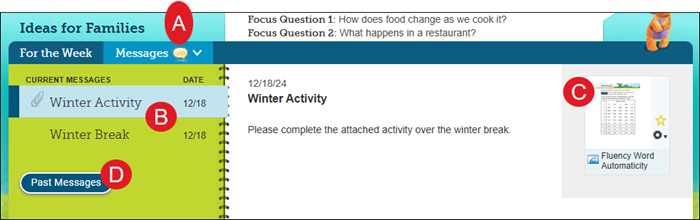
The Messages tab contains any messages sent from the teacher.
A. If you have any unread messages, you will see a speaking bubble icon beside Messages.
B. Click on a message listed in the left pane to view it and any resources attached.
C. Click the attachment icon to open it, if one is attached.
D. To view older messages, click the Past Messages button.
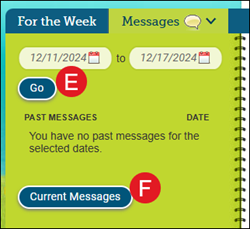
E. Select starting and ending dates to search, and click the Go button.
F. Click the Current Messages button to return to your active messages.