Step 2. Register and authorize your Adobe ID (optional). To access your eBook on multiple devices, first create an Adobe ID. Then, open Adobe Digital Editions, go to the Help menu, and select "Authorize Computer" to link your Adobe ID.
Step 3. Open Your eBook. Use Adobe Digital Editions to open the file. If the eBook doesn’t open, contact customer service for assistance.
Publisher's Note: Products purchased from Third Party sellers are not guaranteed by the publisher for quality, authenticity, or access to any online entitlements included with the product.
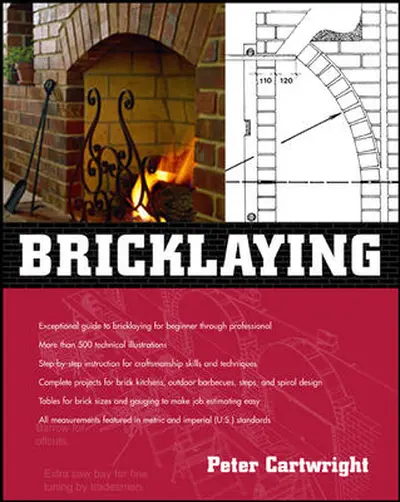
BRICKWORKING FROM “A-Z” . . .FOR NOVICES TO EXPERIENCED PROS
Whether you’re a homeowner wanting to do your own repairs, a trade apprentice seeking to sharpen your skills, or a veteran craftsman or contractor with years of experience, you’ll turn to this complete guide to bricklaying again and again. There is no more comprehensive or up-to-date reference available on the subject.
Written by a pro with over 25 years in the field, Bricklaying features:
* Over 560 technical drawings and diagrams illustrating technique and clear text that guides you every step of the way * Skill-building projects with start-to-finish instructions * Electricity and plumbing integration in brick construction * Solutions and preventive methods for high-wind concerns in cavity brickwork * Table for calculating how many bricks are needed for a job * Brick design for handicapped * Engineering properties * Essential topics such as damp-proofing, repairing and carcking mortor, window and door cutting, cleaning brick, and much more
An insider’s guide to every facet of the world of brickwork.
Acknowledgments
Part I: Brickwork -- The Basics
Chapter 1: Introduction
Electricity
Bricks
Mortar
Tools
Bond
Cutting Bricks with a Bolster or Saw
Poor Bonding
Chapter 2: Introductory Skills
Holding the Trowel
Knocking Up a Mortar Board
Picking Up Mortar from the Board
Throwing Out a Mortar Bed
Grasping the Brick
Buttering the Perpend
Buttering the Back Perpend
Laying Bricks
Laying Bricks Working Forward
Finding the Bond Vertically
Gauging Brickwork for Length
Gauging Brickwork for Height
Chapter 3: Setting Out the Job
Introduction
Construction Site Set Out
Corners
Internal Corners
Moving up in Stepping Foundations
Working Out Window and Door Heights
Brickwork and Meeting upwith Soffits
Window Heights
Brickwork in Difficult Situations
Gauging Windows in Difficult Positions
Window and Door Sills
Tricks of the Trade
Making Sure Doors are Plumb, Level, and Square
Laying of the Sill (Brick Veneer Sills)
Buttering of Sill Bricks
Gauging Difficult Sills
Justifying a Gauge
Toothing Corners
Bonding Internal Walls
Tingle
Piers
Bonding Engaged Piers with Queen and King Closures
Chapter 4: Scaffolding
Introduction
Using the Brick Elevator
Chapter 5: Cavity Brickwork
Introduction
Construction of a Cavity Brick Base
Laying Cavity Brickwork Structurally
Bond Beams on Cavity Brickwork
Cavity Brickwork--Used to Retain
Using Blocks as Beams Inside
Replacing Cleaning Eyes with Closures
Chapter 6: Full Brickwork
Fitting a Power Meter Box into 8" (200 mm) Brick Wall
Bricking Up to Installed Boxes
Using a Meter Box Bracket
Fitting Plumbing and Electrical into Full Brick Construction
Chapter 7: Miscellaneous Applications
Curved Walls
Squint Corners
Laying Hard Up Underneath Ant Cap From the Outside
Removal of Chipped or Cracked Bricks from Existing Brickwork
Chapter 8: Damp Proof Courses
Introduction
Fitting DPC into Raked Ceilings
Fitting DPC into Single-Skin and Brick Veneer
Fitting DPC over Windows and Doors
Replacing Damp Course in Brickwork
Weep Holes
Chapter 9: Blocklaying
Introduction
Laying the Bed Joint for Blocks
Laying Concrete Blocks
Block Window Sills
Fitting DPC at Floor Height or Below
Setting up Profiles on Clay or Concrete Blockwork
Working from the Inside
Set out Vertical Steel Fittings and Clay Blocks
Fitting of Steel
Fitting Windows
KO Beam over Openings
Window and Door Heads of Clay or Concrete Block
Fitting Steel Door Frames in Concrete or Clay Blockwork
Constructing Block Retaining Walls
Rebating to Allow Wall Drainage
Part II: Advanced Construction
Chapter 10: Introduction to Advanced Construction
Lintel Construction
Arch Supports
Cutting Brickwork on the Rake
Brick Ramp and Adjoining Steps
Brick Miter Box
Miter Corners
Brick Cap for 11 1/4" (350 mm) Piers
Fitting Ant Capping
Working Out a Brick, Block, or Clayblock Gable Without Trusses in Place
Setting Up for Uneven or Sloping Sites Using a Calculator
Chapter 11: Arches
Setting Up
Arch Forms
Chapter 12: Bay Windows
Introduction
External Brick Corners on Bay Windows
Chapter 13: Setting up Profiles
Running Back to a Door Frame in a Veneer Situation
Chapter 14: Suspended Slab
Using Brickwork for Formwork
Chapter 15: Fireplace Construction
Setting Out
Forming the Throat
Smoke Box
Constructing the Flue
Position of the Fireplace in a Dwelling
Fireplace without Splay
Accessibility
Creating accessible products is a priority for McGraw Hill. We make accessibility and adhering to WCAG AA guidelines a part of our day-to-day development efforts and product roadmaps.
highered <p>Hello world</p> <ul> <li>Rent or purchase for a fraction of the printed textbook price</li> <li>Rental transaction occurs through McGraw Hill's authorized rental partner</li> </ul> <ul> <li>Purchase un-bound 3-ring binder ready textbook</li> <li>Flexibility and ease of selecting chapters to take where you want to go</li> </ul> <ul> <li>Rent or purchase for a fraction of the printed textbook price</li> <li>Easily highlight, take notes and search</li> <li>Download the free ReadAnywhere App for offline access and anytime reading</li> <li><b>Note:</b> the eBook does not include access to Connect. If your instructor assigned Connect, click the "Digital" tab.</li> </ul> Watch a quick video to learn more <p style="text-align: left;">* By purchasing <b>lifetime</b> access to this McGraw Hill eBook title, you have access to the title for as long as it is available through the McGraw Hill Bookshelf website.</p> <ul> <li><b>Note: Connect can only be accessed if your instructor is using Connect in your course.</b></li> <li>Personalize your learning, save time completing homework, and possibly earn a better grade</li> <li>Download free ReadAnywhere App for offline access to eBook for anytime reading</li> <li>Access to eBook, homework and adaptive assignments, videos, and study resources</li> </ul> Features <ul> <li>Rent for a fraction of the printed textbook price</li> <li>Complete text bound in hardcover or softcover</li> </ul> <div><b> Note:</b> Payment through authorized rental partners</div> Features <ul> <li><b>Digital access</b> to a comprehensive online learning platform</li> <li>Includes <b>homework</b>, <b>study tools</b>, <b>eBook, and adaptive assignments</b></li> <li>Download the <b>free </b><a href="/content/mhe/en_us/learning-solutions/digital-solutions/mhebook.html"><span class="link-dark-underline">ReadAnywhere app</span></a> to access the eBook offline</li> </ul> Features <p>Unbound loose-leaf version of full text</p> View shipping options <ul> <li>A <b>personalized </b>and dynamic learning experience</li> <li>Adaptive learning will <b>focus </b>your study time </li> <li>Integrated <b>eBook </b>for additional support</li> <li>Exercise and lecture videos, interactives, and extra practice materials</li> </ul> Features <p>Complete text bound in hardcover or softcover</p> View shipping options Features <p><b>Details</b> </p> <ul> <li>Includes: access to an online learning platform and full printed textbook rental available in hardcover or softcover</li> <li>Access resources and tools in one place: eBook, complete homework, and customized assignments based on your progress</li> <li>Easily access offline or on a mobile device by downloading the free<b> </b><a href="/content/mhe/en_us/learning-solutions/digital-solutions/mhebook.html"><span class="link-dark-underline">ReadAnywhere app</span></a></li> </ul> <ul> <li>Comprehensive online learning platform + unbound loose-leaf print text package</li> <li>Connect includes <b>homework</b>, <b>study tools,</b> <b>eBook, and adaptive assignments</b></li> <li>Download the <b>free </b><a href="/content/mhe/en_us/learning-solutions/digital-solutions/mhebook.html"><span class="link-dark-underline">ReadAnywhere app</span></a> to access the eBook offline</li> </ul> View shipping options Features <p><b>Receive instant access to:</b></p> <ul> <li>Personalize your learning, save time completing homework, and possibly earn a better grade</li> <li>Access to eBook, homework and adaptive assignments, videos, and study resources</li> <li>Diagnostic assessment platform combined with an online homework system</li> <li>Access to algorithmic homework assignments tied to textbook questions</li> <li>Immediate feedback and step-by-step solutions</li> </ul> <ul> <li>Comprehensive online learning platform + unbound loose-leaf print text <b>package</b></li> <li>ALEKS includes <b>videos</b>, <b>interactives</b>, and <b>practice materials</b></li> <li>Integrated <b>eBook </b>for additional support</li> <li><b>Adaptive learning</b> will focus your study time </li> </ul> View shipping options Features Features <ul> <li>Comprehensive online learning platform + bound traditional print text </li> <li>Connect includes <b>homework</b>, <b>study tools</b>, <b>eBook, and adaptive assignments</b></li> <li>Explore the <b>free </b><a href="/content/mhe/en_us/learning-solutions/digital-solutions/mhebook.html"><span class="link-dark-underline">ReadAnywhere app</span></a> app to access the eBook offline</li> </ul> <p><span><b>Note:</b> Connect can only be used if assigned by your instructor. </span></p> Learn more about Connect > <span><span><span class="link-dark-underline">Learn more about Connect ></span></span></span> Learn more about ALEKS 360> Features <ul> <li>Highlight, take notes, and search</li> <li>Download the<b> free </b><a href="/content/mhe/en_us/learning-solutions/digital-solutions/mhebook.html"><span class="link-dark-underline">ReadAnywhere app</span></a> for offline and mobile access</li> </ul> <div>Note:<b> Connect access NOT included.</b> If Connect is required for your course, click the "Connect" tab.</div> Check out this video to learn more about eBooks > Watch to learn more about the eBook <p><u>Watch to learn more about the eBook</u></p> <span><span><b>Note:</b> GO can only be used if assigned by your instructor. <a href="https://www.mheducation.com/highered/go"><span class="link-dark-underline"><b>Learn more about GO</b></span></a></span></span> Features <ul> <li><b>Digital access</b> to eBook+ embedded in your school's Learning Management System (LMS)</li> <li>Includes full <b>eBook</b> and chapter questions</li> <li>Download the<b> free</b> <a href="/content/mhe/en_us/learning-solutions/digital-solutions/mhebook.html" target="_self"><span class="link-dark-underline">ReadAnywhere app</span></a> for offline and mobile access</li> </ul> eBook Print Connect ALEKS GO GDP Online Only <p><span><b>Details:</b></span></p> <ul> <li>Normally the lowest price option for studen</li> <li>Integrates in your LMS</li> <li>Accessible tools for students, including read-aloud functionality, jump links and dynamic note-taking and highlighting features</li> </ul> <p><span><span><b>Details:</b></span></span></p> <ul> <li><span>Integrates in your LMS</span></li> <li><span>Prebuilt courses, presentation slides and instructor resources</span></li> <li><span>Test question banks, adaptive assignments, essay prompts, video content and more interactive exercises specific to your course subject</span></li> <li><span>eBook access (with included <a href="/content/mheducation/us/en/highered/digital-products/mhebook">ReadAnywhere app</a>)</span></li> <li><span><span>Print book add-on availability</span></span></li> <li><span><span>Remote proctoring</span></span></li> </ul> Connect - Take a Tour Connect - Take a Tour Connect - Take a Tour Take a Tour Connect - Take a Tour Connect - Learn More Connect - Learn More Connect - Learn More Learn More Connect - Learn More <p><b>Details:</b></p> <ul> <li>Rentable option</li> <li>Hardcopy and softcover formats</li> </ul> <p><b>Details:</b></p> <ul> <li>Integrates in your LMS</li> <li>Assignable readings</li> <li>Auto-graded chapter questions</li> </ul> Go - Take a Tour Go - Take a Tour Go - Take a Tour Take a Tour Go - Take a Tour Go - Learn More Go - Learn More Go - Learn More Learn More Go - Learn More <p><b>Details:</b></p> <ul> <li>Unbound loose-leaf version of full text</li> </ul> <p><b>Details:</b></p> <ul> <li>Comprehensive online learning platform + unbound loose-leaf print text package</li> <li>Connect includes <b>homework</b>, <b>study tools,</b> <b>eBook, and adaptive assignments</b></li> <li>Download the <b>free </b><a href="https://www.mheducation.com/highered/learning-solutions/digital-solutions/mhebook.html">ReadAnywhere app</a> to access the eBook offline</li> </ul> Features <ul> <li>Highlight, take notes, and search</li> <li>Download the<b> free </b><a href="/content/mhe/en_us/learning-solutions/digital-solutions/mhebook.html"><span class="link-dark-underline">ReadAnywhere app</span></a> for offline and mobile access</li> </ul> <div>Note:<b> Connect access NOT included.</b> If Connect is required for your course, click the "Connect" tab.</div> Check out this video to learn more about eBooks > Watch to learn more about the eBook <p><u>Watch to learn more about the eBook</u></p> Features <p>Access this eBook by following the instructions found below in How to access your eBook.</p> Features <p>More information about this Print book can be found in the page section below.</p> Features <p>More information about this eBook can be found in the page section below.</p> Request eBook Sample <p>Validated Instructors Only</p> Features <p>More information about this Print book can be found in the page section below.</p> <h2><span class="fs-5"><span class="fw-bolder">Product Information</span></span></h2> <p>First accordion item</p> <h2><span class="h3">Accessibility</span></h2> Review this product's accessibility information <p>Creating accessible products is a priority for McGraw Hill. We make accessibility and adhering to WCAG AA guidelines a part of our day-to-day development efforts and product roadmaps.</p> <p>For more information, visit our <a href="/content/highered/en_us/accessibility.html" target="_self">accessibility page</a>, or contact us at <a href="mailto:accessibility@mheducation.com">accessibility@mheducation.com</a></p> affordability icon <h2><span class="h3">Affordability</span></h2> Learn more about Inclusive Access <p>Reduce course material costs for your students while still providing full access to everything they need to be successful. It isn't too good to be true - it's Inclusive Access.</p> <p>Trouble downloading resources? Email <a href="mailto:MHPAcademic@mheducation.com">MHPAcademic@mheducation.com</a> for help.</p> <p><strong>Step 1<span aria-hidden="true">.</span> Download </strong><a href="https://www.adobe.com/solutions/ebook/digital-editions/download.html"><strong><u>Adobe Digital Editions</u></strong></a> to your PC or Mac desktop/laptop.</p> <p><strong>Step 2. Register and authorize your Adobe ID (optional). </strong>To access your eBook on multiple devices, first <a href="http://account.adobe.com/"><u>create an Adobe ID</u></a>. Then, open Adobe Digital Editions, go to the Help menu, and select <strong>"Authorize Computer"</strong> to link your Adobe ID.</p> <p><b>Step 3. Open Your eBook.</b> Use Adobe Digital Editions to open the file. If the eBook doesn’t open, contact <a title="mailto:MHP-Ebooks@mheducation.com" href="mailto:MHP-Ebooks@mheducation.com"><u>customer service</u></a> for assistance.</p> How to Access Your eBook Overview Table of Contents Sample sample-chapter Read Sample Chapter Author Bios Accessibility Affordability Downloads & Resources <p style="text-align: center;"><strong>Need support?</strong> We're here to help - <a href="/content/mheducation/us/en/highered/support.html" target="_self">Get real-world support and resources every step of the way.</a></p>