prek-12
2026-10-09T19:04:31.045Z
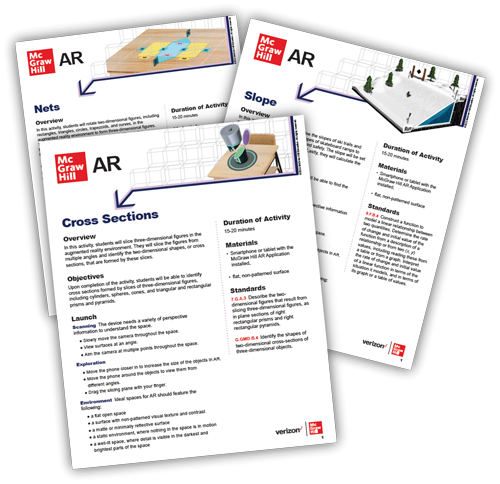
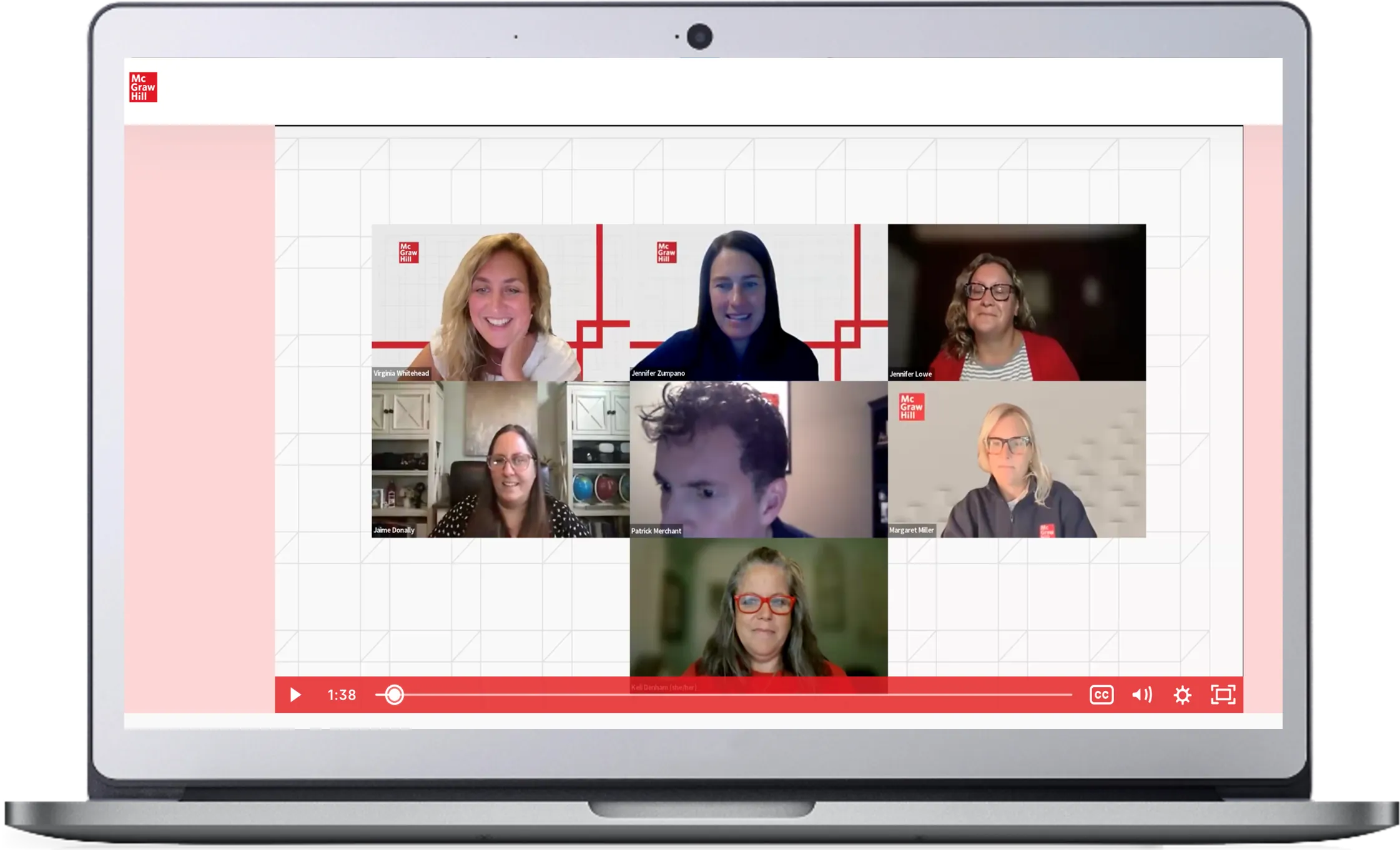
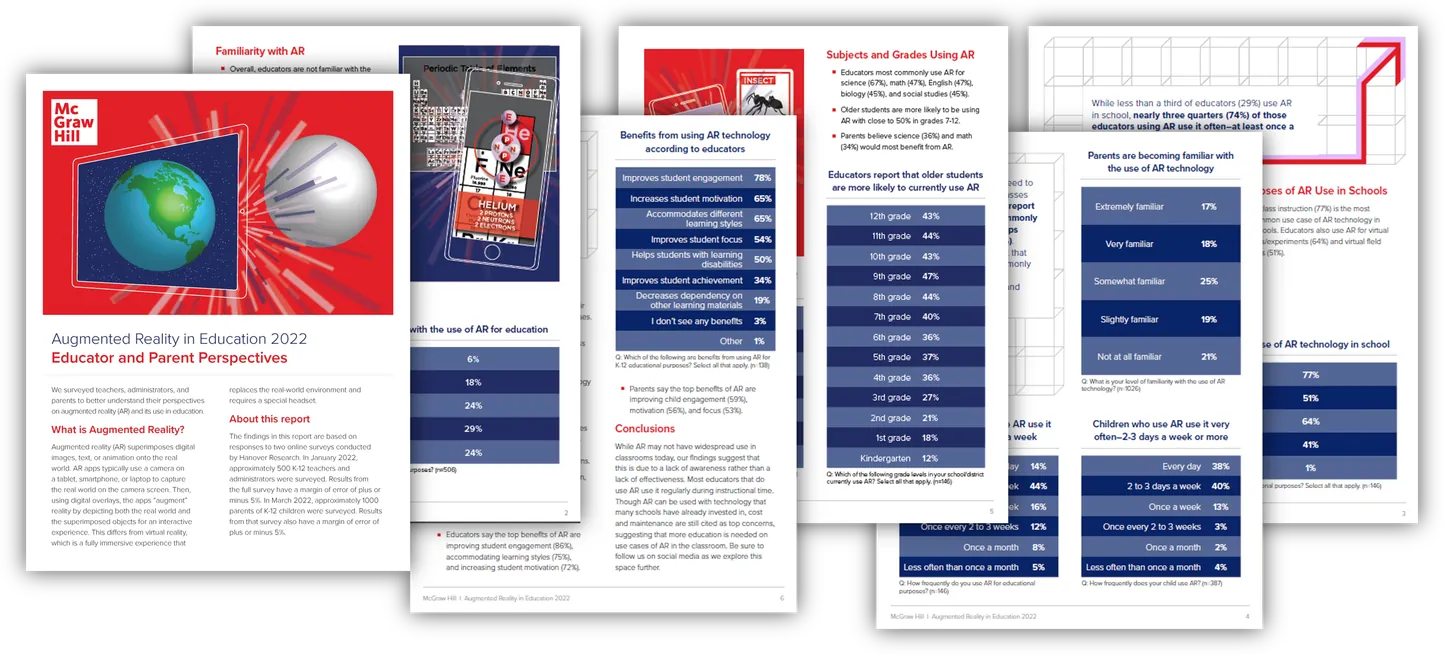
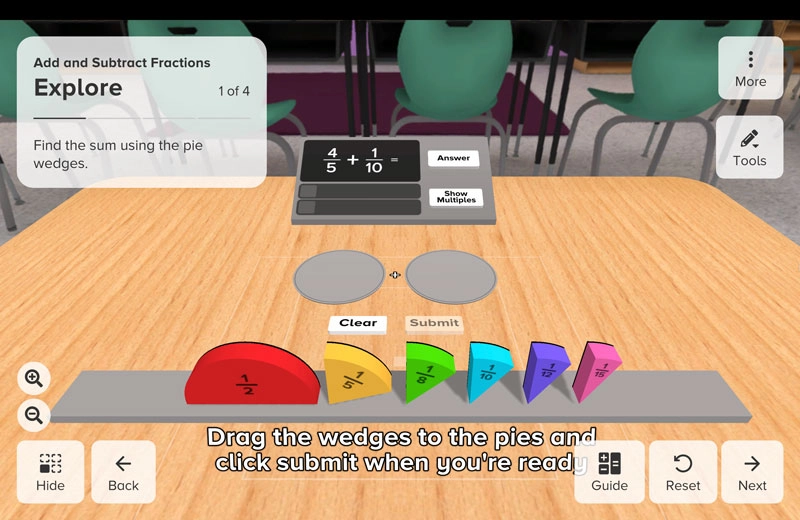
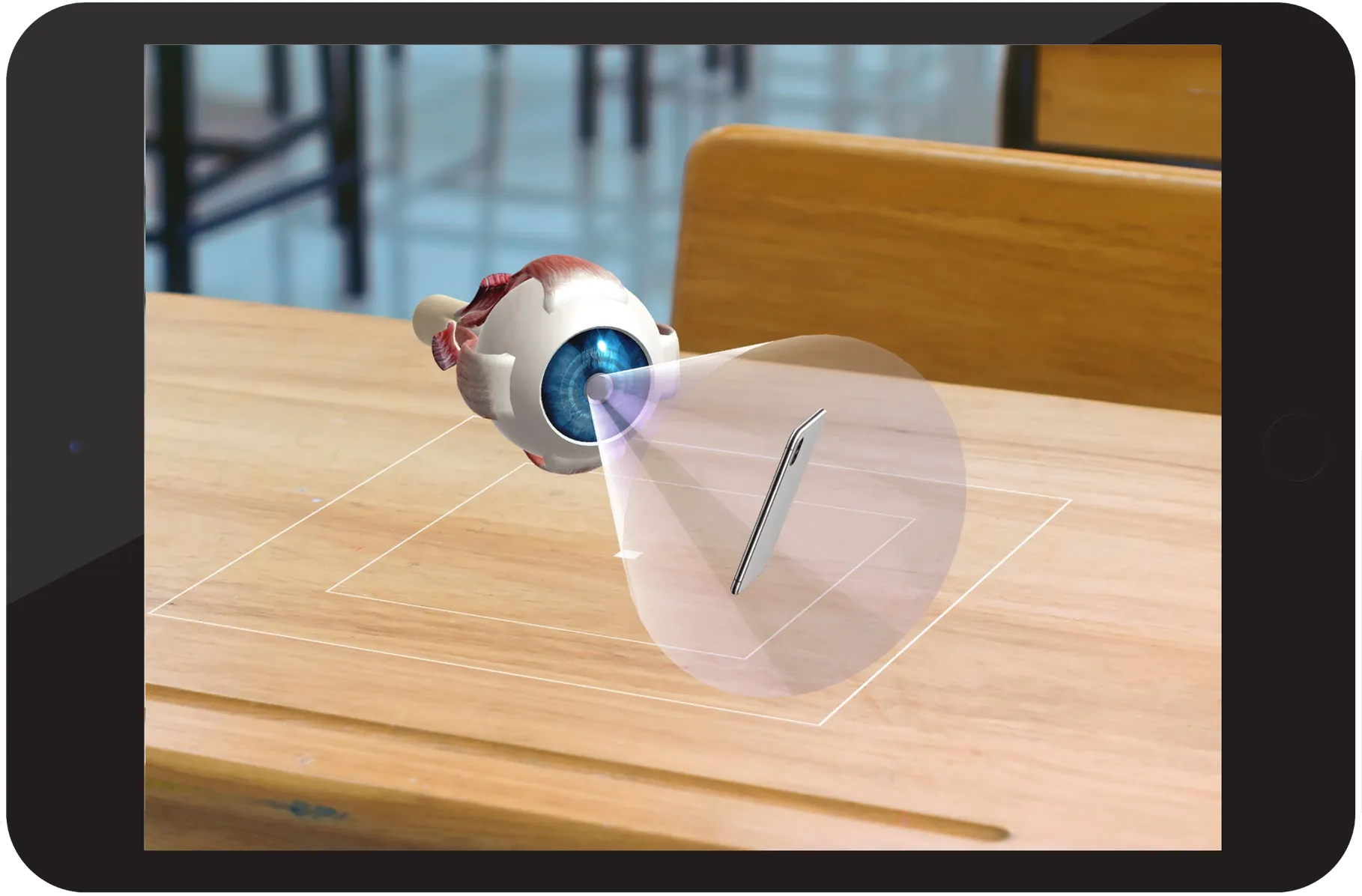
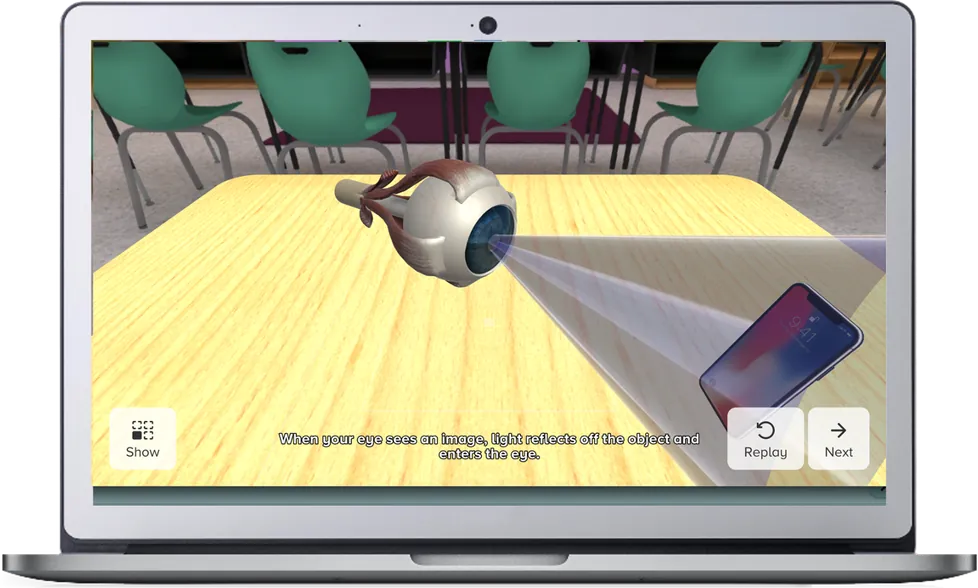
prek12 McGraw Hill AR <p><span class="text-white"><span class="fw-extrabold"><span class="display-3"><span class="fw-bold">McGraw Hill AR</span></span></span></span></p> Verizon logo <h1><span class="text-white"><span class="fw-extrabold"><span class="text-black"><span class="display-4"><b>McGraw Hill AR</b></span></span></span></span></h1> Verizon logo <p><span class="h2"><span class="fw-bold">Bring learning to life<br> with our augmented reality app McGraw Hill AR</span></span></p> <p><span class="fs-5">McGraw Hill and Verizon have partnered to create McGraw Hill AR, a free app combining proven content with powerful technology to engage your students in unique and impactful ways. See what's possible in your classroom.</span></p> <h1><span class="fw-bold">McGraw Hill AR: Free Augmented Reality App for K–12 Classrooms</span></h1> <p><span class="fs-large">McGraw Hill AR is a free augmented reality app that helps K–12 students explore key concepts through interactive 3D experiences.</span></p> <p><span class="fs-large">The standalone app supplements any curriculum and is available through our <a href="#two-experiences" target="_self">AR mobile app</a> or <a href="#two-experiences" target="_self">3D web experience</a>, making it easy for teachers to add immersive learning to existing lessons.</span></p> <p><span class="fs-large">These activities open new opportunities for learning by engaging students through interactive, playful exploration. Subjects include <a href="#math" target="_self">math</a>, <a href="#science" target="_self">science</a>, <a href="#social-studies" target="_self">social studies</a>, and <a href="#ela" target="_self">ELA</a>.</span></p> View AR Brochure View AR Brochure View Brochure <h2><span class="fw-bold">Interactive 3D Learning Experiences for Math, Science, Social Studies, and ELA</span></h2> View McGraw Hill Augmented Reality Features <h3>Two Experiences. Two Languages. Same Approach.</h3> <p>McGraw Hill AR has an augmented reality app experience for classrooms with access to tablets and smartphones for learning, as well as a 3D web-based experience for classrooms with laptops and Chromebooks. Both experiences are also available in Spanish and offer the same 3-part pedagogical approach. </p> <ul> <li><b>Observe</b>: Students watch a narrated animation within the app.</li> <li><b>Explore</b>: Students interact with 3D objects and experiment at their own pace.</li> <li><b>Evaluate</b>: Students apply knowledge by answering interactive questions.</li> </ul> AR Industrial Revolution screenshot on tablet <h3>Augmented Reality App Experience</h3> <p>Using the power of augmented reality, students use their tablets or smartphones to layer 3D objects onto their real world—their desks, tables, floor, anywhere!</p> <p>They can walk around the objects, interact with them, and see them from different angles for a more immersive, kinesthetic approach to learning.</p> <p>Download the app for free from the App Store or Google Play. You can also scan the QR code to download McGraw Hill AR.</p> QR Code to scan and download the McGraw Hill AR App AR Industrial Revolution screenshot on laptop <h3>3D Web-Based Experience</h3> <p>No mobile devices in the classroom? No problem. Students can access web versions for use on Chromebooks, laptops, and desktops.</p> <p>The web experience presents the 3D objects against a static classroom backdrop. Students get to engage with the objects and manipulate them using their trackpad, mouse, and/or keyboard controls.</p> <p>Go to <a href="https://mharonline.com/" target="_blank" title="mharonline dot com ">mharonline.com</a> to access these free web experiences now!</p> <p><em>NOTE: Web versions will not run on the internet browsers of smartphones or tablets. Use the app for those devices.</em></p> augmented reality lesson plans for classroom <h3>Guide your AR Integration with Standards-Aligned Lesson Plans</h3> <p>Professionally developed lesson plans include</p> <ul> <li>Learning objectives and standards</li> <li>Implementation tips</li> <li>Student worksheet (same Evaluate exercises from app)</li> <li>Extension activities (not in app)</li> <li>Enrichment activities (not in app)</li> </ul> <p>You can access these lesson plans by creating a free account at <a href="https://www.verizon.com/learning?cid=MHILL" target="_blank" title="verizon dot com slash learning">verizon.com/learning</a>.</p> augmented reality lesson plans for classroom <h4>See What’s Covered—By Standard and by Grade</h4> <p>See each discipline tab for these teaching aids:</p> <ul> <li><b>Standards Alignment Chart</b> – Easily see which standards each activity supports</li> <li><b>Content Progressions Chart</b> – Description of each activity, best-fit grade levels + modification tips</li> </ul> <h4>Learn How to Use McGraw Hill AR: Video Tutorials and Self-Paced Training</h4> <ul> <li><strong>Tutorial Videos</strong> – Short overviews to help you understand key tools and functions. See the Tutorials tab to the left.</li> <li><strong>Self-Paced Video Course</strong> – Complete anytime and receive a participation certificate. Coming August 2025 within the <a href="/content/mheducation/us/prek-12/connect/educator-communities.html" target="_self" title="McGraw Hill Educator Community">McGraw Hill Educator Community</a>.</li> </ul> <h3>Flexible Implementation for Any Classroom Setup</h3> <p>No matter your classroom configuration—1:1 devices, shared devices, limited tech, or even no student devices at all—McGraw Hill AR is built to fit your needs. Our Implementation Ideas Chart provides quick, practical guidance on how to integrate experiences across a variety of teaching models. Each activity follows a simple structure—Observe, Explore, Evaluate—but how you implement it is entirely up to you. </p> <p><a href="https://www.mheducation.com/unitas/school/explore/sites/mcgraw-hill-ar/implementation-chart.pdf" target="_blank" title="View Implementation Chart">View Implementation Chart</a></p> <h3>Join Our AR User Group!</h3> <p>Join a dynamic community of forward-thinking teachers exploring the power augmented reality in classroom:</p> <ul> <li>Shape classroom learning through feedback on ideas in development</li> <li>Connect with like-minded educators on uses of AR in the classroom</li> <li>Access regular free training through webinars</li> <li>Have your success spotlighted by McGraw Hill in articles</li> <li>Earn digital badges to share achievements</li> <li>Earn free stuff like McGraw Hill swag</li> </ul> Sign Up to the McGraw Hill AR User Group Now Sign Up Now <h3>Math Activities</h3> <p>McGraw Hill AR helps students visualize math and see math in the world around them. From ski slopes to fireworks, from racing cars to desert islands, students can experience the fun in learning math and realize it’s not just about numbers and equations.</p> <p>Topics Covered</p> <ul> <li>1-Step Equations</li> <li>2-Step Equations</li> <li>Add & Subtract Fractions</li> <li>Coordinate Plane</li> <li>Cross Sections</li> <li>Divide with Remainders </li> <li>Equivalent Fractions</li> <li>Game Theory</li> <li>Graph Theory</li> <li>Growth Functions</li> <li>LCM</li> <li>Nets</li> <li>Parallel and Skew Lines</li> <li>Pythagorean Theorem in 3D</li> <li>Quadratic Functions</li> <li>Ratios</li> <li>Reflections</li> <li>Rotations</li> <li>Slope</li> </ul> <p><span>Use these handy reference charts to guide your planning:</span></p> <ul> <li><a href="/content/dam/mhe/prek12/documents/programs/mcgraw-hill-ar/math-content-progressions-apr-2026.pdf" target="_blank" title="View Content Progressions for Math" data-layer-subarea="body" data-layer-label="Contaent Progressions for Math">Content Progressions</a>: Summarizes each activity with recommended grade levels and suggested modifications.</li> <li><a href="/content/dam/mhe/prek12/documents/programs/mcgraw-hill-ar/math-standards-apr-2026.pdf" target="_blank" title="Standards Alignment for Math" data-layer-subarea="body" data-layer-label="Standards Alignment for Math">Standards Alignment</a>: Identifies the national standards each activity supports, with additional charts for <a href="/content/dam/mhe/prek12/documents/programs/mcgraw-hill-ar/fl-math-standards-apr-2026.pdf" target="_blank" title="Standards alignment for Florida Math" data-layer-subarea="body" data-layer-label="Standards alignment for Florida Math">Florida</a>, <a href="/content/dam/mhe/prek12/documents/programs/mcgraw-hill-ar/ca-math-standards-apr-2026.pdf" target="_blank" title="Standards alignment for California Math" data-layer-subarea="body" data-layer-label="Standards alignment for California Math">California</a>, and <a href="/content/dam/mhe/prek12/documents/programs/mcgraw-hill-ar/tx-math-standards-apr-2026.pdf" target="_blank" title="Standards alignment for Texas Math" data-layer-subarea="body" data-layer-label="Standards alignment for Texas Math">Texas</a>.</li> <li><em>Reveal Math</em> Correlations: Shows how the activities align with <a title="View Reveal Math 2020 Correlations" href="/content/dam/mhe/prek12/documents/explore/augmented-reality/mhe-ar-reveal-math-correlations-content-progressions.pdf" target="_blank"><em>Reveal Math</em> 2020</a> and <a title="View Reveal Math 2025 Correlations" href="/content/dam/mhe/prek12/documents/explore/augmented-reality/mcgraw-hill-ar-reveal-math-correlations-2025.pdf" target="_blank"><em>Reveal Math</em> 2025</a>.</li> </ul> <h3>Science Activities</h3> <p>Your science students can now experiment with the impossible in the classroom like dissecting the human eye, taking apart a v8 engine, or playing mini golf to understand reflection. </p> <p>Topics Covered</p> <ul> <li>Animal Cell Lab</li> <li>Big Dig</li> <li>Circulatory System</li> <li>Fibonacci Forest Quest</li> <li>Fireworks Factory</li> <li>Glaciers</li> <li>Human Eye</li> <li>Law of Reflection (Group activity included)</li> <li>Periodic Table</li> <li>Photosynthesis</li> <li>Respiratory System</li> <li>Simple Machines</li> <li>Sonic Shapes</li> <li>Tornado Factory</li> <li>V8 Engines</li> </ul> <p>Use these handy reference charts to guide your planning:</p> <ul> <li><a href="/content/dam/mhe/prek12/documents/programs/mcgraw-hill-ar/science-content-progressions-oct-2025.pdf" target="_blank" title="Content Progressions">Content Progressions</a>: Summarizes each activity with recommended grade levels and suggested modifications.</li> <li><a href="/content/dam/mhe/prek12/documents/programs/mcgraw-hill-ar/science-standards-sept-2025.pdf" target="_blank" title="Standards Alignment">Standards Alignment</a>: Identifies the national standards each activity supports, with additional charts for <a href="/content/dam/mhe/prek12/documents/programs/mcgraw-hill-ar/fl-science-standards-sept-2025.pdf" target="_blank" title="Florida">Florida</a>, <a href="/content/dam/mhe/prek12/documents/programs/mcgraw-hill-ar/ca-science-standards-sept-2025.pdf" target="_blank" title="California">California</a>, and <a href="/content/dam/mhe/prek12/documents/programs/mcgraw-hill-ar/tx-science-standards-sept-2025.pdf" target="_blank" title="Texas">Texas</a>.</li> <li><a href="/content/dam/mhe/prek12/documents/programs/mcgraw-hill-ar/inspire-science-correlations-digital-oct-2025.pdf" target="_blank" title="Inspire Science Correlations"><em>Inspire Science</em> Correlations</a>: Shows how the activities align with our <em>Inspire Science</em> K–12 curriculum.</li> </ul> <h3>Social Studies Activities</h3> <p>With McGraw Hill AR, your social studies students can become time travelers, immersing themselves in the past by exploring events, making choices, and simulating strategies. </p> <p>Topics Covered</p> <ul> <li>Boston Massacre</li> <li>CivicsTown</li> <li>Civil War</li> <li>Colosseum</li> <li>Deforestation in the Amazon</li> <li>Grocery Go!</li> <li>Industrial Revolution</li> <li>Machu Picchu</li> <li>Map Dash</li> <li>Panama Canal</li> <li>Parthenon</li> <li>Pyramids</li> <li>Silk Road</li> <li>Space Race (Group activity included)</li> <li>Stickball</li> <li>Trench Warfare</li> <li>Vikings</li> <li>Westward Expansion</li> </ul> <p>Use these handy reference charts to guide your planning:</p> <ul> <li><a href="/content/dam/mhe/prek12/documents/programs/mcgraw-hill-ar/social-studies-content-progressions-oct-2025.pdf" target="_blank" title="Content Progressions">Content Progressions</a>: Summarizes each activity with recommended grade levels and suggested modifications.</li> <li><a href="/content/dam/mhe/prek12/documents/programs/mcgraw-hill-ar/social-studies-standards-sept-2025.pdf" target="_blank" title="Standards Alignment">Standards Alignment</a>: Identifies the national standards each activity supports, with additional charts for <a href="/content/dam/mhe/prek12/documents/programs/mcgraw-hill-ar/fl-social-studies-standards-june-2025.pdf" target="_blank" title="Florida">Florida</a>, <a href="/content/dam/mhe/prek12/documents/programs/mcgraw-hill-ar/ca-social-studies-standards-sept-2025.pdf" target="_blank" title="California">California</a>, and <a href="/content/dam/mhe/prek12/documents/programs/mcgraw-hill-ar/tx-social-studies-standards-sept-2025.pdf" target="_blank" title="Texas">Texas</a>.</li> <li><a href="/content/dam/mhe/prek12/documents/programs/mcgraw-hill-ar/impact-social-studies-correlations-digital-oct-2025.pdf" target="_blank" title="Impact Social Studies Correlations"><em>Impact Social Studies</em> Correlations</a>: Shows how the activities align with our <em>Impact</em> K–5 Social Studies curriculum.</li> <li><a href="/content/dam/mhe/prek12/documents/programs/mcgraw-hill-ar/national-social-studies-correlations-digital-oct-2025.pdf" target="_blank" title="World and US History Correlations">World & U.S. History Correlations</a>: Shows how the activities align with our 6–12 Social Studies curriculum.</li> </ul> <h3>ELA Activities</h3> <p>Students explore narrative elements and literary devices within visual and spatial storytelling experiences to connect more deeply with plot, characters, setting, and the language that shapes them. The first activity Romeo & Juliet invites students to reimagine the balcony scene using the source material to create their own representation and watch their production come to life!</p> <p>Topics Covered</p> <ul> <li>GrammarBot: Modifers</li> <li>Shakespeare: Romeo & Juliet</li> <li>The Great Race</li> </ul> <p>Use these handy reference charts to guide your planning:</p> <ul> <li><a href="/content/dam/mhe/prek12/documents/programs/mcgraw-hill-ar/ela-content-progressions-oct-2025.pdf" target="_blank" title="Content Progressions">Content Progressions</a>: Summarizes each activity with recommended grade levels and suggested modifications.</li> <li><a href="/content/dam/mhe/prek12/documents/programs/mcgraw-hill-ar/ela-standards-sept-2025.pdf" target="_blank" title="Standards Alignment">Standards Alignment</a>: Identifies the national standards each activity supports, with additional charts for <a href="/content/dam/mhe/prek12/documents/programs/mcgraw-hill-ar/fl-ela-standards.pdf" target="_blank" title="Florida">Florida</a>, <a href="/content/dam/mhe/prek12/documents/programs/mcgraw-hill-ar/ca-ela-standards.pdf" target="_blank" title="California">California</a>, and <a href="/content/dam/mhe/prek12/documents/programs/mcgraw-hill-ar/tx-ela-standards.pdf" target="_blank" title="Texas">Texas</a>.</li> </ul> <p>First accordion item</p> <p>McGraw Hill AR activities are designed for grades 3 and up, though the ideal grade level varies by activity. We provide content progression charts to help you identify the best fit and any needed modifications. Many educators find that activities can flex up or down—advanced younger students often enjoy the challenge of higher-grade content, while older students may benefit from revisiting foundational concepts through younger-grade activities.</p> <p>Yes! All McGraw Hill AR activities are aligned to national standards across Math (Common Core), Science (NGSS), ELA (Common Core), and Social Studies (NCSS and C3 Framework). Each experience is designed to reinforce key concepts and skills in a way that’s engaging and interactive. We have documents that show this alignment. Please click on the specific discipline tabs to the left for information on standards. We are currently working on select state standards alignment and they should be posted in Fall of 2025</p> <p>These activities are designed to supplement any core curriculum. However, we do have a correlations document for how the activities correlate to our <i>Reveal Math</i>, <i>Inspire Science</i>, and Social Studies curricula. Please click on the specific discipline tabs to the left for information on correlations. </p> <ul> <li>App Experience: Apple or Android tablets or smartphones</li> <li>Web Experience: Laptops or Chromebooks</li> </ul> <p>No, you do not. Headsets are typically used for virtual reality (VR) experiences, not augmented reality (AR).</p> <p>Both versions include the same interactive activities—students can explore and manipulate 3D objects in either format. The key difference is how they experience them. With the app, the AR technology places digital objects into their real-world through the camera view—so it looks like the objects are sitting there on their desk or table, for example. It makes the experience feel more immersive. The web version shows the same 3D content on-screen against a digital background, making it ideal for laptops or desktops. Both are engaging—just in different ways.</p> <p>It depends on what devices your students have access to in the classroom. Please see table below.</p> Table showing McGraw Hill AR Classroom Experience by Setup, Device Type, Application Interface, and Notes <p>Classroom Setup</p> <p>Device Type</p> <p>McGraw Hill AR Experience</p> <p>Notes</p> <p>1:1</p> <p>1:1</p> <p>1:1</p> <p>Shared Devices</p> <p>Shared Devices</p> <p>Shared Devices</p> <p>Tablets</p> <p>Laptops/Chromebooks</p> <p>Mixed Devices</p> <p>Tablets</p> <p>Laptops/Chromebooks</p> <p>Mixed Devices</p> <p>App</p> <p>Web</p> <p>App & Web</p> <p>App (in pairs/groups)</p> <p>Web (in pairs/groups)</p> <p>App & Web</p> <p>Full AR experience</p> <p>Identical content to app, browser-based</p> <p>Tablet/smartphone students use app. Laptop/Chromebook students use web. If they do a Group Play activity, it supports cross-device collaboration.</p> <p>Full AR experience</p> <p>Identical content to app, browser-based</p> <p>Tablet/smartphone students use app. Laptop/Chromebook students use web. If they do a Group Play activity, it supports cross-device collaboration.</p> <p>McGraw Hill AR is free. Anyone can download the app from either the <a href="https://apps.apple.com/us/app/mcgraw-hill-ar/id1620378347" target="_blank" title="App Store ">App Store</a> or <a href="https://play.google.com/store/apps/details?id=com.mcgrawhill.ar&pli=1" target="_blank" title="Google Play ">Google Play</a> or access the web versions at <a href="https://www.mharonline.com/" target="_blank" title="mharonline dot com">www.mharonline.com</a>.</p> <p>To deploy it on school devices, you may need to involve an administrator, depending on your district. Please see tips in the table below.</p> Table showing McGraw Hill AR Classroom App and Web Experience Login and Admin Details <p>App Experience (Tablets/Phones)</p> <p>Web Experience (Laptops/Chromebooks)</p> <p>How to Acces</p> <p>App installed on school tablets or mobile devices. If you can’t download directly from the App Store or Google Play to school devices, you need an Admin to deploy.</p> <p>Go to <a href="https://www.mharonline.com/" target="_blank">www.mharonline.com</a> on school laptops or Chromebooks.</p> <p>Admin Action</p> <p>Ask your admin or IT team to deploy app from Apple School Manager or Android Zero Touch Enrollment.</p> <p>If you can’t access the website on school WiFi, ask admin or IT team to “whitelist” the URL <a href="https://www.mharonline.com/" target="_blank">www.mharonline.com</a>.</p> <p>Allow 2–3 weeks for approval and deployment (varies by district)</p> <p>Timing Tip</p> <p>Allow 2–3 weeks for approval and deployment (varies by district)</p> <p>Important to <span style="background-color: rgba(0, 0, 0, 0);">share</span></p> <p>“It’s free and doesn’t collect student data”</p> <p>“It’s free and doesn’t collect student data”</p> <p>Every McGraw Hill AR activity includes a Solo Play mode, which allows students to complete the activity independently at their own pace. Group Play is available in select activities as an additional option. It encourages collaborative or competitive learning within small groups. In Group Play, students might work together to achieve a shared goal or compete in a friendly challenge—either way, the experience is designed to make learning interactive, social, and game-like.</p> <p>Spatial mapping activities use advanced AR technology to recognize and interact with multiple surfaces in a space—not just a single flat surface like a desk. This allows students to move around and view AR elements above, below, and all around them, creating a fully immersive experience. It’s designed to enhance engagement and make learning feel more dynamic and lifelike.</p> <p>Nope! These activities are available for students to access on a tablet, phone, or laptop, anywhere with a stable internet / cellular connection.</p> Table showing McGraw Hill AR Classroom Experience Teaching Aid Solutions by Planning Needs, Supporting Resources, and Where to Find Resources <p>Planning Need</p> <p>Supporting Resource</p> <p>Where to find</p> <p>Align with academic <span style="background-color: rgba(0, 0, 0, 0);">standards</span></p> <p>Choose the right <span style="background-color: rgba(0, 0, 0, 0);">content by grade</span></p> <p>Access lesson plans <span style="background-color: rgba(0, 0, 0, 0);">and worksheets</span></p> <p>Get familiar with app</p> <p>Get deeper PD and <span style="background-color: rgba(0, 0, 0, 0);">earn a certificate</span></p> <p><b>Standards Alignment Chart</b> – Easily see which standards each activity supports</p> <p><b>Content Progressions Chart</b> – Description of activity, best-fit grade levels + modification tips</p> <p><b>Lesson Plans</b> – Overview, objectives, lesson duration, materials needed, standards covered, and tips. They also include Extension & Enrichment Activities and student worksheets (plus answer keys)</p> <p><b>Tutorial Videos</b> – Short overviews to help you understand key tools and functions</p> <p><b>Self-Paced Video Course</b> – Complete anytime and receive a participation certificate</p> <p><a href="/content/mheducation/us/en/prek-12/program/microsites/mcgraw-hill-ar.html" target="_self">McGraw Hill AR website</a></p> <p><a href="/content/mheducation/us/en/prek-12/program/microsites/mcgraw-hill-ar.html" target="_self">McGraw Hill AR website</a></p> <p><a href="https://www.verizon.com/learning" target="_blank">Verizon Innovative Learning portal</a></p> <p>Bookmark the <a href="https://www.verizon.com/learning/mcgraw-hill" target="_blank">homepage within the portal</a> for McGraw Hill AR</p> <p><a href="/content/mheducation/us/en/prek-12/program/microsites/mcgraw-hill-ar.html" target="_self">McGraw Hill AR website</a></p> <p>McGraw Hill website (to come August 2025)</p> <p>Yes! McGraw Hill AR activities are available in Spanish in both the web and app experience.</p> <p>No, the app does not collect student data as part of our agreement with Verizon. The app was built for Verizon’s Innovative Learning Initiative; as part of that, the app must not collect student data and must be free.</p> <p>In the <a href="https://www.verizon.com/learning" target="_blank">Verizon portal</a>, the lesson plans include student worksheets that you can print, hand out, and collect or distribute digitally via an LMS. They are fillable PDFs so students can complete them on a device and submit them back to you digitally via an LMS or your preferred method.</p> <p>Verizon has an education initiative called Verizon Innovative Learning that supports digital equity and inclusion in education. As part of it, the product is offered for free to all schools, no matter what curriculum they’re using. Educators can access the lesson plans for the product in the Verizon Innovative Learning portal, which provides free access to the latest in augmented reality and virtual reality educational materials.</p> <p>Yes! These activities will always be free. It’s part of our partnership with Verizon.</p> <p>Please send an email to <a href="mailto:mcgrawhillar@mheducation.com" target="_self" title="mcgrawhillar at mheducation dot com">mcgrawhillar@mheducation.com</a> explaining what you are experiencing. A McGraw Hill employee will troubleshoot the issue and respond accordingly.</p> <p>You can send an email to <a href="mailto:mcgrawhillar@mheducation.com" target="_self" title="mcgrawhillar at mheducation doc com">mcgrawhillar@mheducation.com</a> with your thoughts or <a href="/content/mheducation/us/en/prek-12/program/microsites/mcgraw-hill-ar/feedback.html" target="_self" title="fill out the form here">fill out the form here</a>.</p> What’s the grade range for McGraw Hill AR activities? Does McGraw Hill AR align to standards? Does McGraw Hill AR correlate with McGraw Hill core curricula? What kinds of devices do I need to access McGraw Hill AR? Do I need a headset to use McGraw Hill AR? What’s the difference between the McGraw Hill AR app experience and web experience? Which experience—app or web—should I use in my classroom? How can I access McGraw Hill AR and how do I get McGraw Hill AR loaded on to my school devices? I see Solo Play in all the activities and Group Play in some of the activities. What is the difference? Some activities say they are a spatial mapping activity. What does that mean? Are these activities something that kids only use in school? What kinds of teaching aids are provided? Is McGraw Hill AR offered in other languages? Does McGraw Hill AR collect student data? How can I assess the students if the app doesn’t collect data? Why is McGraw Hill partnering with Verizon? Is McGraw Hill AR free? I’m having technical issues with the app. Where can I submit feedback on McGraw Hill AR? <h3><b>Web-based Experience (laptops & desktops)</b></h3> <h4><b>General Requirements:</b></h4> <ul> <li>The browser is WebGL 2 capable.</li> <li>The browser is HTML 5 standards-compliant.</li> <li>The browser is 64-bit and supports WebAssembly.</li> </ul> <h4><b>System Support (matches ALEKS requirements): </b></h4> <ul> <li>Operating System: Windows 10+, Mac OS X 10.15+</li> <li>Chromebook Chrome OS 30+</li> <li>Screen Resolution: 1024x768</li> <li>Browsers: Chrome 105+, Firefox 105+, Edge 110+, No support for IE 11</li> </ul> <h3><strong>App Experience (smartphones & tablets)</strong></h3> <h4><strong>Apple Devices</strong></h4> <p>Guaranteed to work on: </p> <ul> <li>iPhone 12 and later</li> <li>iPhone SE (latest)</li> <li>iPad (latest)</li> <li>iPad Air 3rd gen (2019)</li> <li>iPad Air 4th gen (2020)</li> <li>iPad Air 5th gen (2022)</li> <li>iPad Air 6th gen (2024)</li> <li>iPad Pro</li> </ul> <p>Should work on:</p> <ul> <li>iPhone 6s and newer</li> <li>iPad 2017 and newer</li> <li>iPad Pro (all)</li> </ul> <h4><strong>Android Devices</strong></h4> <p>Guaranteed to work on: </p> <ul> <li>Samsung Galaxy S20 - S22</li> <li>Google Pixel 6</li> </ul> Two Experiences Two Experiences Math Math Science Science Social Studies Social Studies ELA ELA <h2><strong>Teacher Resources and Support for McGraw Hill AR</strong></h2> View McGraw Hill Augmented Reality Features <h3>Two Experiences. Two Languages. Same Approach.</h3> <p>McGraw Hill AR has an augmented reality app experience for classrooms with access to tablets and smartphones for learning, as well as a 3D web-based experience for classrooms with laptops and Chromebooks. Both experiences are also available in Spanish and offer the same 3-part pedagogical approach. </p> <ul> <li><b>Observe</b>: Students watch a narrated animation within the app.</li> <li><b>Explore</b>: Students interact with 3D objects and experiment at their own pace.</li> <li><b>Evaluate</b>: Students apply knowledge by answering interactive questions.</li> </ul> AR Industrial Revolution screenshot on tablet <h3>Augmented Reality App Experience</h3> <p>Using the power of augmented reality, students use their tablets or smartphones to layer 3D objects onto their real world—their desks, tables, floor, anywhere!</p> <p>They can walk around the objects, interact with them, and see them from different angles for a more immersive, kinesthetic approach to learning.</p> <p>Download the app for free from the App Store or Google Play. You can also scan the QR code to download McGraw Hill AR.</p> QR Code to scan and download the McGraw Hill AR App AR Industrial Revolution screenshot on laptop <h3>3D Web-Based Experience</h3> <p>No mobile devices in the classroom? No problem. Students can access web versions for use on Chromebooks, laptops, and desktops.</p> <p>The web experience presents the 3D objects against a static classroom backdrop. Students get to engage with the objects and manipulate them using their trackpad, mouse, and/or keyboard controls.</p> <p>Go to <a href="https://mharonline.com/" target="_blank" title="mharonline dot com ">mharonline.com</a> to access these free web experiences now!</p> <p><em>NOTE: Web versions will not run on the internet browsers of smartphones or tablets. Use the app for those devices.</em></p> augmented reality lesson plans for classroom <h3>Guide your AR Integration with Standards-Aligned Lesson Plans</h3> <p>Professionally developed lesson plans include</p> <ul> <li>Learning objectives and standards</li> <li>Implementation tips</li> <li>Student worksheet (same Evaluate exercises from app)</li> <li>Extension activities (not in app)</li> <li>Enrichment activities (not in app)</li> </ul> <p>You can access these lesson plans by creating a free account at <a href="https://www.verizon.com/learning?cid=MHILL" target="_blank" title="verizon dot com slash learning">verizon.com/learning</a>.</p> augmented reality lesson plans for classroom <h4>See What’s Covered—By Standard and by Grade</h4> <p>See each discipline tab for these teaching aids</p> McGraw Hill AR App Grade and Standard Download Standards Alignment Charts Easily see which standards each activity supports Standards Alignment Chart Download Content Progressions Charts Description of each activity, best-fit grade levels + modification tips Content Progressions Chart <h4>Learn How to Use McGraw Hill AR: Video Tutorials and Self-Paced Training</h4> <ul> <li><strong>Tutorial Videos</strong> – Short overviews to help you understand key tools and functions. See the <a href="#tutorials" target="_self">Tutorials tab</a> to the left.</li> <li><strong>Self-Paced Video Course</strong> – Complete anytime and receive a participation certificate. Coming August 2025 within the <a href="/content/mheducation/us/en/prek-12/connect/educator-communities.html" target="_self" title="McGraw Hill Educator Community">McGraw Hill Educator Community</a>.</li> </ul> <h3>Flexible Implementation for Any Classroom Setup</h3> <p>No matter your classroom configuration—1:1 devices, shared devices, limited tech, or even no student devices at all—McGraw Hill AR is built to fit your needs. Our Implementation Ideas Chart provides quick, practical guidance on how to integrate experiences across a variety of teaching models. Each activity follows a simple structure—Observe, Explore, Evaluate—but how you implement it is entirely up to you. </p> <p><a href="/content/dam/mhe/prek12/documents/programs/mcgraw-hill-ar/implementation-guide.pdf" target="_blank">View Implementation Guide</a></p> <h3>Tutorials</h3> <p>If you’d like to see demos of the app for different subjects, please visit the tab for those subjects. These tutorials are intended to help you learn how to use, plan, and implement the app. </p> <p><span class="fs-5"><span class="fw-semibold">Planning Your Implementation (App Experience)</span></span></p> <p>These are helpful tips on what to do before you start using the app experience with your students. </p> <p><span class="fs-5"><span class="fw-semibold">Planning Your Implementation (Web Experience)</span></span></p> <p>These are helpful tips on what to do before you start using the web experience with your students. </p> <p><span class="fs-5"><span class="fw-semibold">Navigating the App Interface </span></span></p> <p>This video will go over navigating the libraries in the App experience (searching, adding, updating, and archiving activities) as well as well as the functionality of the buttons throughout all the activities.</p> <p><span class="fw-semibold"><span class="fs-5">Navigating the Web Interface</span> </span></p> <p>This video will go over the functionality of the buttons in the web experience, as well as different ways to move and rotate views (using keyboard buttons and/or trackpads).</p> <p><span class="fs-5"><span class="fw-semibold">Lesson Plans & Worksheets</span></span></p> <p>This video shows how to access the lesson plans and worksheets for each activity. These teaching aids are housed in the <a href="https://www.verizon.com/learning?cid=MHILL" target="_blank">Verizon Innovative Learning portal</a> where educators can create a free account to access these free resources and more for other apps. </p> <p><span class="fs-5"><span class="fw-semibold">Setup & Anchoring (App only)</span></span></p> <p>If you're using the app experience, this video gives tips on how to project the 3D images on to a surface during the "Setup" portion. Anchoring is not part of the web-based experience as that uses a built-in static backdrop for the 3D images.</p> <p><span class="fs-5"><span class="fw-semibold">Using the Tools (App & Web)</span></span></p> <p>The Calculator and Draw tools can be valuable across many activities to support learning. This video will provide some suggestions on when and where to use them. </p> <p><span class="fs-5"><span class="fw-semibold">Changing Languages (App & Web)</span></span></p> <p>Both the app and web experiences can be presented in Spanish, but the way you do it in each experience is different. In the app, you need to go to Settings, and in the web it’s a toggle in the upper right. Watch this video to learn more about changing languages.</p> <p><span class="fs-5"><span class="fw-semibold">Group Play (App & Web)</span></span></p> <p>Select activities have options for Group Play. These are opportunities for students to collaborate to solve problems or compete against each other to achieve a learning objective. Watch this video to learn more. </p> <p><span class="fs-5"><span class="fw-semibold">Spatial Activities* (App only)</span></span></p> <p>Select activities are made using a different technology called inside out spatial mapping. This only affects the app experience because it’s true augmented reality. Rather than projecting a single 3D object on one surface in front of you, the app projects all around you, so students feel more immersed in the activity. Watch this video to learn more.</p> <p>*Students using the web experience can still access these activities; however, their experience remains the same because it’s web-based and doesn’t rely on augmented reality. </p> <h3>Join Our AR User Group!</h3> <p>Join a dynamic community of forward-thinking teachers exploring the power augmented reality in classroom:</p> <ul> <li>Shape classroom learning through feedback on ideas in development</li> <li>Connect with like-minded educators on uses of AR in the classroom</li> <li>Access regular free training through webinars</li> <li>Have your success spotlighted by McGraw Hill in articles</li> <li>Earn digital badges to share achievements</li> <li>Earn free stuff like McGraw Hill swag</li> </ul> Sign Up to the McGraw Hill AR User Group Now Sign Up Now <h3>Math Activities</h3> <p>McGraw Hill AR helps students visualize math and see math in the world around them. From ski slopes to fireworks, from racing cars to desert islands, students can experience the fun in learning math and realize it’s not just about numbers and equations.</p> <p>Topics Covered</p> <ul> <li>Cross Sections</li> <li>Divide with Remainders</li> <li>Rotations</li> <li>Nets</li> <li>Slope</li> <li>Solving Equations</li> <li>Game Theory</li> <li>Growth Functions</li> <li>Parallel and Skew Lines</li> <li>Reflections</li> <li>Pythagorean Theorem in 3D</li> <li>Graph Theory</li> <li>Quadratic Functions (Group)</li> <li>Coordinate Plane</li> <li>LCM</li> <li>Ratios</li> <li>Equivalent Fractions</li> </ul> <p><span>Use these handy reference charts to guide your planning:</span></p> <ul> <li><a href="/content/dam/mhe/prek12/documents/programs/mcgraw-hill-ar/math-content-progressions-oct-2025.pdf" target="_blank" title="Content Progressions">Content Progressions</a>: Summarizes each activity with recommended grade levels and suggested modifications.</li> <li><a href="/content/dam/mhe/prek12/documents/programs/mcgraw-hill-ar/math-standards-sept-2025.pdf" target="_blank" title="Standards Alignment">Standards Alignment</a>: Identifies the national standards each activity supports, with additional charts for <a href="/content/dam/mhe/prek12/documents/programs/mcgraw-hill-ar/fl-math-standards-sept-2025.pdf" target="_blank" title="Florida">Florida</a>, <a href="/content/dam/mhe/prek12/documents/programs/mcgraw-hill-ar/ca-math-standards-sept-2025.pdf" target="_blank" title="California">California</a>, and <a href="/content/dam/mhe/prek12/documents/programs/mcgraw-hill-ar/tx-math-standards-sept-2025.pdf" target="_blank" title="Texas">Texas</a>.</li> <li><span><a href="/content/dam/mhe/prek12/documents/programs/mcgraw-hill-ar/reveal-math-correlations-digital-oct-2025.pdf" target="_blank" title="Reveal Math Correlations"><em>Reveal Math</em> Correlations</a>: Shows how the activities align with our <em>Reveal Math</em> K–12 curriculum. </span><br> </li> </ul> <h3>Science Activities</h3> <p>Your science students can now experiment with the impossible in the classroom like dissecting the human eye, taking apart a v8 engine, or playing mini golf to understand reflection. </p> <p>Topics Covered</p> <ul> <li>Animal Cell Lab</li> <li>Big Dig</li> <li>Circulatory System</li> <li>Fibonacci Forest Quest</li> <li>Fireworks Factory</li> <li>Glaciers</li> <li>Human Eye</li> <li>Law of Reflection (Group activity included)</li> <li>Periodic Table</li> <li>Photosynthesis</li> <li>Respiratory System</li> <li>Simple Machines</li> <li>V8 Engines</li> </ul> <p>Use these handy reference charts to guide your planning:</p> <ul> <li><a href="/content/dam/mhe/prek12/documents/programs/mcgraw-hill-ar/science-content-progressions-oct-2025.pdf" target="_blank" title="Content Progressions">Content Progressions</a>: Summarizes each activity with recommended grade levels and suggested modifications.</li> <li><a href="/content/dam/mhe/prek12/documents/programs/mcgraw-hill-ar/science-standards-sept-2025.pdf" target="_blank" title="Standards Alignment">Standards Alignment</a>: Identifies the national standards each activity supports, with additional charts for <a href="/content/dam/mhe/prek12/documents/programs/mcgraw-hill-ar/fl-science-standards-sept-2025.pdf" target="_blank" title="Florida">Florida</a>, <a href="/content/dam/mhe/prek12/documents/programs/mcgraw-hill-ar/ca-science-standards-sept-2025.pdf" target="_blank" title="California">California</a>, and <a href="/content/dam/mhe/prek12/documents/programs/mcgraw-hill-ar/tx-science-standards-sept-2025.pdf" target="_blank" title="Texas">Texas</a>.</li> <li><a href="/content/dam/mhe/prek12/documents/programs/mcgraw-hill-ar/inspire-science-correlations-digital-oct-2025.pdf" target="_blank" title="Inspire Science Correlations"><em>Inspire Science</em> Correlations</a>: Shows how the activities align with our <em>Inspire Science</em> K–12 curriculum.</li> </ul> <h3>Social Studies Activities</h3> <p>With McGraw Hill AR, your social studies students can become time travelers, immersing themselves in the past by exploring events, making choices, and simulating strategies. </p> <p>Topics Covered</p> <ul> <li>Boston Massacre</li> <li>CivicsTown</li> <li>Civil War</li> <li>Colosseum</li> <li>Deforestation in the Amazon</li> <li>Grocery Go!</li> <li>Industrial Revolution</li> <li>Machu Picchu</li> <li>Map Dash</li> <li>Panama Canal</li> <li>Parthenon</li> <li>Pyramids</li> <li>Silk Road</li> <li>Space Race (Group activity included)</li> <li>Stickball</li> <li>Trench Warfare</li> <li>Vikings</li> <li>Westward Expansion</li> </ul> <p>Use these handy reference charts to guide your planning:</p> <ul> <li><a href="/content/dam/mhe/prek12/documents/programs/mcgraw-hill-ar/social-studies-content-progressions-oct-2025.pdf" target="_blank" title="Content Progressions">Content Progressions</a>: Summarizes each activity with recommended grade levels and suggested modifications.</li> <li><a href="/content/dam/mhe/prek12/documents/programs/mcgraw-hill-ar/social-studies-standards-sept-2025.pdf" target="_blank" title="Standards Alignment">Standards Alignment</a>: Identifies the national standards each activity supports, with additional charts for <a href="/content/dam/mhe/prek12/documents/programs/mcgraw-hill-ar/fl-social-studies-standards-june-2025.pdf" target="_blank" title="Florida">Florida</a>, <a href="/content/dam/mhe/prek12/documents/programs/mcgraw-hill-ar/ca-social-studies-standards-sept-2025.pdf" target="_blank" title="California">California</a>, and <a href="/content/dam/mhe/prek12/documents/programs/mcgraw-hill-ar/tx-social-studies-standards-sept-2025.pdf" target="_blank" title="Texas">Texas</a>.</li> <li><a href="/content/dam/mhe/prek12/documents/programs/mcgraw-hill-ar/impact-social-studies-correlations-digital-oct-2025.pdf" target="_blank" title="Impact Social Studies Correlations"><em>Impact Social Studies</em> Correlations</a>: Shows how the activities align with our <em>Impact</em> K–5 Social Studies curriculum.</li> <li><a href="/content/dam/mhe/prek12/documents/programs/mcgraw-hill-ar/national-social-studies-correlations-digital-oct-2025.pdf" target="_blank" title="World and US History Correlations">World & U.S. History Correlations</a>: Shows how the activities align with our 6–12 Social Studies curriculum.</li> </ul> <h3>ELA Activities</h3> <p>Students explore narrative elements and literary devices within visual and spatial storytelling experiences to connect more deeply with plot, characters, setting, and the language that shapes them. The first activity Romeo & Juliet invites students to reimagine the balcony scene using the source material to create their own representation and watch their production come to life!</p> <p>Topics Covered</p> <ul> <li>GrammarBot: Modifers</li> <li>Shakespeare: Romeo & Juliet</li> <li>The Great Race</li> </ul> <p>Use these handy reference charts to guide your planning:</p> <ul> <li><a href="/content/dam/mhe/prek12/documents/programs/mcgraw-hill-ar/ela-content-progressions-oct-2025.pdf" target="_blank" title="Content Progressions">Content Progressions</a>: Summarizes each activity with recommended grade levels and suggested modifications.</li> <li><a href="/content/dam/mhe/prek12/documents/programs/mcgraw-hill-ar/ela-standards-sept-2025.pdf" target="_blank" title="Standards Alignment">Standards Alignment</a>: Identifies the national standards each activity supports, with additional charts for <a href="/content/dam/mhe/prek12/documents/programs/mcgraw-hill-ar/fl-ela-standards.pdf" target="_blank" title="Florida">Florida</a>, <a href="/content/dam/mhe/prek12/documents/programs/mcgraw-hill-ar/ca-ela-standards.pdf" target="_blank" title="California">California</a>, and <a href="/content/dam/mhe/prek12/documents/programs/mcgraw-hill-ar/tx-ela-standards.pdf" target="_blank" title="Texas">Texas</a>.</li> </ul> <h3><b>Web-based Experience (laptops & desktops)</b></h3> <h4><b>General Requirements:</b></h4> <ul> <li>The browser is WebGL 2 capable.</li> <li>The browser is HTML 5 standards-compliant.</li> <li>The browser is 64-bit and supports WebAssembly.</li> </ul> <h4><b>System Support (matches ALEKS requirements): </b></h4> <ul> <li>Operating System: Windows 10+, Mac OS X 10.15+</li> <li>Chromebook Chrome OS 30+</li> <li>Screen Resolution: 1024x768</li> <li>Browsers: Chrome 105+, Firefox 105+, Edge 110+, No support for IE 11</li> </ul> <h3><strong>App Experience (smartphones & tablets)</strong></h3> <h4><strong>Apple Devices</strong></h4> <p>Guaranteed to work on: </p> <ul> <li>iPhone 12 and later</li> <li>iPhone SE (latest)</li> <li>iPad (latest)</li> <li>iPad Air 3rd gen (2019)</li> <li>iPad Air 4th gen (2020)</li> <li>iPad Air 5th gen (2022)</li> <li>iPad Air 6th gen (2024)</li> <li>iPad Pro</li> </ul> <p>Should work on:</p> <ul> <li>iPhone 6s and newer</li> <li>iPad 2017 and newer</li> <li>iPad Pro (all)</li> </ul> <h4><strong>Android Devices</strong></h4> <p>Guaranteed to work on: </p> <ul> <li>Samsung Galaxy S20 - S22</li> <li>Google Pixel 6</li> </ul> Teaching Aids Teaching Aids Tutorials User Group User Group FAQs FAQs Tech Requirements Tech Requirements <h3>Tutorials</h3> <p>If you’d like to see demos of the app for different subjects, please visit the tab for those subjects. These tutorials are intended to help you learn how to use, plan, and implement the app. </p> <p><span class="fs-5"><span class="fw-semibold">Planning Your Implementation (App Experience)</span></span></p> <p>These are helpful tips on what to do before you start using the app experience with your students. </p> <p><span class="fs-5"><span class="fw-semibold">Planning Your Implementation (Web Experience)</span></span></p> <p>These are helpful tips on what to do before you start using the web experience with your students. </p> <p><span class="fs-5"><span class="fw-semibold">Navigating the App Interface </span></span></p> <p>This video will go over navigating the libraries in the App experience (searching, adding, updating, and archiving activities) as well as well as the functionality of the buttons throughout all the activities.</p> <p><span class="fw-semibold"><span class="fs-5">Navigating the Web Interface</span> </span></p> <p>This video will go over the functionality of the buttons in the web experience, as well as different ways to move and rotate views (using keyboard buttons and/or trackpads).</p> <p><span class="fs-5"><span class="fw-semibold">Lesson Plans & Worksheets</span></span></p> <p>This video shows how to access the lesson plans and worksheets for each activity. These teaching aids are housed in the <a href="https://www.verizon.com/learning?cid=MHILL" target="_blank">Verizon Innovative Learning portal</a> where educators can create a free account to access these free resources and more for other apps. </p> <p><span class="fs-5"><span class="fw-semibold">Setup & Anchoring (App only)</span></span></p> <p>If you're using the app experience, this video gives tips on how to project the 3D images on to a surface during the "Setup" portion. Anchoring is not part of the web-based experience as that uses a built-in static backdrop for the 3D images.</p> <p><span class="fs-5"><span class="fw-semibold">Using the Tools (App & Web)</span></span></p> <p>The Calculator and Draw tools can be valuable across many activities to support learning. This video will provide some suggestions on when and where to use them. </p> <p><span class="fs-5"><span class="fw-semibold">Changing Languages (App & Web)</span></span></p> <p>Both the app and web experiences can be presented in Spanish, but the way you do it in each experience is different. In the app, you need to go to Settings, and in the web it’s a toggle in the upper right. Watch this video to learn more about changing languages.</p> <p><span class="fs-5"><span class="fw-semibold">Group Play (App & Web)</span></span></p> <p>Select activities have options for Group Play. These are opportunities for students to collaborate to solve problems or compete against each other to achieve a learning objective. Watch this video to learn more. </p> <p><span class="fs-5"><span class="fw-semibold">Spatial Activities* (App only)</span></span></p> <p>Select activities are made using a different technology called inside out spatial mapping. This only affects the app experience because it’s true augmented reality. Rather than projecting a single 3D object on one surface in front of you, the app projects all around you, so students feel more immersed in the activity. Watch this video to learn more.</p> <p>*Students using the web experience can still access these activities; however, their experience remains the same because it’s web-based and doesn’t rely on augmented reality. </p> <h2><span class="fw-bold">Augmented Reality in Education: Podcasts, Webinars, Articles, and Research</span></h2> View Podcasts, Webinars, and Research on Augmented Reality <h3>Research on Augm