New and Coming Soon in Connect

Connect is a complete course platform that enables you to take your students further. It supports you by automating time-consuming prep work, simplifying the addition of instructors to any section, and surfacing more information with fewer clicks.

connect screenshot

Summer 2026

Manage Assignments

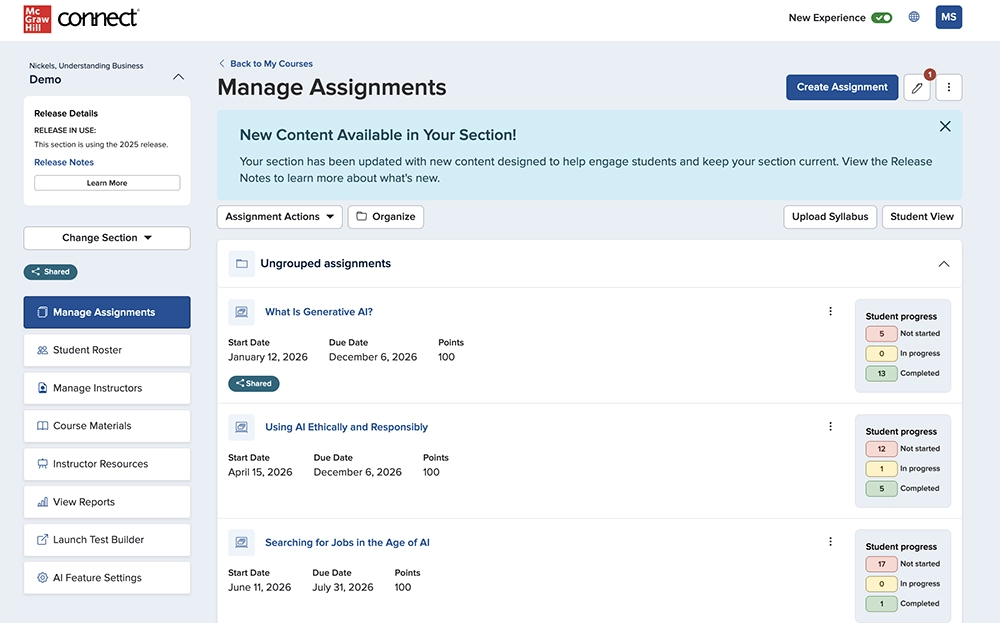
The redesigned Manage Assignments page provides an efficient, consistent, and easy-to-navigate experience. You can quickly find important section details, manage your workflow, and see how your students are performing at a glance.

Question Bank Assignment Creation Process

Creating assignments from the Question Bank is now easier. The new side-by-side layout lets you view the question bank and your assignment at the same time. You can add questions directly from the preview window, with all your familiar tools still available in the updated design.

Assignment Details

The redesigned Assignment Details page gives you a clearer view of student progress. You can easily track statuses, review key metrics, and manage grading, extensions, and assignment settings—all in one place.

Assignment Results Report

The Assignment Results Report brings all your student performance data together. You can easily search and sort results, drill down into individual student attempts, and quickly spot key submission statuses. You can also customize your view and export data exactly how you need it across your sections.

Past Releases

Translation Tool in Connect ebook and SmartBook

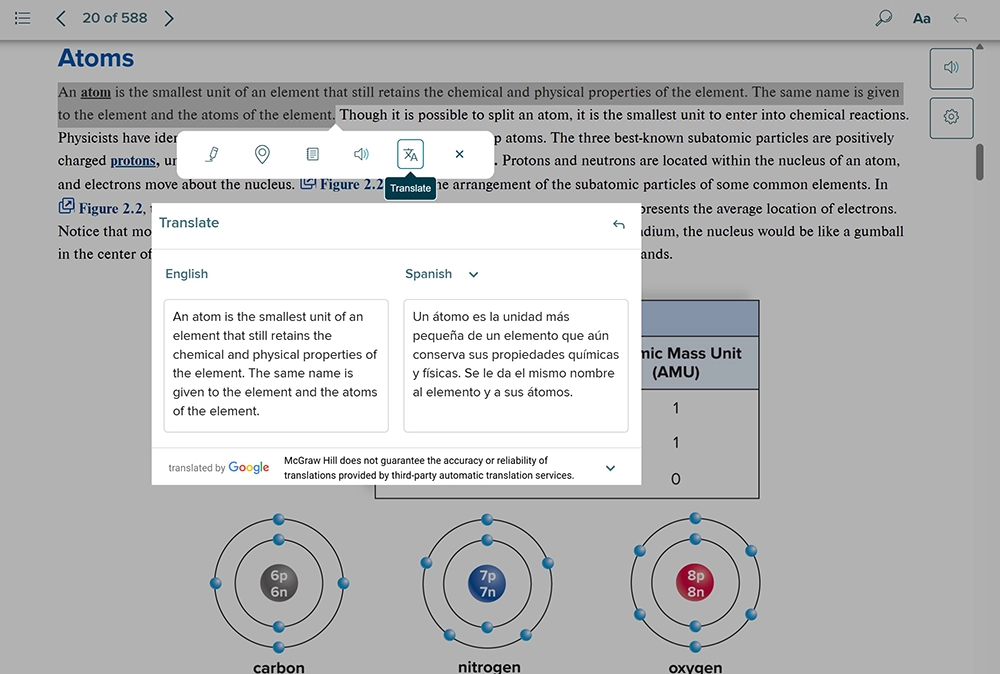
Our new Translation Tool, available for most Connect eBook titles and SmartBook, allows students to select text and view both the original and translated content side-by-side. With support for 38 languages at launch, this feature is especially beneficial for multilingual learners, enabling them to better navigate course materials while ensuring their reading remains aligned with instructor assignments.

*Translation tool is not available for World Languages titles

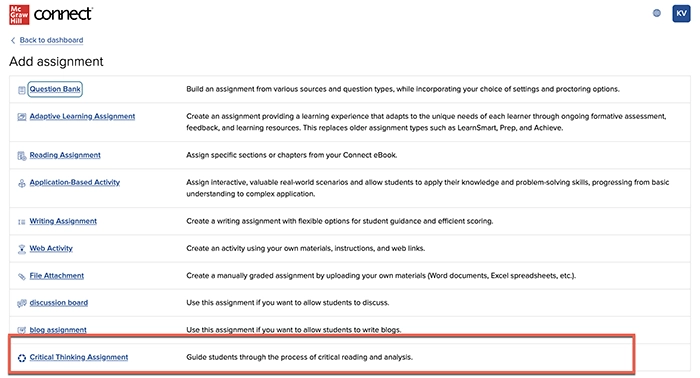
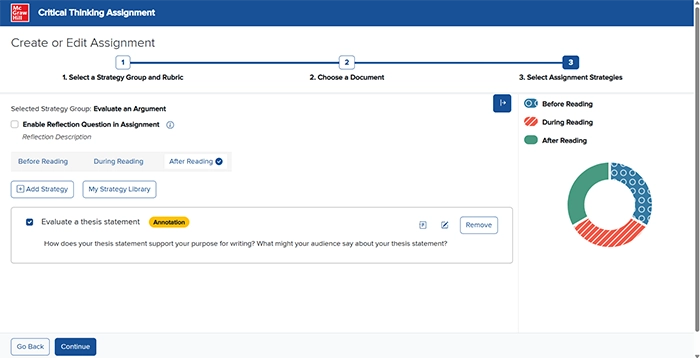
Critical Thinking Assignment added Instructions

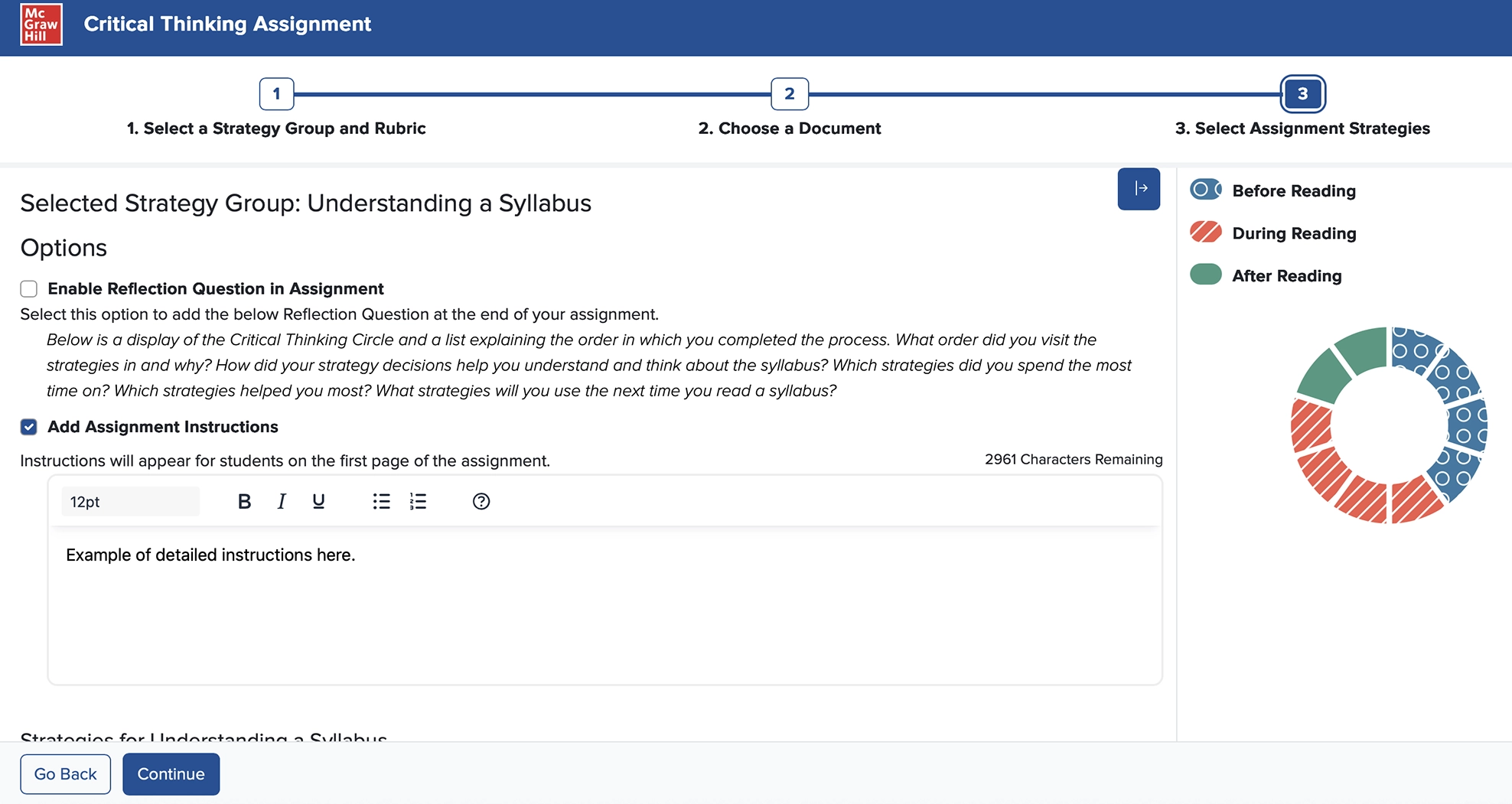
Add custom instructions into a Critical Thinking Assignment that students can review before starting the assignment on the cover sheet.

Assigning Multiple Drafts in Writing Assignment

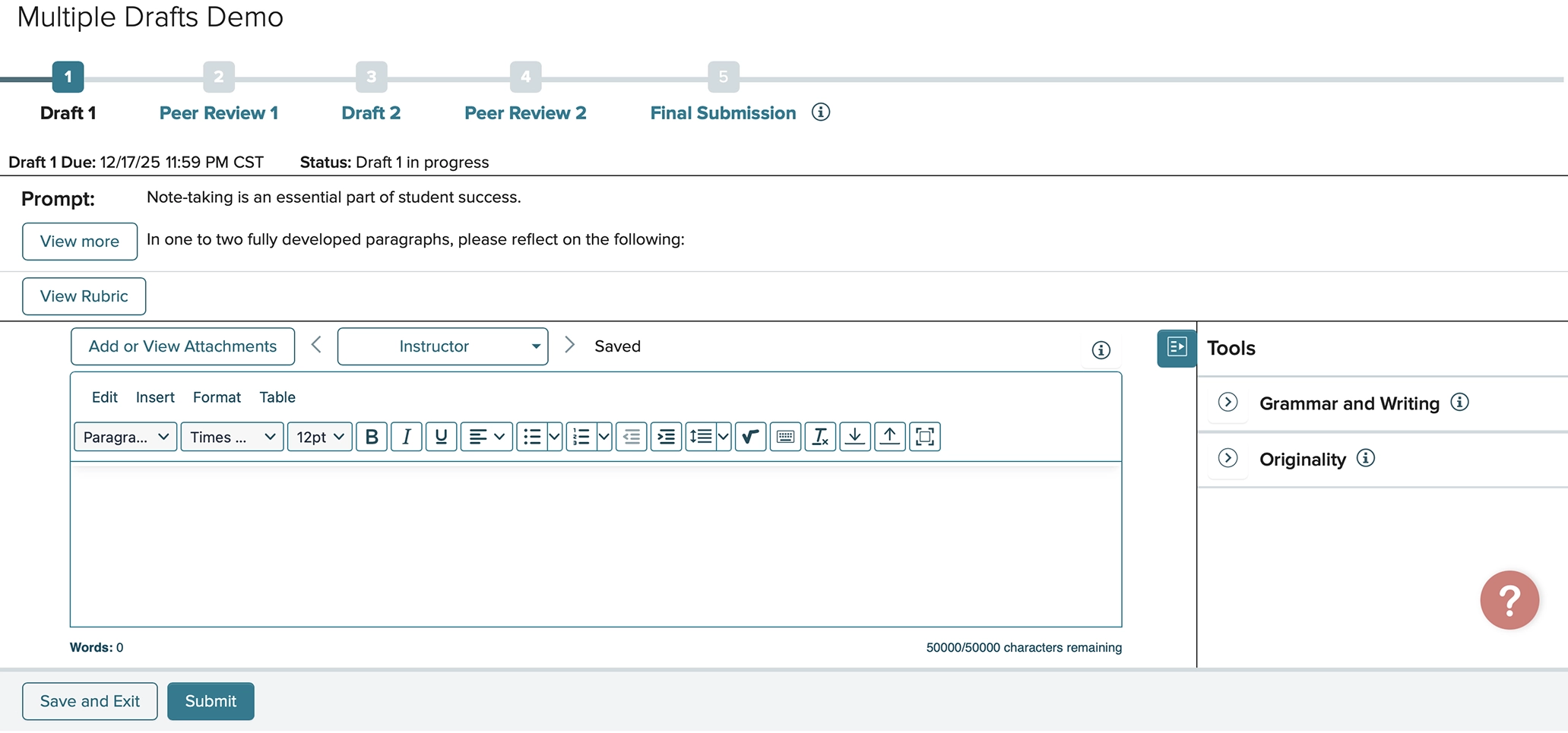
You can now assign up to three drafts for any given Writing Assignment. If you assign multiple drafts, you may opt to have students complete Peer Reviews on each draft or only the final one. These changes allow students to upload a draft at any stage and get feedback from their instructor and/or peers. 

AI Reader in SmartBook®

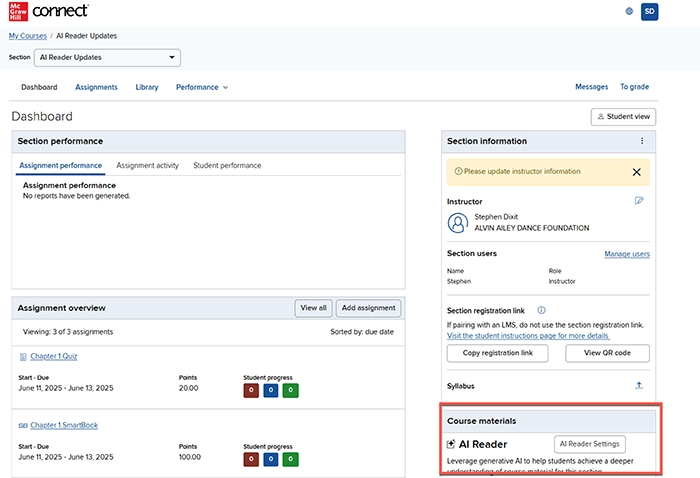
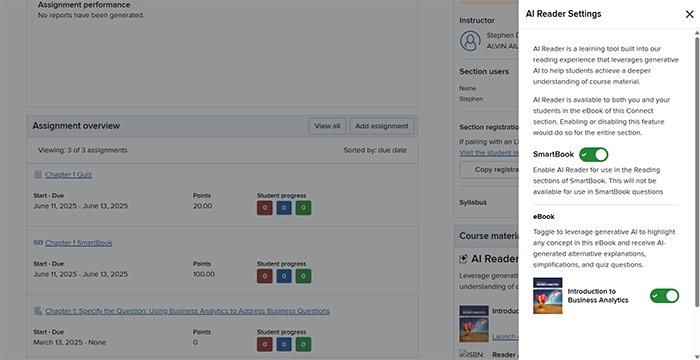
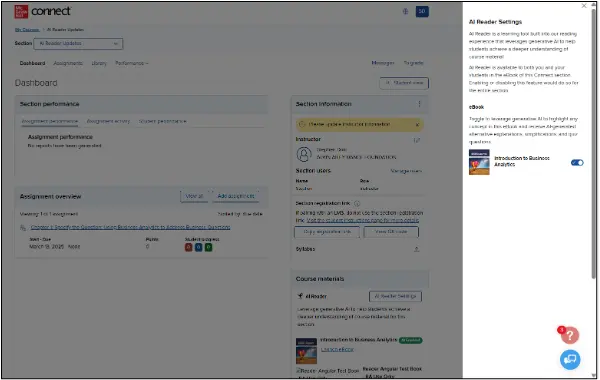
AI Reader is now available for students who launch to the Reading experience within SmartBook assignments in select titles. The instructor can select if AI Reader is enabled via the control settings on the instructor dashboard. Learn more about AI Reader here.

connect student experience screenshot

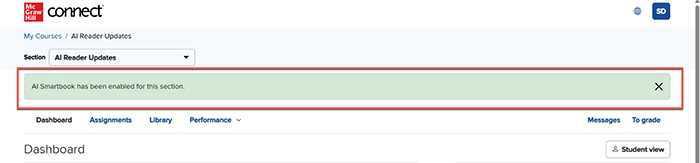
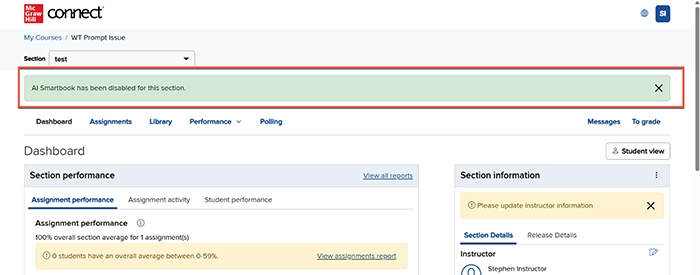
A message clearly displays when the AI Reader for SmartBook has been enabled or disabled in the section.

connect student experience screenshot

Critical Thinking Assignment Enhancements

Critical Thinking Assignment is now available in most courses across Connect, helping students to develop critical reading and analytical skills.

connect student experience screenshot

Enhanced accessibility updates are now live. The Process Wheel highlights new colors and patterns for enhanced accessibility compliance.

connect student experience screenshot

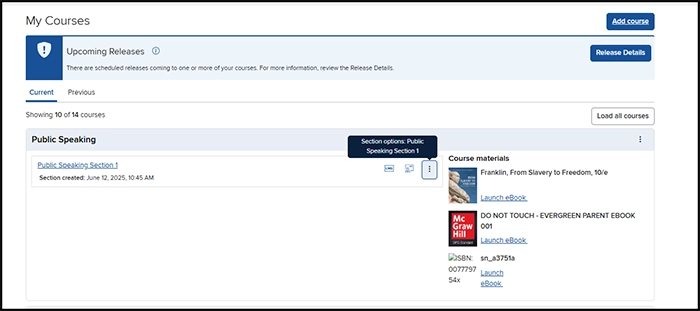
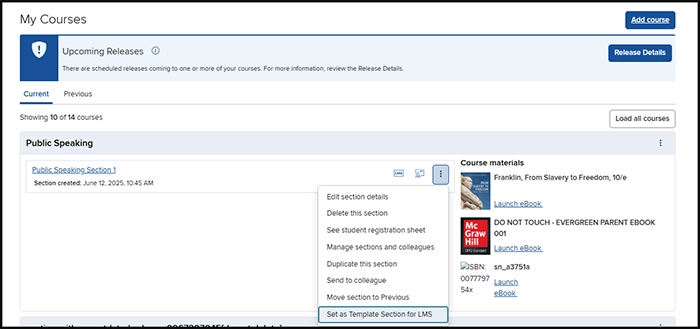
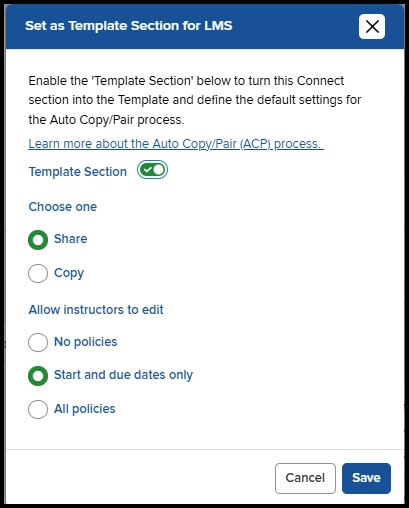
Integration Enhancement: ‘Set as Template Section for LMS’

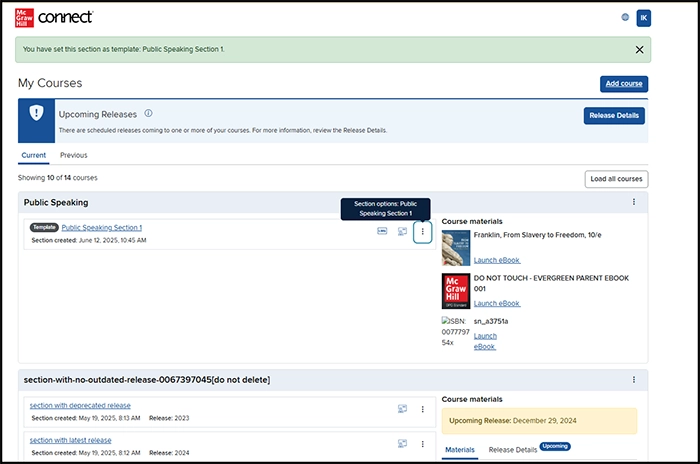
The workflow to integrate Connect with an LMS has been streamlined with the new ability to enable the ‘Set as Template Section for LMS’ directly from the My Courses page. This feature reduces the number of clicks to enable Auto Copy Pair (ACP) in a Connect section.

Click the dropdown menu to the right of a Connect section.

connect student experience screenshot

Select 'Set as Template Section for LMS.'

connect student experience screenshot

Select template settings and select Save.

connect student experience screenshot

Remain on the My Courses page to quickly enable the new Connect section as a template.

connect student experience screenshot

Power of Process Decommissioned

The Critical Thinking Assignment has replaced the former Power of Process assignment in Connect for a more accessible and user-friendly experience. Instructors no longer see Power of Process assignments in their section and students are unable to access Power of Process assignments previously assigned.

AI Reader Enhancements

connect student experience screenshot

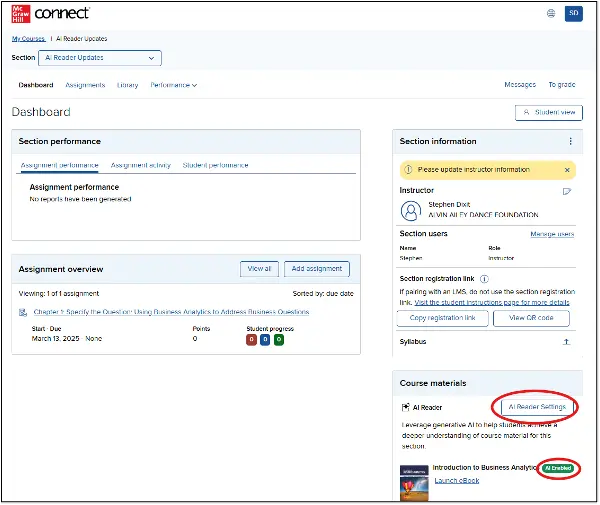
Titles with AI Reader incorporated into their Connect eBook will now see the option to change the feature status (on/off) in the Course Materials Widget of the Section Dashboard, aligned with the eBooks available. Instructors can select a toggle for specific resources within the course, rather than a generalized button to enable or disable.

Connect Grade Sync page screenshot

The ability to see the AI Reader status will now also be displayed directly in-line with the title of the eBook, resulting in more visibility to the instructor.

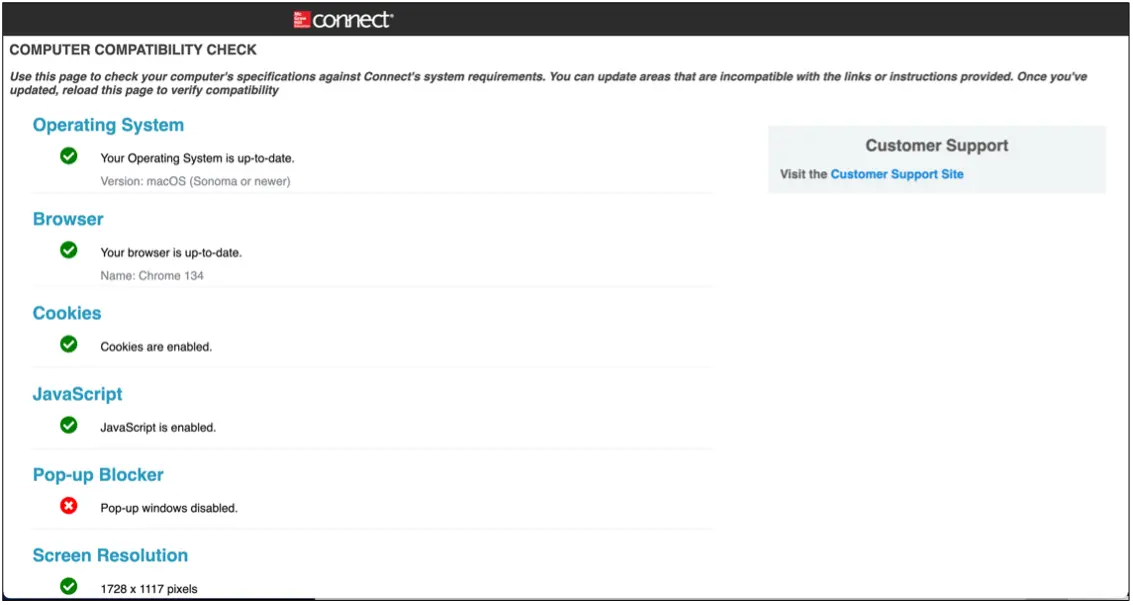
Connect System Requirements

connect student experience screenshot

The troubleshooting page on Connect has been updated to reflect our current system requirements. This page is helpful for both students and instructors during setup of Connect on their devices.

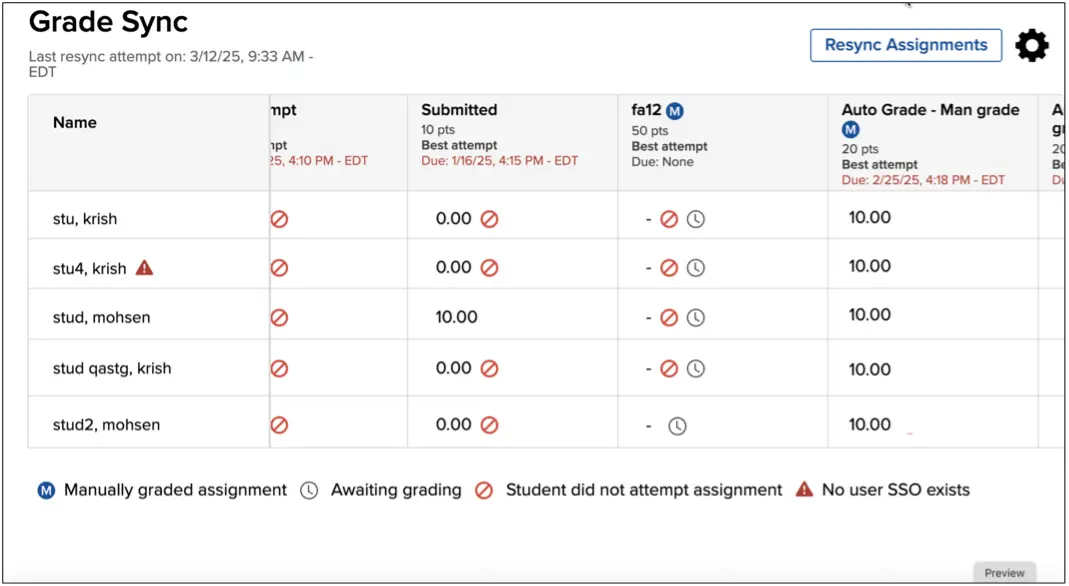
LTI Advantage Grade Sync Update

connect student experience screenshot

On the LTIA grade sync page, accessible via the LTIA widget in the LMS, instructors can now see an 'Awaiting grading' icon that indicates a learner’s submission requires grading by the instructor.

Writing Assignment Enhancement

Auto-submitted blank drafts have been removed from Writing Assignment’s Peer Review functionality. This ensures students are not prompted to do a peer review on a blank assignment.