Student School to Home Page in Wonders/Maravillas
Learn how students use the Wonders School to Home page to view weekly family letters, activities, and teacher messages.
- Literacy
- SSO & Manual-Rostering
- Customer Support
- Direct Login & Auto-Rostering
- Wonders 2014
- Maravillas 2020 & 2017
- School Student
- Core
- Direct Login & Manual-Rostering
- Wonders Balanced Literacy 2016
- Wonders 2023 2020 2017
- School Parent
- SSO & Auto-Rostering
- PreK-12
- Elementary School
- Student Resources
- Kindergarten
- 1st Grade
- 2nd Grade
- 3rd Grade
- 4th Grade
- 5th Grade
- 6th Grade
- Middle School


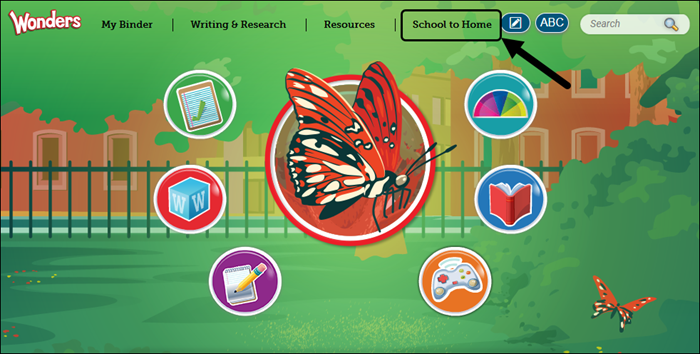
Click School to Home at the top of the Wonders homepage.
For the Week
The For the Week tab contains all the materials sent automatically each week to the student's family.
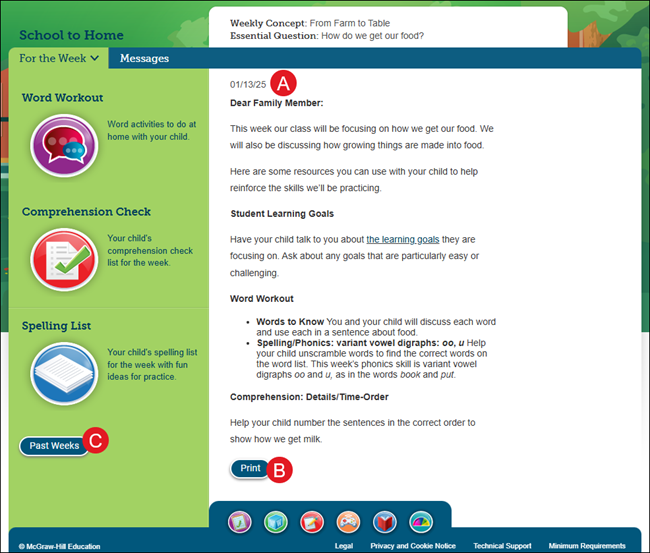
A. The Family Letter is sent at the beginning of the week and provides details for what is going to be covered in class that week.
B. Click the Print button to print the letter.
C. Click the Past Weeks button to view the Family Letter from a previous week.
Other weekly materials appear to the left of the Family Letter. Click the icon on the to the resource.
- Word Workout - Includes the word activities that the student should complete at home.
- Comprehension Check - Includes the comprehension check list for the week.
- Spelling List - Includes the spelling list for the week.
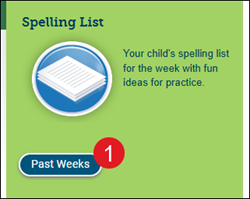
Past Weeks Family Letter
1. Click the Past Weeks button.
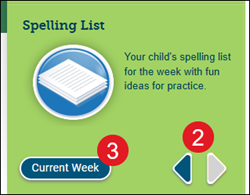
2. Use the arrows to move through the previous week's letters.
3. Click the Current Week button to return.
Messages
The Messages tab contains any messages sent from the teacher.
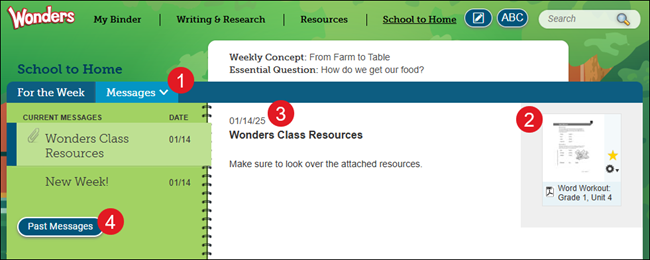
1. Click on the Messages tab.
2. Click on any attached resources to open them.
3. The message contains the date it was sent by the teacher and any instructions/notes they have included.
4. Click the Past Messages button to view any messages that have expired.
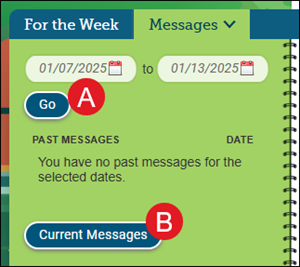
A. On the Past Messages page, select the desired date range and click the Go button.
B. Click the Current Messages button to return to the previous page.