Navigating the ALEKS Adventure Grades 3-5 Pie Chart
Understand the grades 3-5 pie chart in ALEKS Adventure to view progress and topic mastery.
- Customer Support
- PreK-12
- School Student
- School Parent
- Elementary School
- Direct Login & Auto-Rostering
- Direct Login & Manual-Rostering
- SSO & Auto-Rostering
- SSO & Manual-Rostering
- Supplemental
- Math
- ALEKS Adventure
- Dashboard & Navigation Overview
- Getting Started & Orientation


While the content of all ALEKS Adventure classes correlates with the ALEKS Pie, the ALEKS Pie is only integrated into the lessons for students who are in 3rd grade. Students in grades K-2 can view their ALEKS Pie by selecting the Reports button from the ALEKS Homepage.
Article Contents
Onboarding
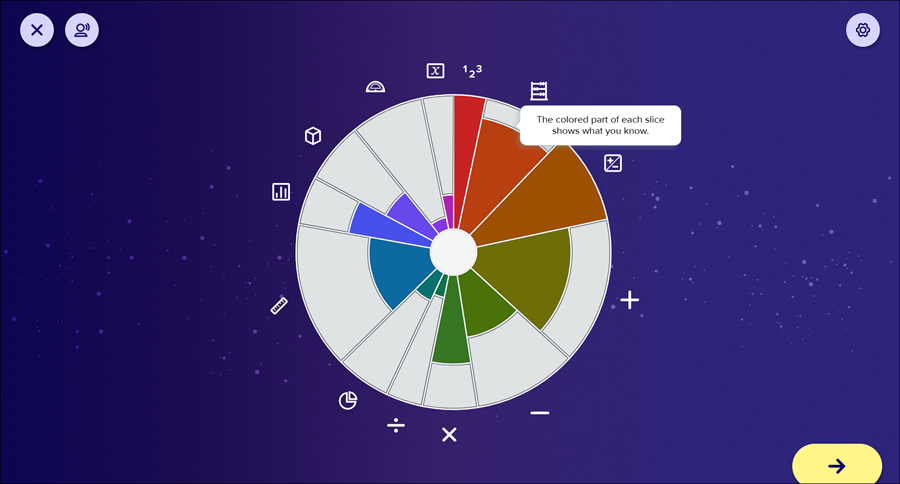
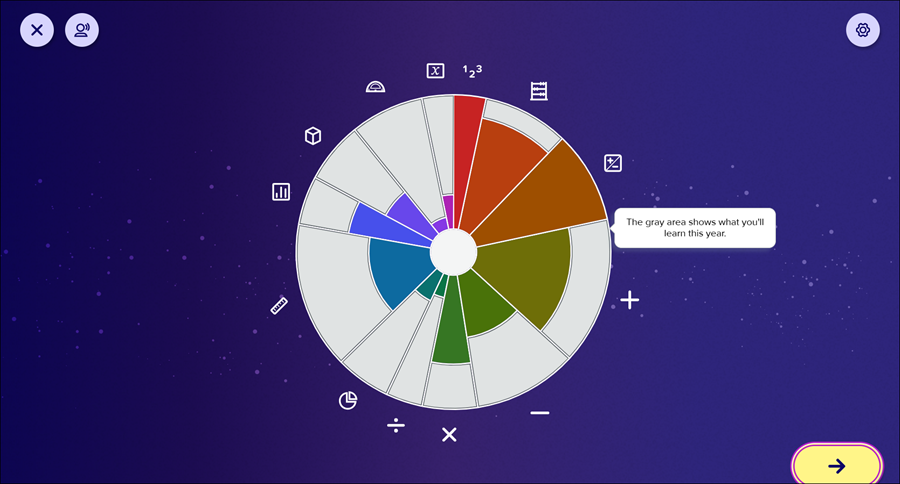
After 3rd-grade students complete the Initial Knowledge Check, they are introduced to the ALEKS Pie. The pie is shown with icons that represent the topics within each slice. Portions of each slice may be colored in to indicate the topics within the slice that the student mastered during the Initial Knowledge Check.
The colored portions of each slice shows what you know.
The gray portions show what you'll learn.
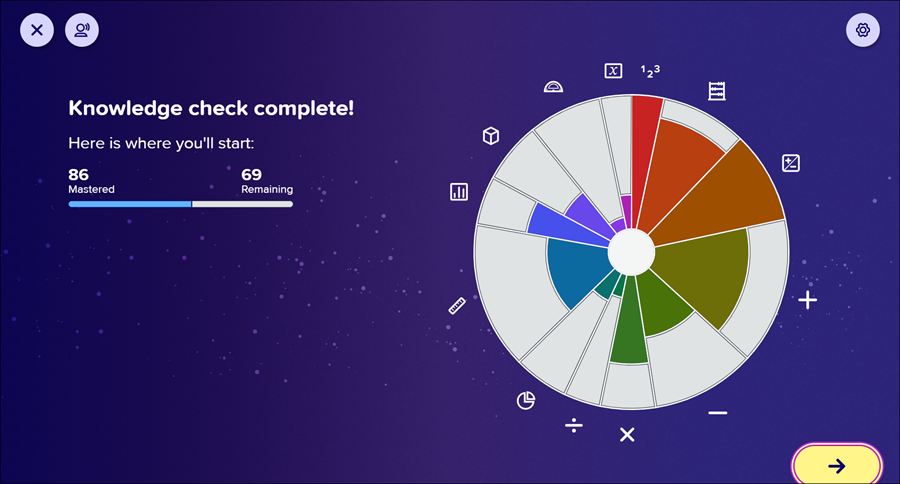
Students are then shown a progress bar that indicates the number of topics they mastered and the number they have remaining which is also reflected in the pie chart.
Pie Progress Updates
When the student learns a topic in a land or master's a topic in a Progress Knowledge Check, they are shown the ALEKS Adventure Pie so they can see how much progress they made and how much progress they still need to make. The page shows the ALEKS Adventure Pie and highlights the slice the student made progress on, and also shows the land they were working on with a progress bar indicating how many topics they have Mastered, Learned, and Remaining.
After Topic Completion
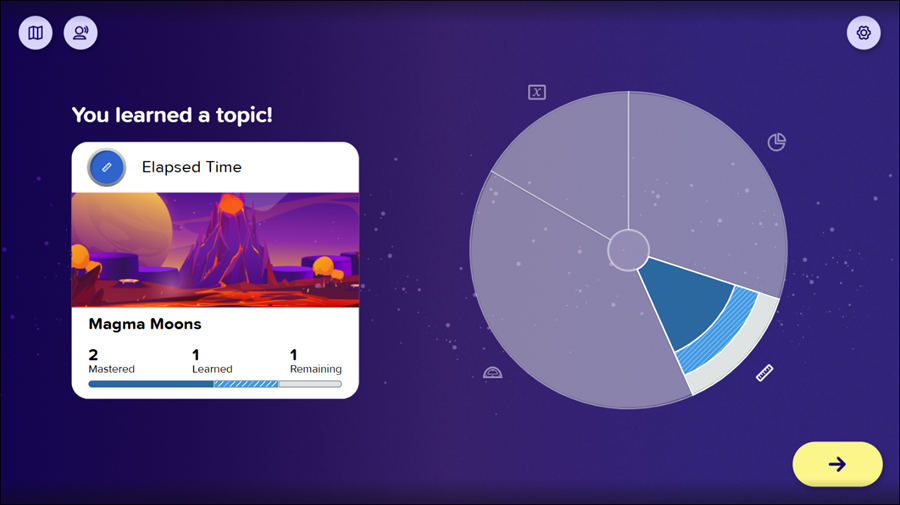
After a student learns a topic, the progress they made toward their ALEKS Pie is shown by increasing the number of Learned items in the relevant pie slice. This is indicated on the progress bar and the relevant pie slice by a textured colored area.
Note: Students don’t receive a pie progress update when completing story landmarks or instruction landmarks, when repeating topics, or when they fail to learn the lesson within the landmark. They only receive the update when they successfully complete the topic within the landmark.
The student is shown one of the following completion pages:
Learned a Topic: Appears when the student learns a topic but has not mastered the topic or completed the land or pie slice.
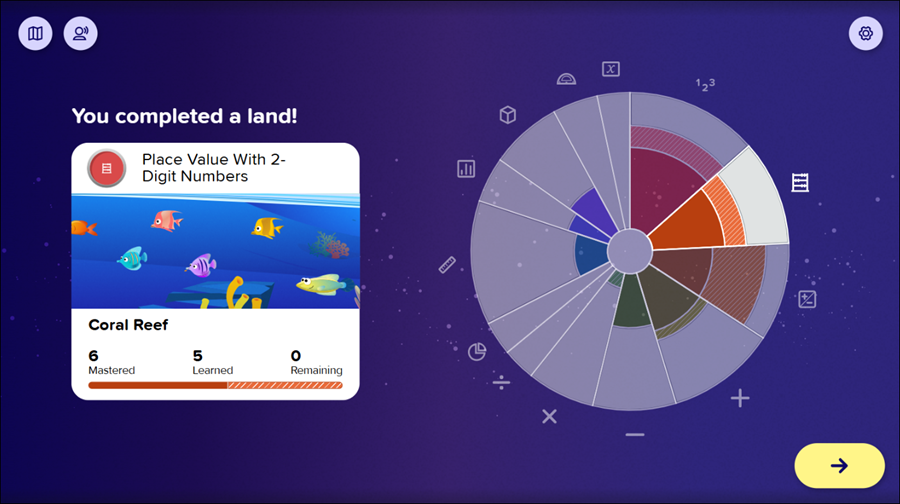
Completed a Land: Appears when a student completes a land but has not fully completed a pie slice. When a student completes a pie slice, they see the Completed a Pie Slice page instead.
Note: Topics do not need to be mastered for a land to be completed.
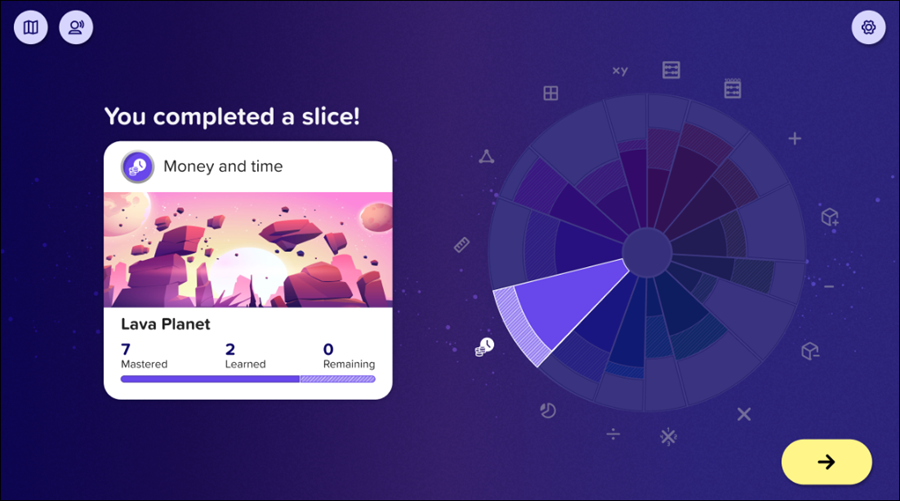
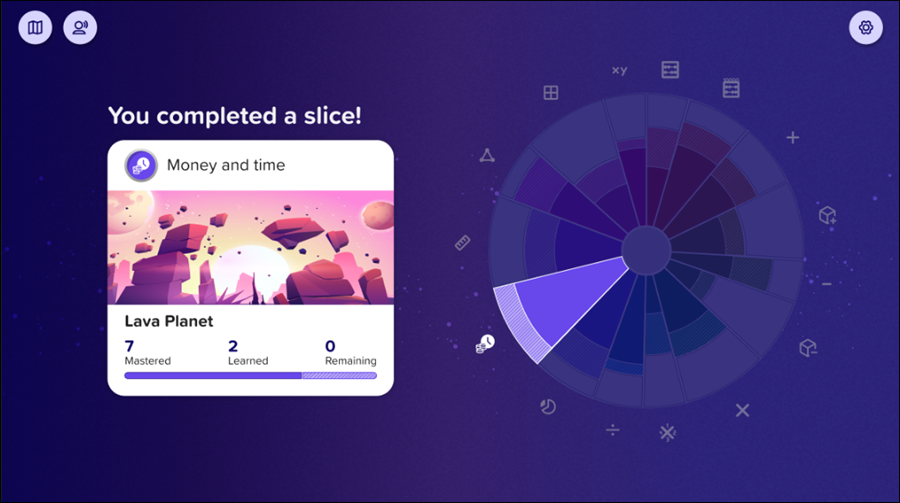
Completed a Pie Slice: Appears when a student completes a pie slice.
Note: Topics do not need to be mastered for a pie slice to be completed.
After Progress Knowledge Check Completion
After a student completes a Progress Knowledge Check, the progress they made toward their ALEKS Pie is shown by increasing the number of Mastered items in the relevant pie slice. This is indicated on the progress bar and the relevant pie slice by a solid colored area.
The student is shown one of the following completion pages:
Mastered a Topic: Appears when the student has mastered a topic, but still has additional topics to master in the pie slice.
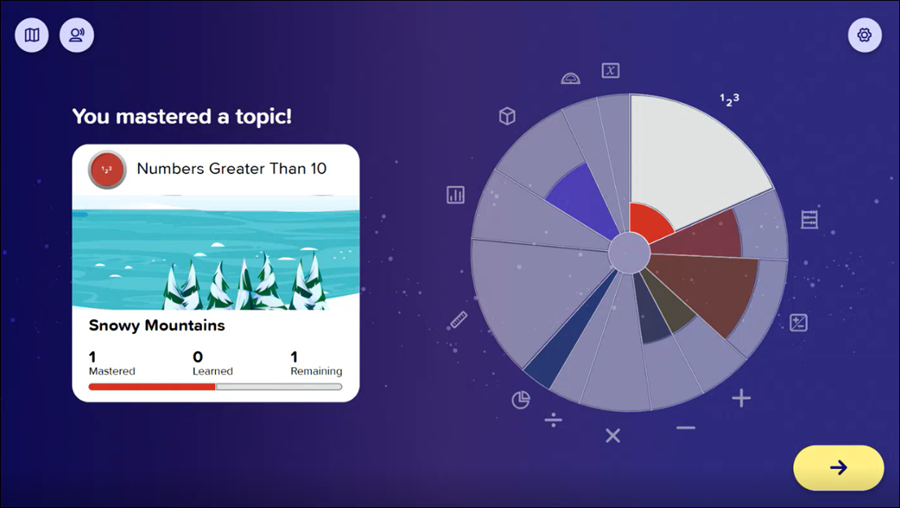
Mastered Multiple Topics: Appears when the Progress Knowledge Checks allows for mastery of more than one topic and the student masters more than one topic. More than one pie slice is highlighted to show the student’s progress on multiple topics.
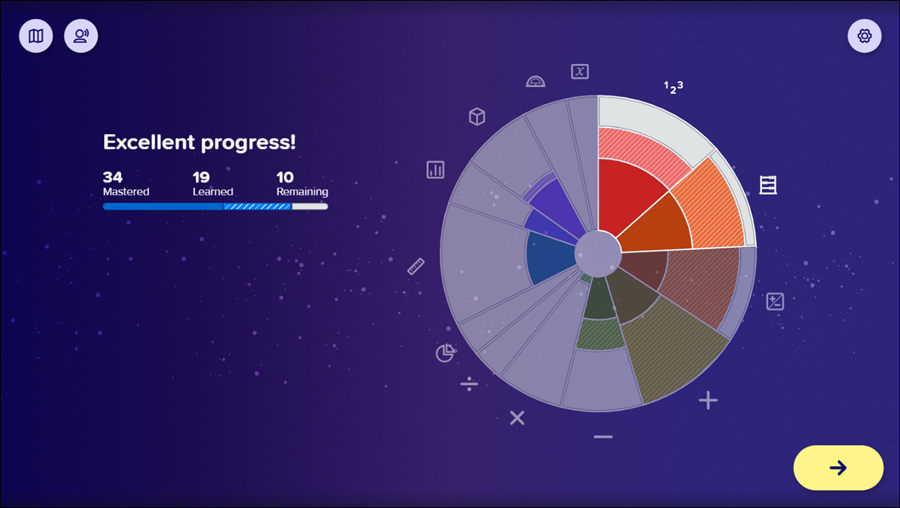
Completed a Land: Appears when a student completes a land but has not fully completed a pie slice. When a student completes a pie slice, they see the Completed a Pie Slice page instead.
Note: Topics do not need to be mastered for a land to be completed.
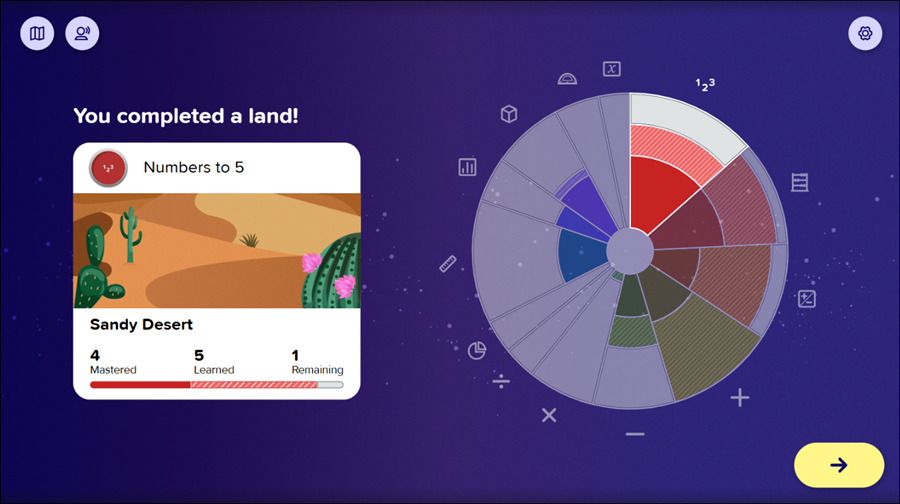
Completed a Slice: Appears when a student completes a pie slice.
Note: Topics do not need to be mastered for a pie slice to be completed.
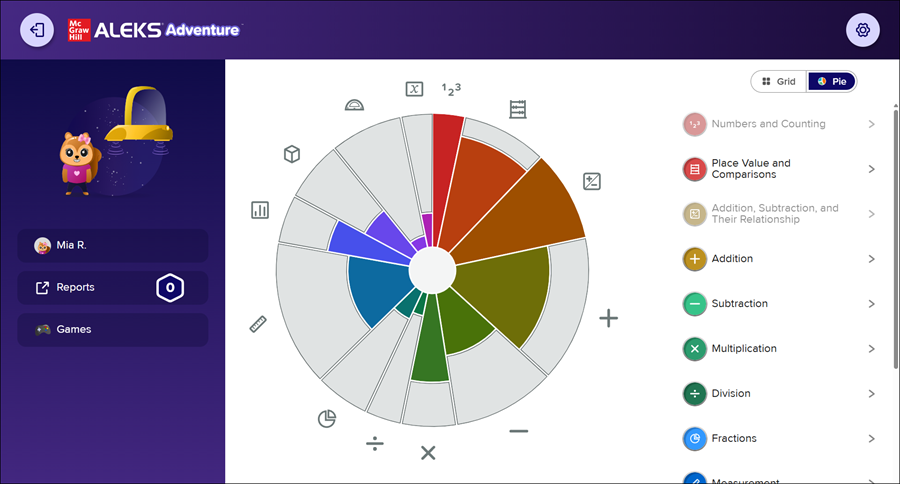
Homepage
3rd-grade students can view their ALEKS Pie at any time the ALEKS homepage is available by selecting the Pie view from the upper-right corner.