
Access Manager Help Resources
Get help resources for Access Manager, including FAQs, assigning content, resolving errors, and managing administrator access.
- SSO & Auto-Rostering
- PreK-12
- Customer Support
- School Administrator
- Direct Login & Auto-Rostering
- Access Manager
- Account Management
- Literacy
- Math
- Science
- Social Studies
- Health
- Visual & Performing Arts
- World Languages
- Core
- Intervention
- Supplemental
- AP, Honors & Electives
- Preschool
- Elementary School
- Middle School
- High School
- Reveal Math (K-12)


Single Sign-On (SSO) and Auto-Rostering
This article applies to districts that use the SSO and Auto-Rostering Access Service. SSO applies to districts that use an SSO portal, district website, or Learning Management System (LMS) to access McGraw Hill digital programs. Auto-Rostering means that account creation, class setup, and roster management are automated through a process handled by your district.
Not sure which Access Service your district uses? Click here to learn more about the four Access Services that we support.
Overview
Access Manager is a tool available to district-level Organization Administrators in auto-rostering districts to manage roster data and manually assign content. This page provides links to all Access Manager support resources. The resources can help you understand how to use Access Manager and complete specific tasks, such as resolving data errors and assigning content.
Access Manager Resource Links
- Access Manager FAQ
- Access Manager Overview
- How to Assign Content on Access Manager
- Fixing Common Errors
Create Administrator Accounts
To assign content on Access Manager, you'll need to be a district-level Organization Administrator. Refer to the Create Administrator Accounts and Add Roles article for steps on creating an district admin account as well as how to enable the administrator role for users with an existing account.
Look up Username or Reset Password
The steps below apply to administrators who log in directly at the McGraw Hill site and do not use SSO. If your district uses auto-rostering and your administrator account is managed by the roster files, follow your normal district process to handle username and password issues.
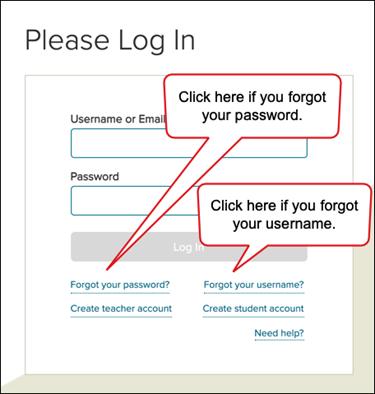
1. Go to my.mheducation.com.
2. Click Forgot your password or Forgot your username.
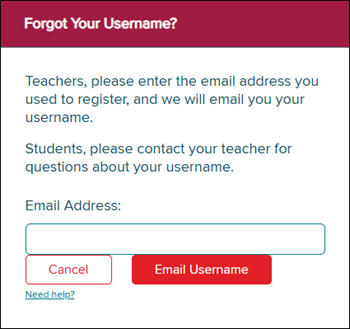
3. If you forgot your username, enter the email address associated with your account.
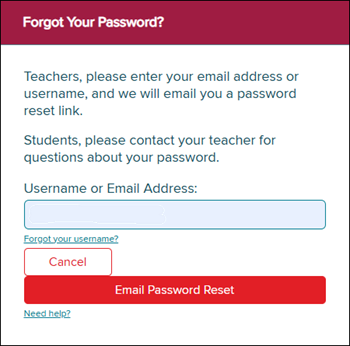
If you forgot your password, enter your username or the email address associated with your account.
Toggle Between Roles
If your account has both the Administrator and Teacher roles enabled, refer to the How to Toggle Between Roles and Organizations article to learn how to toggle between the two roles.
