
How do I order a review copy?
Find out how to order a review copy of your Create project before finalizing it for students.
- Higher Education
- Customer Support
- Create
- User Guides & Account Management
- Instructor


Order a review copy of your book after you have added and arranged your custom book’s content.
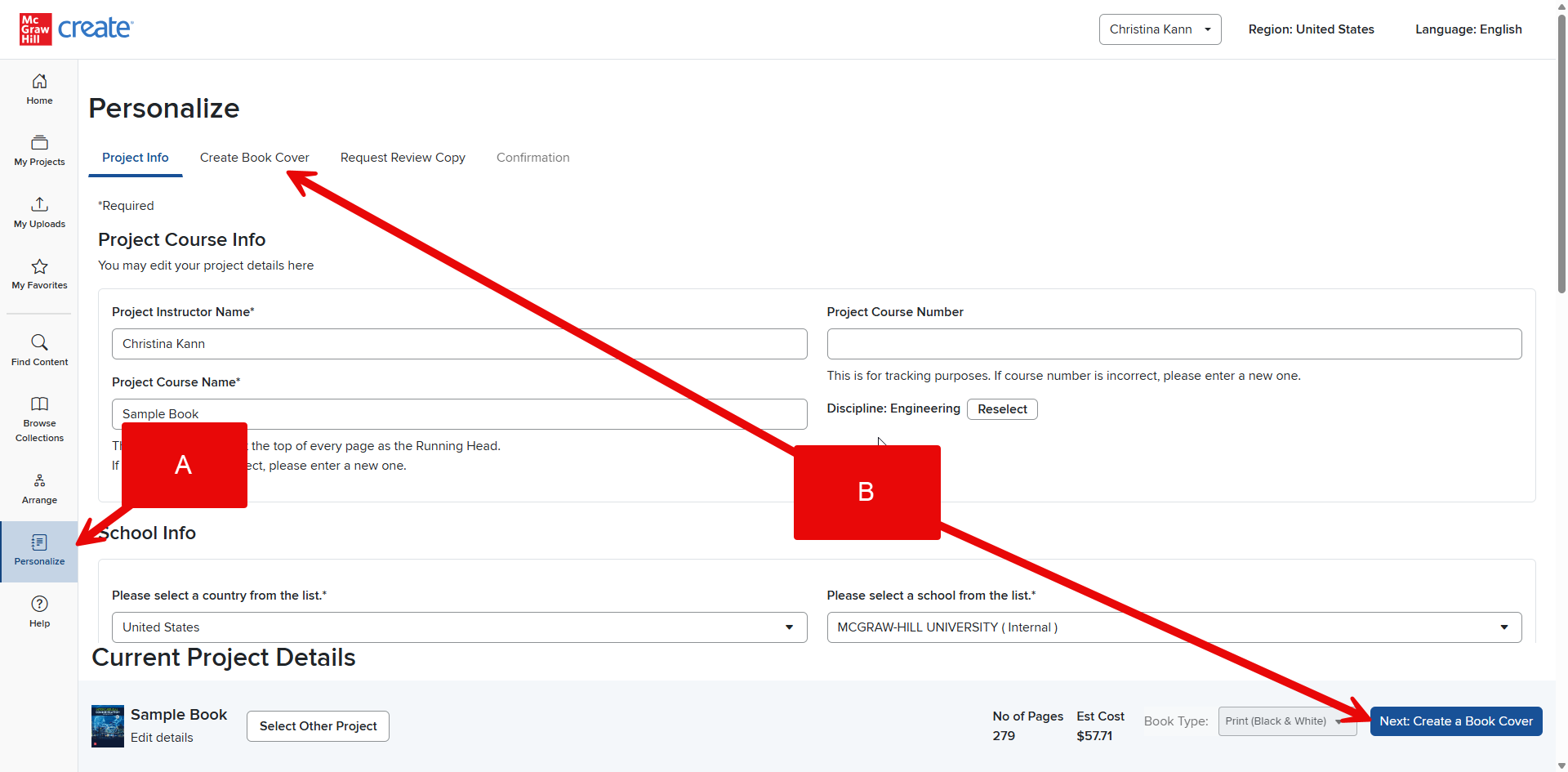
Step 1: Click the Personalize tab (A).
Step 2: Enter Project Course Info, School Info, and Format Options. (See What format options are available? for more detailed information.)
Step 3: Create Book Cover (B). (See How do I add a book cover? for more detailed instructions.) Then click Next: Request Review Copy (C).
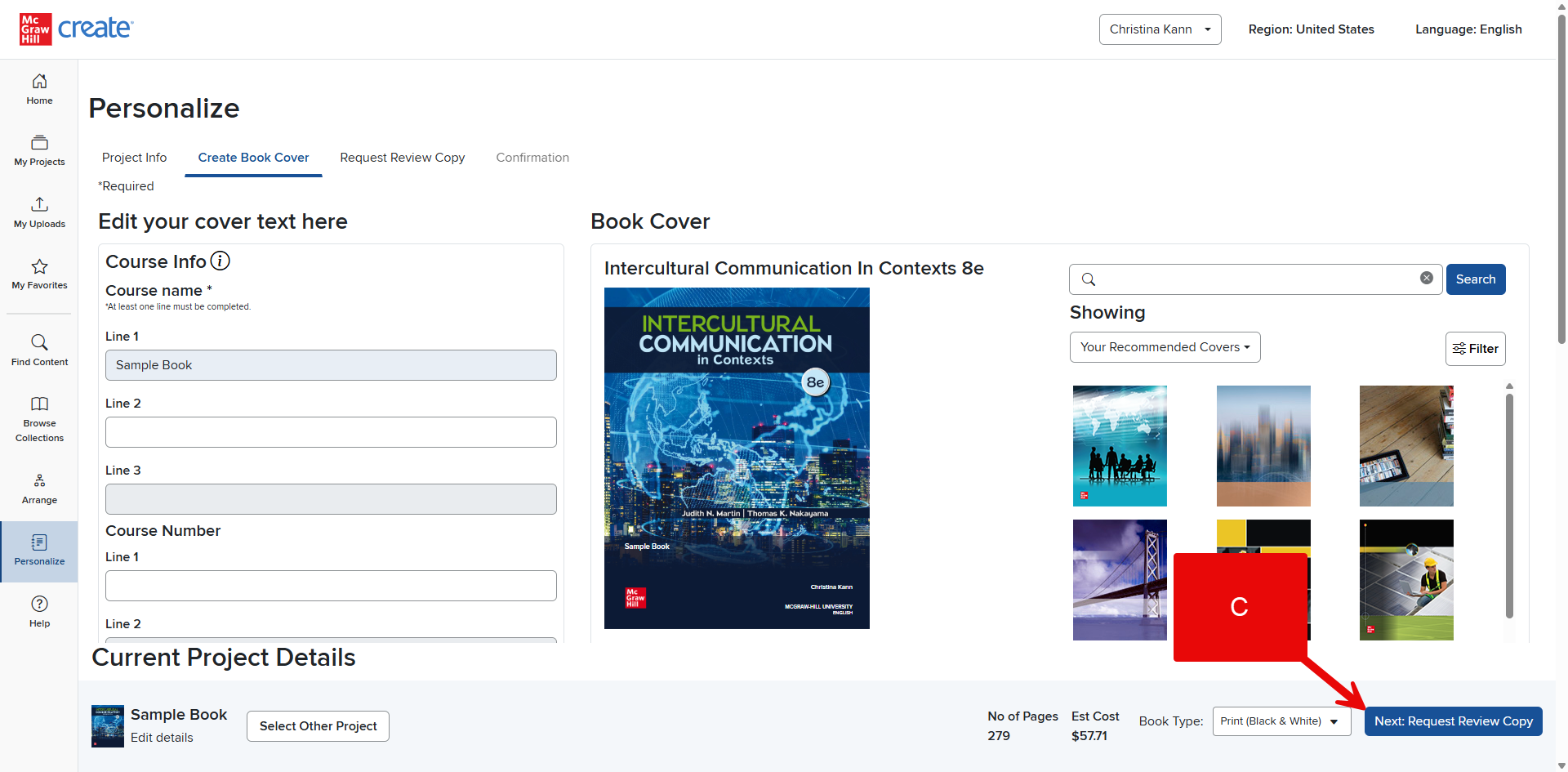
*Note that your print review copy may feature a generic die-cut cover. However, the student version of your book will include the custom cover you select.*
Step 4: Confirm your account information and shipping address if applicable (D), then add Enrolment information (E). Finally, click Submit and Confirm (F).
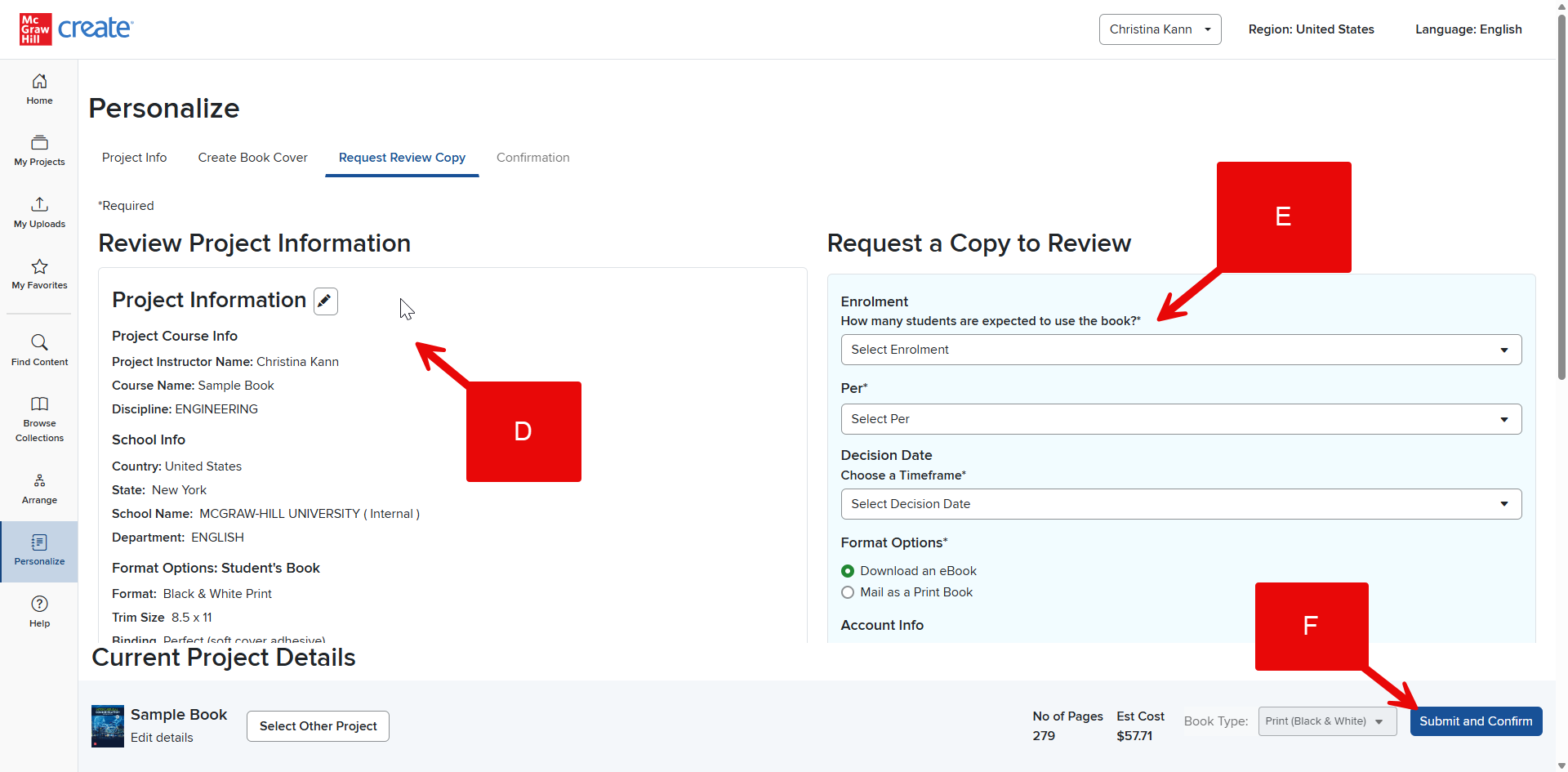
That’s it! You can expect to receive an eBook review copy via email within minutes and a print copy by mail within about a week.
