What format options are available?
Learn which format options are available in Create, including print and digital choices and how to select the best fit.
Tags
- Higher Education
- Customer Support
- Create
- User Guides & Account Management
- Instructor


To access the format options, you will first need to have created a Project with content. McGraw Hill Create™ provides several format options.
Step 1:
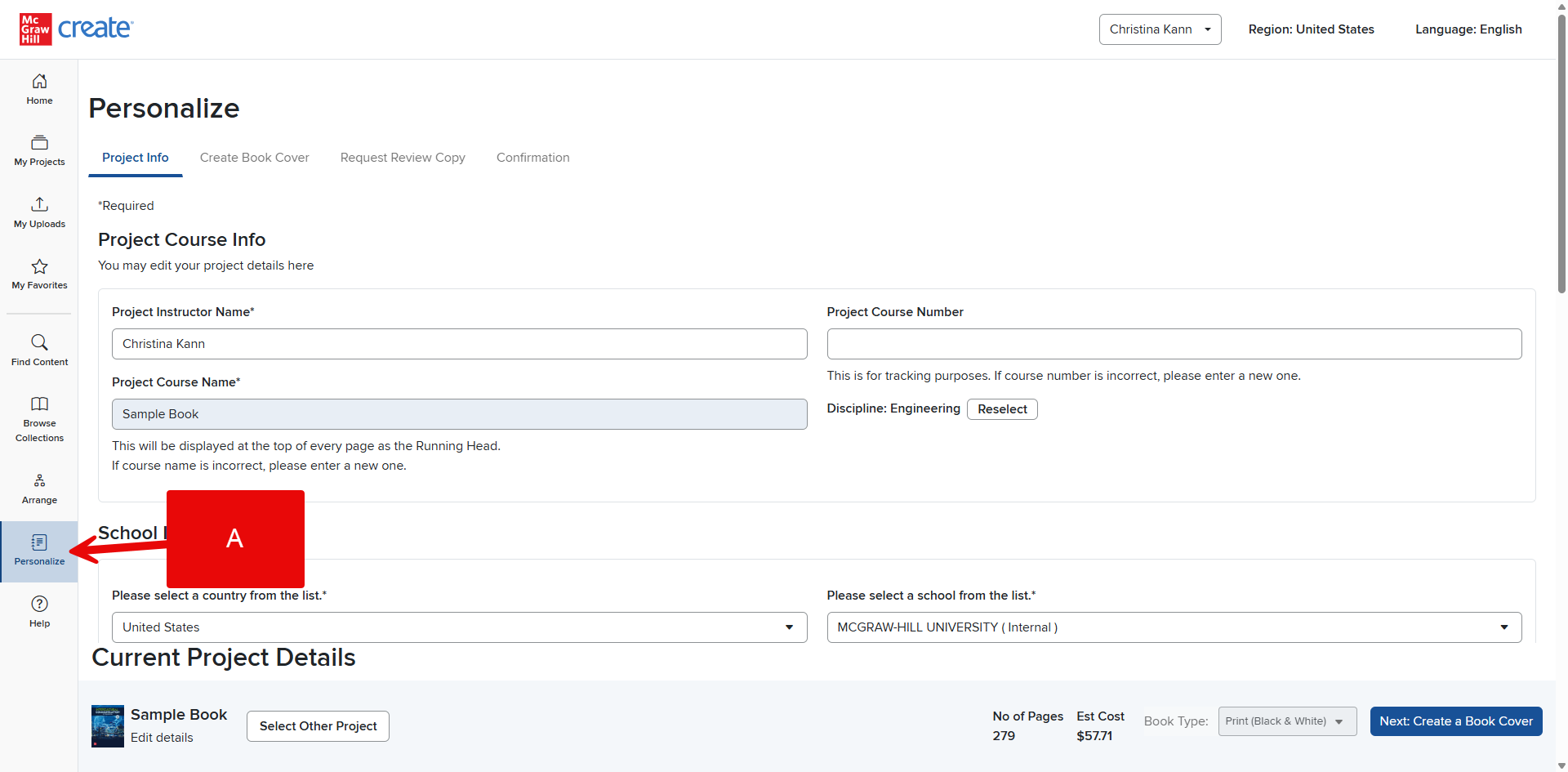
Click the Personalize tab in the Create Menu (A).
Step 2:
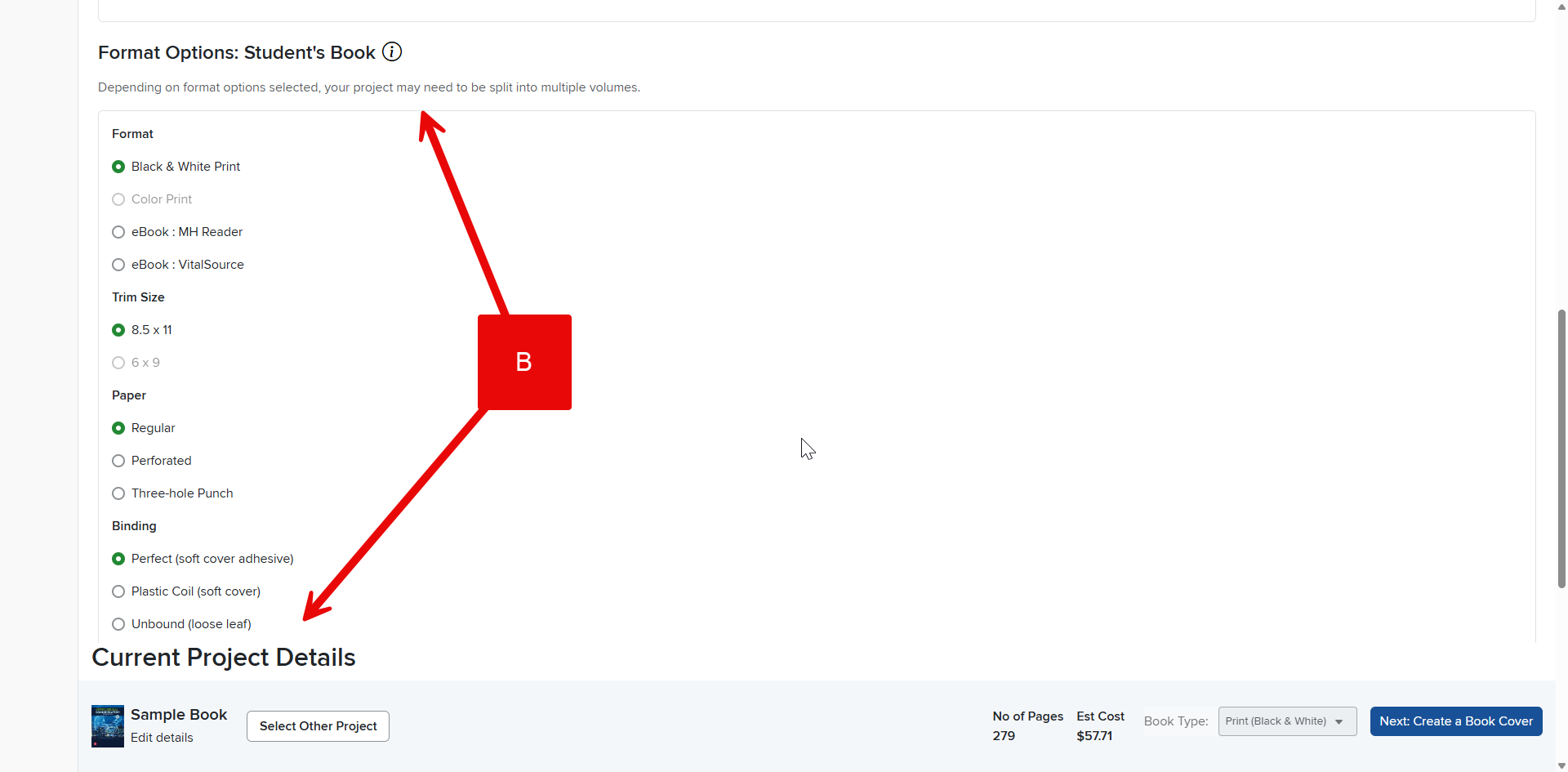
Scroll down to view Format Options (B).
The available format options are:
- Format: Select the format you want your textbook to print in. (Note: If the content you’ve selected contains Print Only content, eBook will not be available. Similarly, if the content you’ve selected contains Black and White only content, Color Print will not be available.)
- Trim Size: Select the size you wish your book to be printed in. (Note: This option will not be available if 8.5 x11” is the only size available for your Project.)
- Paper: Choose regular or opt for perforated if your students may need to rip out pages in something like a lab manual.
- Binding: Select Perfect (regular paperback), Plastic Coil (paperback cover with spiral binding), or Unbound (loose pages).
- Shrink-wrapped: Opt for this for additional protection to your textbooks.
Step 3:
Click Next: Create a Book Cover to finish designing your Create textbook.