NWEA® MAP® Growth™ Teacher Reports
Learn how teachers use NWEA MAP Growth data within McGraw Hill programs.
- Customer Support
- PreK-12
- Classroom Teacher
- Elementary School
- Middle School
- High School
- Direct Login & Auto-Rostering
- Direct Login & Manual-Rostering
- SSO & Auto-Rostering
- SSO & Manual-Rostering
- Core
- Intervention
- Literacy
- Math
- CA Reveal Math (K-12)
- Reveal Math (K-12)
- SRA Reading Mastery Transformations
- McGraw Hill Literacy Emerge!
- McGraw Hill Literacy Summit!
- McGraw Hill Literacy Soar!
- Wonders 2023 2020 2017
- Maravillas 2020 & 2017
- Open Court Reading 2016, 2018, 2023
- NWEA
- Reports & Analytics


View the demo in a separate tab.
View the Spanish version of the demo.
Article Contents
MAP® Growth™ RIT scores indicate what students know and what they are ready to learn. Based on the MAP Growth assessment, the Performance Report gathers NWEA information directly and indicates how your students are performing at the class and individual student levels.
Please note: This functionality is only available for districts that have completed the setup for NWEA® MAP® Growth™ integration. For more information on getting this completed for your district, reach out to your Organization or Curriculum Administrator.
Access Performance Report
- SSO or log in at my.mheducation.com.
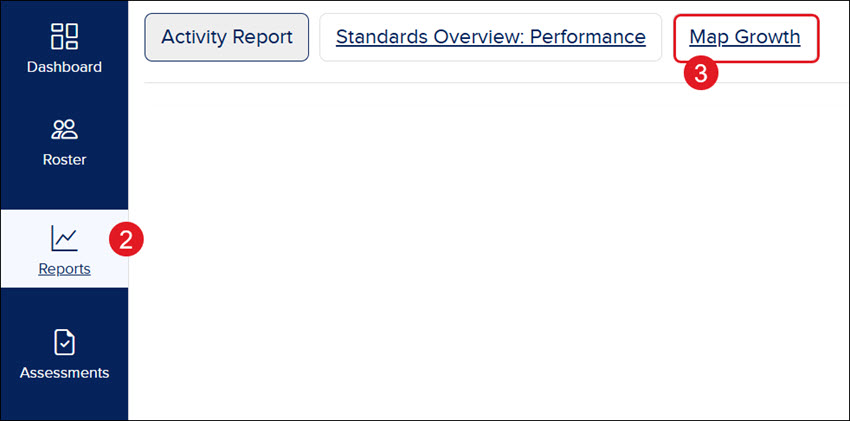
- For Open Learning programs, click on Reports on the navigation menu.
- Click the Map Growth button.
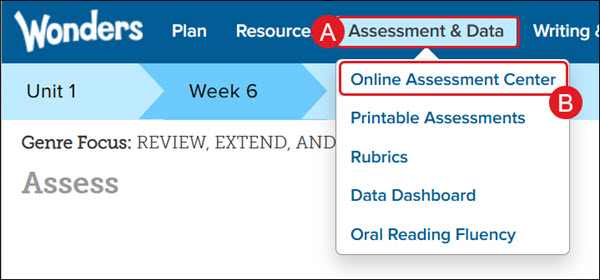
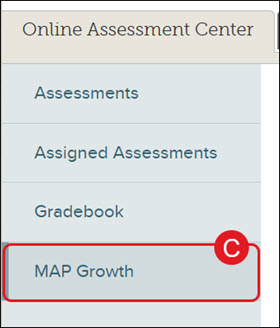
For Wonders and Maravillas users, hover over Assessment & Data (A) and select Online Assessment Center (B) from the menu. Then click the MAP Growth tab (C).
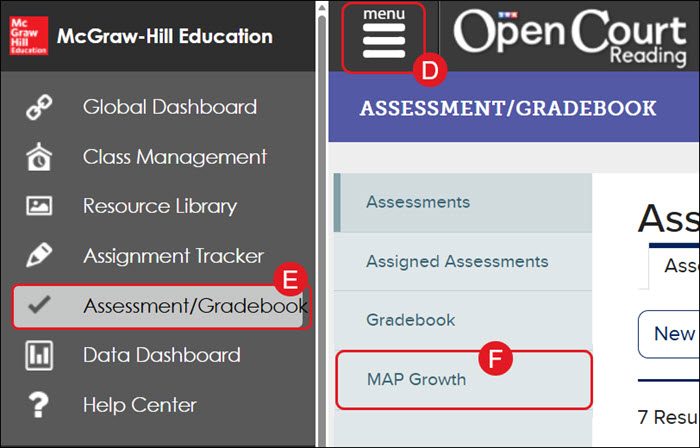
For Open Court Reading users, click on Menu (D) at the top left and then on Assessment/Gradebook (E). Then click the MAP Growth tab (F).
Class Performance
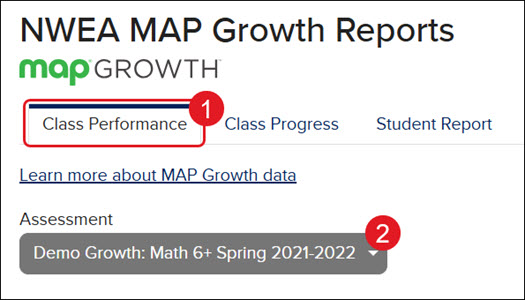
- Click on the Class Performance tab.
- Select the Assessment from the drop-down.
Class Summary
The Class Summary shows the overall performance of your class for the selected assessment, as well as the RIT scores for each instructional area. You can use the chart to understand which instructional areas are relative strengths and areas for improvement for your class.
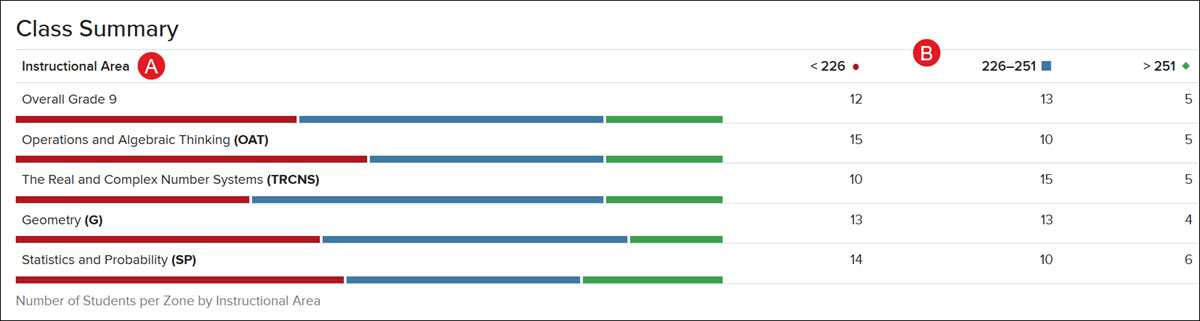
- The Instructional Area chart shows how the class performed for each instructional area.
- Each row represents a distribution of achievement percentiles for an instructional area. These percentiles correspond to Approaching Level, At Level, and Beyond Level. Specific percentiles are determined by grade level.
Student Performance
The Student Performance area organizes the individual RIT scores of each of your students for the selected assessment.
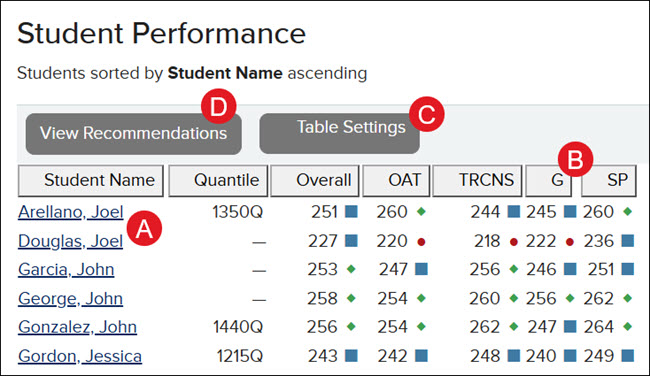
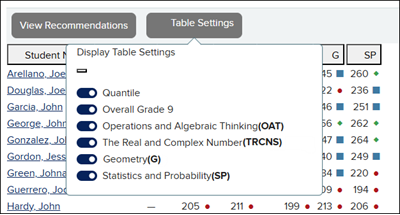
Each column indicates the student's percentile placement in their Overall score and in each Instructional Area.
- OAT - Operations and Algebraic Thinking
- TRCNS - The Real and Complex Number
- G - Geometry
- SP - Statistics and Probability
- Click the Student Name to navigate to the Student Report.
- Click on a column header to sort the columns by that option.
- Click on Table Settings to add or remove column options.
- Click on View Recommendations to view the recommended assignments for the upcoming unit.
Note: This option is only available for Reveal Math and Reading Mastery Transformations.
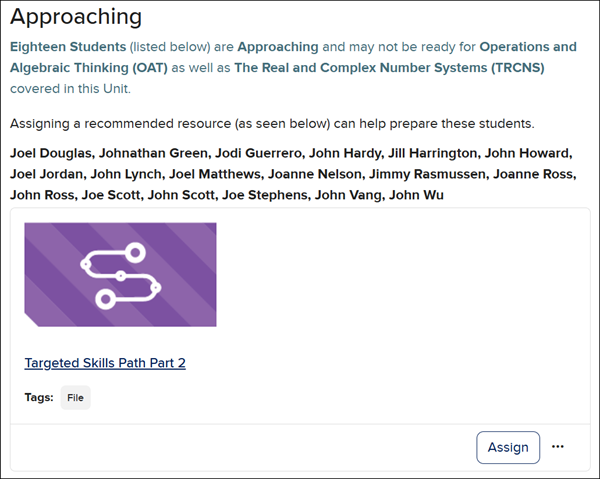
For more on NWEA MAP Growth Recommendations, see the Assign NWEA® MAP® Growth™ Recommendations and View Reports article.
Class Progress
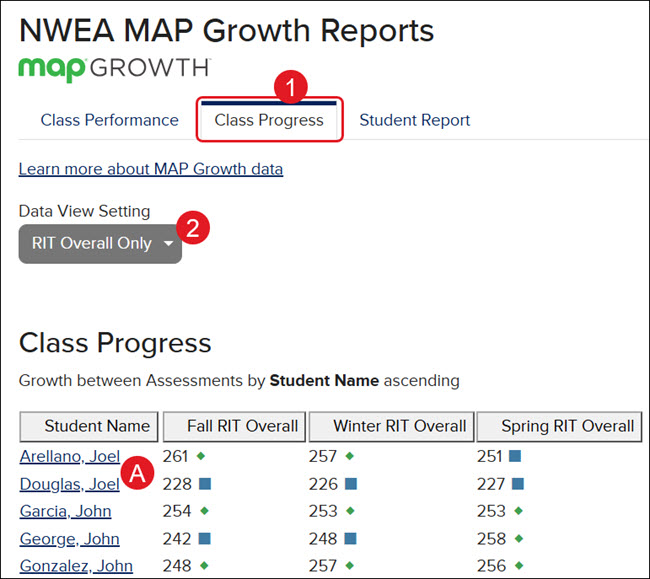
The Class Progress tab shows the individual student Overall RIT scores and the NWEA assessments for Fall, Winter, and Spring.
- Click on the Class Progress tab.
- Select an option from the Data View Setting drop-down to navigate between the RIT Overall view and the comparison views for the different assessments completed.
A. Click on a Student Name to navigate to the Student Report.
Student Report
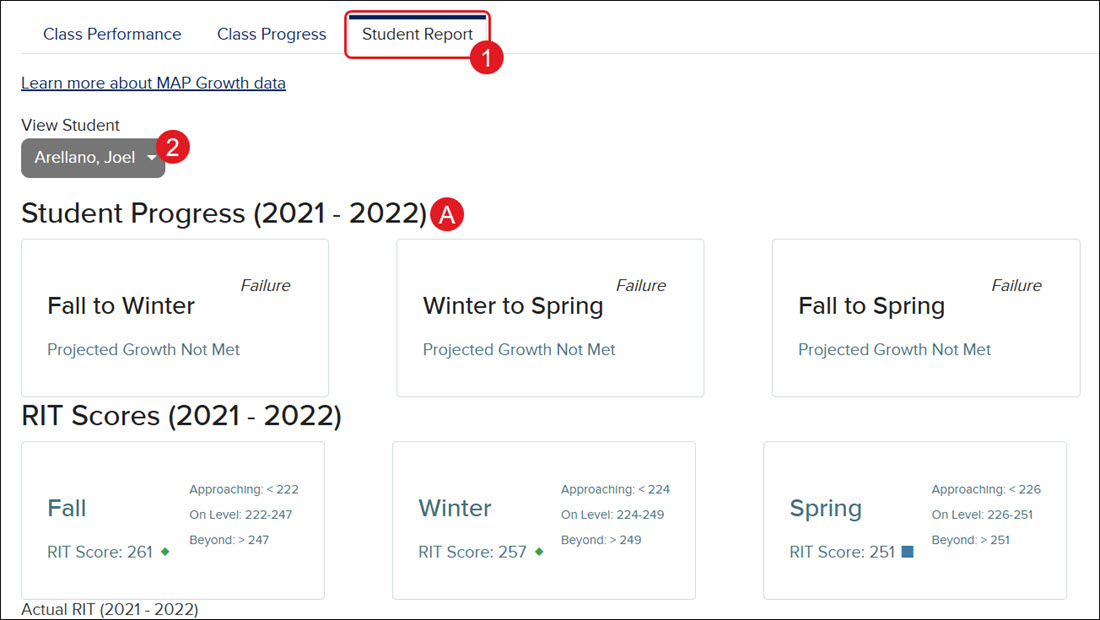
The Student Report page shows individual student growth scores and progress for each completed NWEA assessment.
- Click on the Student Report tab.
Another option is to click on the Student Name from the Class Performance or Class Progress tabs.
- Click on the View Student drop-down to navigate between each student's report.
A. The top section shows Student Progress and RIT Scores in individual tiles.
B. The Actual RIT scores are also viewable from the line graph in the middle section.
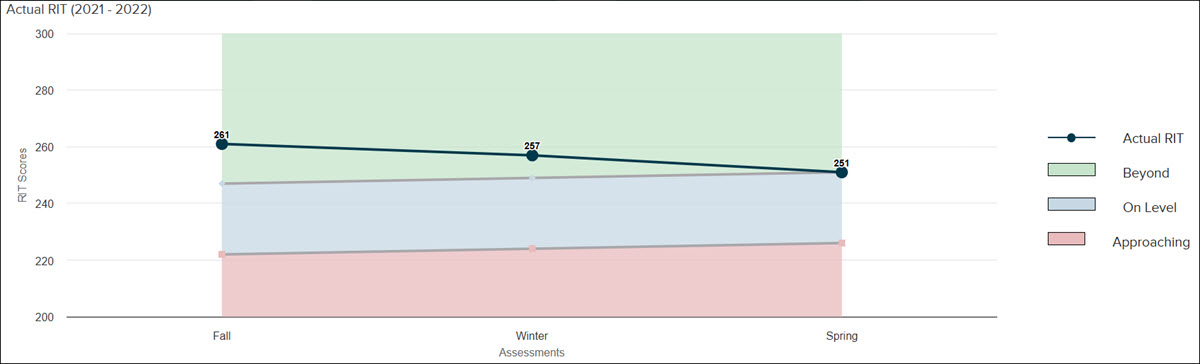
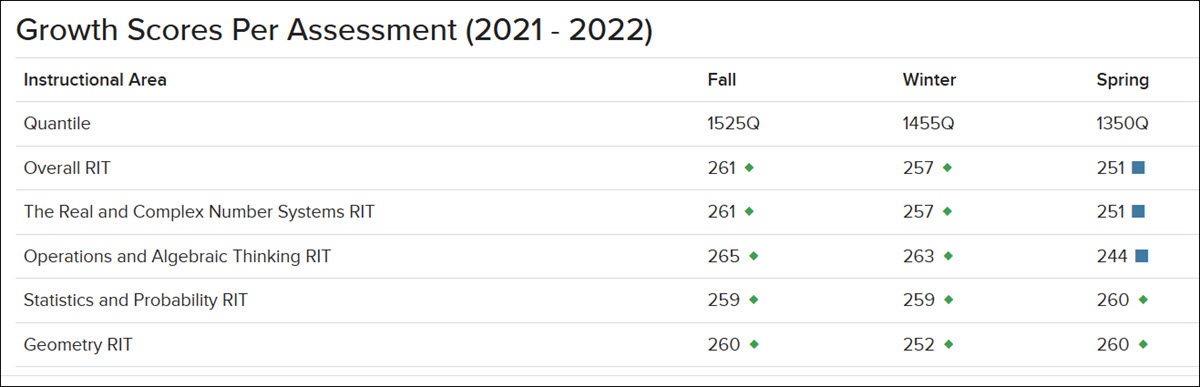
C. In the bottom section, the Growth Scores Per Assessment for each Instructional Area can be seen in the provided table.