
Access Your K-12 Connect® Account
Access your K‑12 Connect account and troubleshoot sign-in issues so you can reach your courses, assignments, and eBooks.
- Customer Support
- PreK-12
- Classroom Teacher
- School Student
- School Parent
- High School
- Direct Login & Auto-Rostering
- Direct Login & Manual-Rostering
- SSO & Auto-Rostering
- SSO & Manual-Rostering
- AP, Honors & Electives
- AP Connect
- Log-In & Passwords
- Account Management


View the demo in a separate tab.
View the Spanish version of the demo.
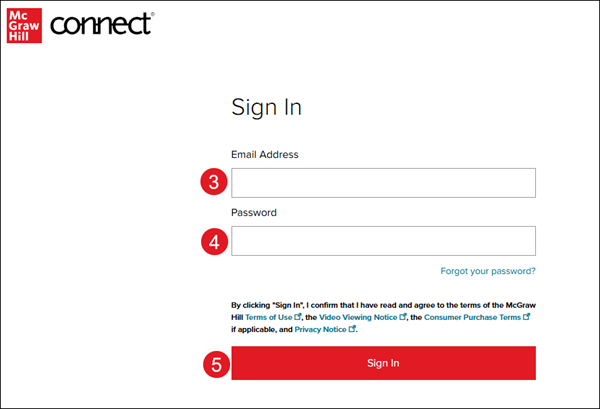
1. Navigate to the Connect log in page.
To ensure you are on the correct login page, verify you see the McGraw Hill Connect® icon at the top-left of the page.

2. Enter your Email Address.
3. Enter your Password.
Note: Your password is case-sensitive, your username is not.
4. Click the Sign In button.
Additional Articles
K-12 Connect® Frequently Asked Questions (FAQ)
How to Register for a K-12 Connect® Class
Additional Support
If you're a K-12 student or teacher and are in need of additional assistance with your Connect course, please contact our Digital Technical Support team.
If you're a College/University student or instructor and are in need of additional assistance with your Connect course, please contact our Higher Education Support team.
