
Moving Everyday Mathematics® 4 Lessons in the Planner
Learn how to move lessons in the Everyday Mathematics® 4 planner to adjust pacing and schedules.
- Math
- SSO & Manual-Rostering
- Customer Support
- Direct Login & Auto-Rostering
- Core
- Plan & Present
- Direct Login & Manual-Rostering
- Classroom Teacher
- SSO & Auto-Rostering
- PreK-12
- Everyday Mathematics 4 (K-6)
- Elementary School
- Middle School
- Kindergarten
- 1st Grade
- 2nd Grade
- 3rd Grade
- 4th Grade
- 5th Grade
- 6th Grade


This article explains how to move lessons in the Everyday Math 4 planner. The lessons can be moved forward or backward, but they cannot be removed from the planner. If you have a lesson you do not wish to teach, we recommend stacking it on the same day as the lesson you do plan to teach. Adding a non-teaching day on a specific date does not delete or remove the lesson that is scheduled for that day. Instead, it simply moves that lesson to the next teaching day.
1. Launch your Everyday Math 4 Teacher Edition.


2. In the upper-left corner of the page, click on the Menu icon.

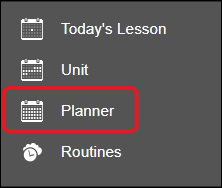
3. Click on Planner from the Navigation menu.
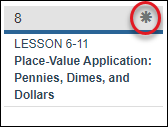
4. Select the star icon on the lesson day you want to adjust.
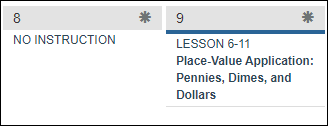
To add a No Instruction day, select Move All Lessons Forward from the pop-up menu.
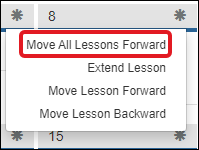
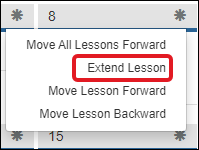
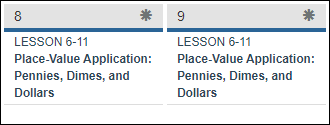
To extend a lesson so that it is available for multiple days, select Extend Lesson from the pop-up menu.
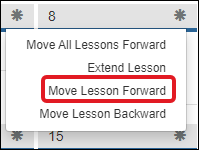
To move a lesson to the next day, select Move Lesson Forward in the pop-up menu.
Note: This will cause the lessons to stack on that day.
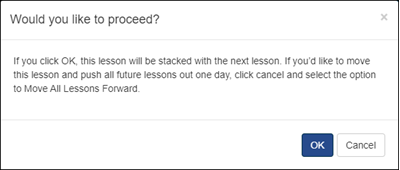
To complete the move for the lesson to the next day, click the OK button on the pop-up.
The day the lesson was moved from will turn into a No Instruction day. The next day where the lesson was moved to will have stacked lessons.
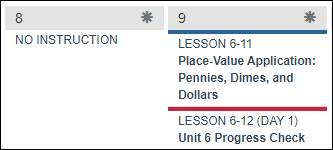
To move a lesson to the previous day, select Move Lesson Backward from the pop-up menu.
Note: This will cause the lessons to stack on that day.
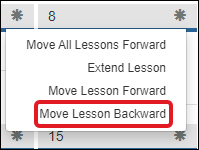
To complete the move for the lesson to the previous day, click the OK button on the pop-up.
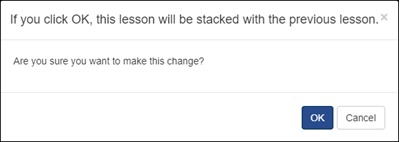
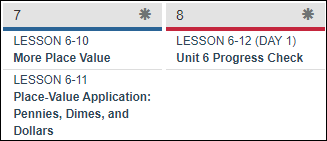
The day will then show stacked along with the lesson that was already scheduled on that previous day. The lessons that were scheduled before the lesson you selected to move will then also move back a day.
To move all lessons forward or backward at once without stacking them, read page 8 in the Everyday Math 4 - Class Management document.
To unstack lessons in the planner, read the article: Unstacking Everyday Mathematics® 4 Lessons in the Planner.
