Customize Classic ALEKS Self-Paced Class Content
Set up self-paced class content in classic ALEKS view for flexible learning.
- Customer Support
- PreK-12
- Classroom Teacher
- Elementary School
- Middle School
- High School
- Direct Login & Auto-Rostering
- Direct Login & Manual-Rostering
- SSO & Auto-Rostering
- SSO & Manual-Rostering
- Supplemental
- Math
- ALEKS
- Class Management
- Plan & Present


View the demo in a separate tab.
View the Spanish version of the demo.
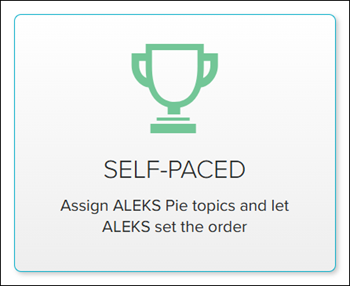
Setting self-paced class content allows teachers to assign which ALEKS Pie topics they want students to complete while ALEKS sets the order of those selected topics.
1. SSO or log in at my.mheducation.com.
2. Launch ALEKS.
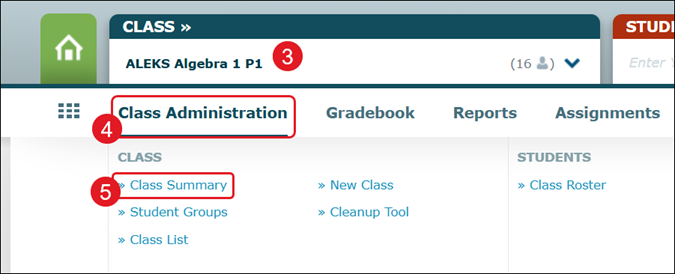
3. Select the Class from the drop-down.
4. Hover over Class Administration.
5. Click on Class Summary from the menu.
6. In the Class Customization section, click Edit next to Content Editor.
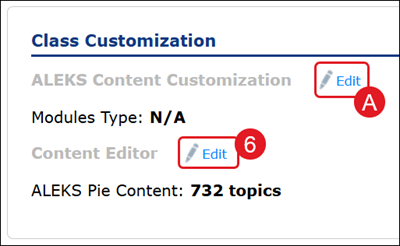
Or you can click Edit (A) next to ALEKS Content Customization and click the Self-Paced button.
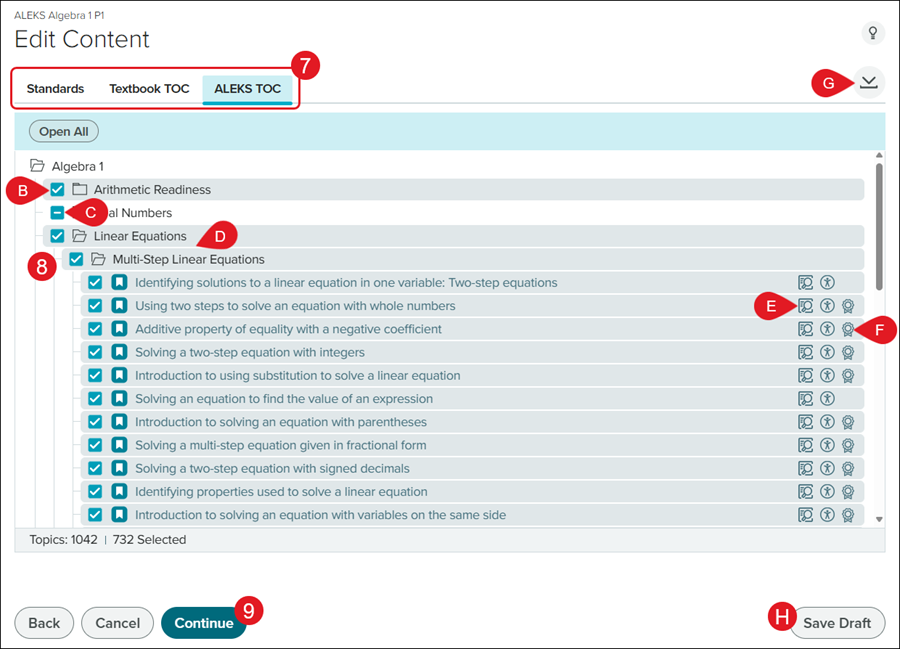
7. Click on Standards, Textbook TOC, or ALEKS TOC.
Note: To see the Textbook TOC option, you will first need to integrate a textbook for the class. Refer to the Customize the Classic ALEKS View Class Summary Page article for steps on adding a textbook.
8. Check/uncheck the box next to the topics you want to include.
B. Those with a checkmark have all topics included for that section.
C. Those with a dash only have select topics included for that section.
D. Click on a section to expand and view the topics.
E. Click the Preview to view an example question for that topic.
F. Click the Standards icon to view the associated standards for that topic.
G. Click the Download button to download a PDF of the Class Syllabus.
9. Click the Continue button.
H. Click the Save Draft button to save what changes you've made to finish setup at a later time.
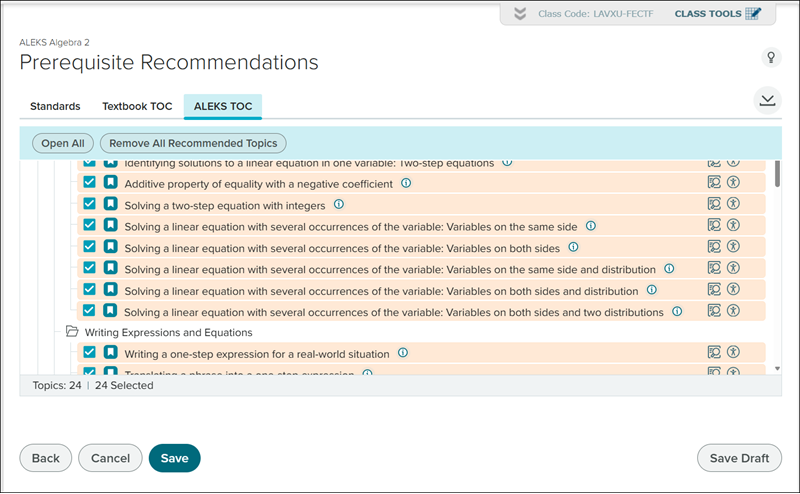
Depending on the topics selected, the ALEKS program may suggest Prerequisite Recommendations for topics to add to the syllabus to better help students prepare for the topics in the class.
Uncheck any options you do not want to add and click Save at the bottom.
10. Click the Save button on the pop-up.
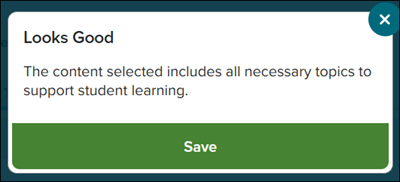
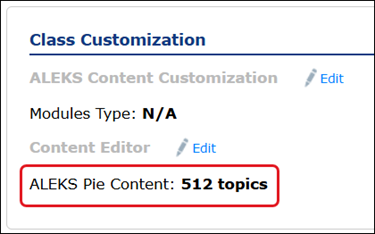
You'll receive a message that your changes have been saved and the ALEKS Pie Content count, in the Class Customization section, will reflect the new number of topics selected.