Building Your ALEKS Adventure Ship
Learn how students create and customize their ship in ALEKS Adventure.
- Customer Support
- PreK-12
- School Student
- School Parent
- Elementary School
- Direct Login & Auto-Rostering
- Direct Login & Manual-Rostering
- SSO & Auto-Rostering
- SSO & Manual-Rostering
- Supplemental
- Math
- ALEKS Adventure
- Getting Started & Orientation
- Dashboard & Navigation Overview


View the demo in a separate tab.
View the Spanish version of the demo.
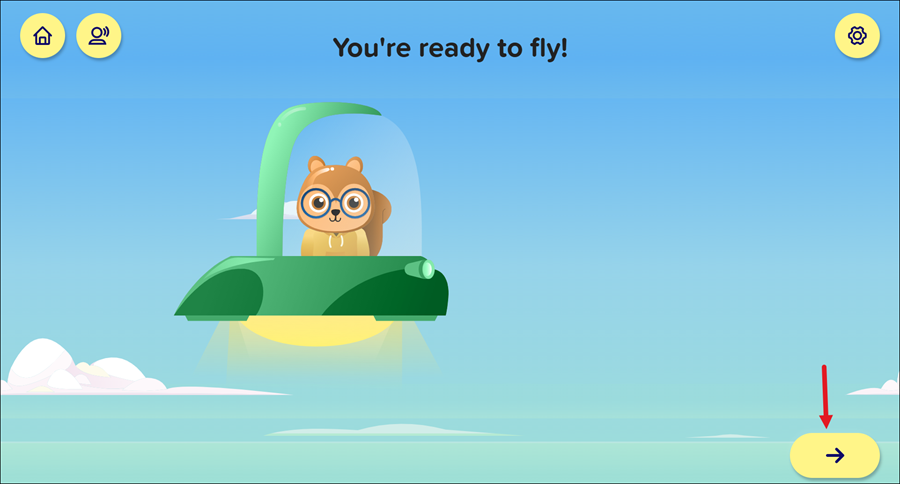
Students navigate the world of ALEKS Adventure using a customized ship. After completing the Initial Knowledge Check, during the Onboarding Narrative, students are directed to create their own unique ship.
Students can also access the Ship Lab between topics when they successfully complete a new topic. Successfully reviewing a topic they have already completed doesn’t provide this option.
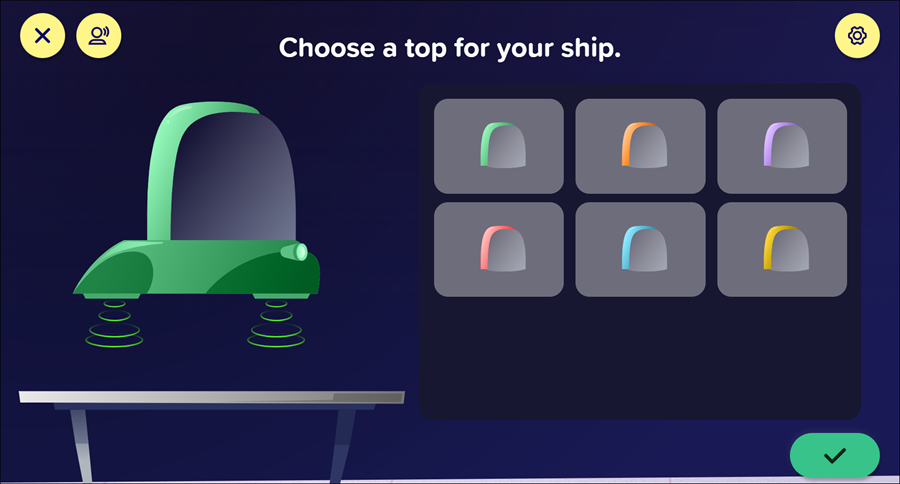
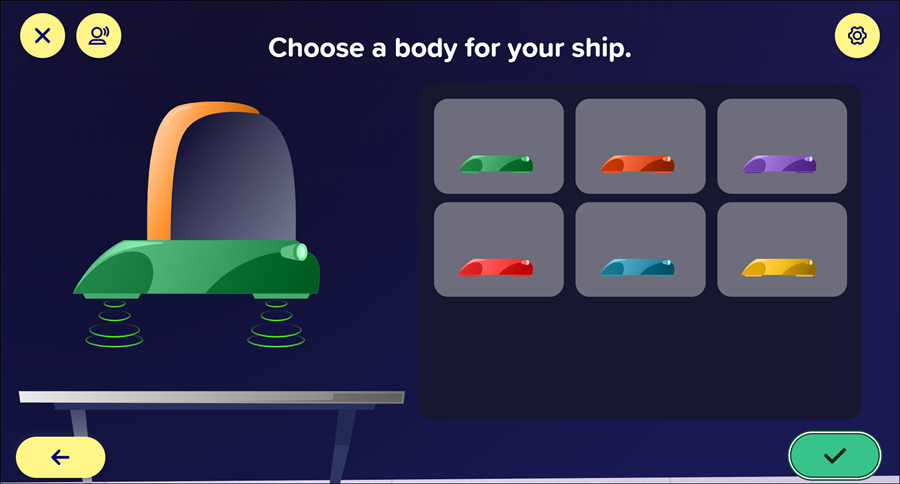
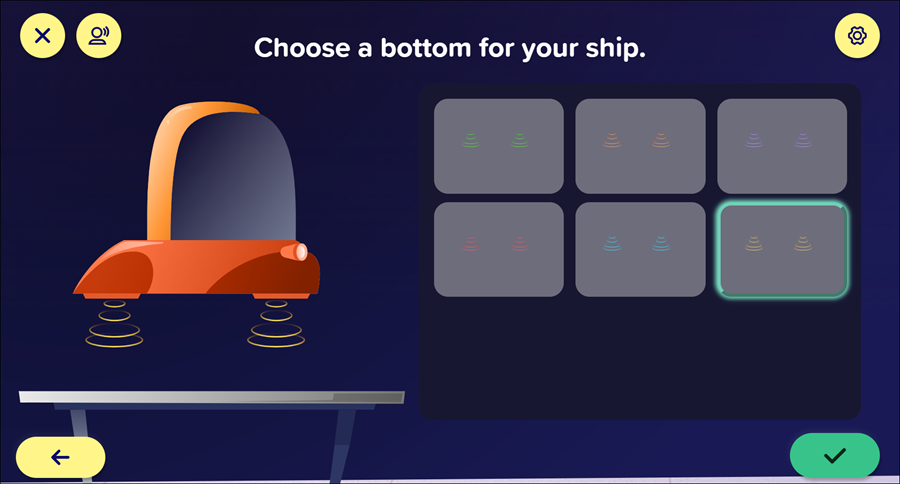
During the Onboarding Narrative, students create a custom ship in the Ship Lab, which they then use to navigate throughout ALEKS Adventure topics. They can customize the top, body, and bottom of their ship. A limited number of options are available on initial ship creation, but more options can be unlocked using Coins received from completing Progress Knowledge Checks.
1. Click on the top you want for your ship. Click the checkmark to save the option.
2. Select the body you want for your ship. Click the checkmark to save the option.
3. Select the bottom you want for your ship. Click the checkmark to save the option.
4. Click the arrow at the bottom right after your ship is built to navigate to the Home page.