
ALEKS Adventure Knowledge Checks
Understand how Knowledge Checks function in ALEKS Adventure to measure mastery and adjust learning paths.
- Customer Support
- PreK-12
- School Student
- School Parent
- Elementary School
- Direct Login & Auto-Rostering
- Direct Login & Manual-Rostering
- SSO & Auto-Rostering
- SSO & Manual-Rostering
- Supplemental
- Math
- ALEKS Adventure
- Online Assessments


Article Contents
Progress Knowledge Check Questions
Initial Knowledge Check
After students meet Digit the Dog during the Onboarding Narrative, they are given an Initial Knowledge Check. This allows the system to determine which topics to include in student learning paths and which topics they have already mastered.
There is no time limit for the Initial Knowledge Check.
The Initial Knowledge Check for ALEKS Adventure is adaptive, with a maximum of 9 questions for Kindergarten and 14 for grades 1-3. The questions that students are provided assess their knowledge so ALEKS Adventure can craft an individual learning plan based on each student’s learning needs.
The Initial Knowledge Check ends early when a student answers five questions incorrectly, at which point the system moves them on to the next phase of ALEKS Adventure.
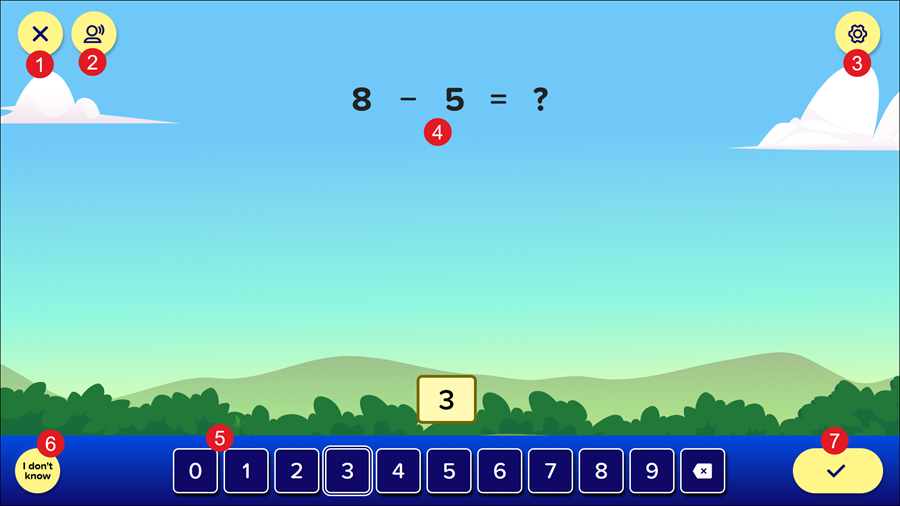
1. Back Button: Returns students to their homepage.
2. Respeak Button: Replays the spoken audio on the page.
3. Settings: Opens the Settings panel where students can toggle buttons on and off to change their environment in ALEKS Adventure. The Settings button is available in the top-right corner of every page in ALEKS Adventure.
4. Instructions: Instructions are provided for each question. Sometimes, questions are a mix of an equation and a text explanation of what students are supposed to do.
5. Answer Field(s): Students answer each question by inputting the answer into the numeric input field. Some questions have multiple answer fields that all need to be filled out before students can submit their answer. Most questions can be filled out using either the numbers on the keyboard of their device or the button bar on the bottom of the screen.
6. I Don't Know: Students can click this button if they are unsure of the answer to the question presented. This button is only available during Knowledge Checks.
7. Submit Answer Button: Students select this button to submit their answer. This button is inactive until students provide an answer for the question.
Progress Knowledge Check
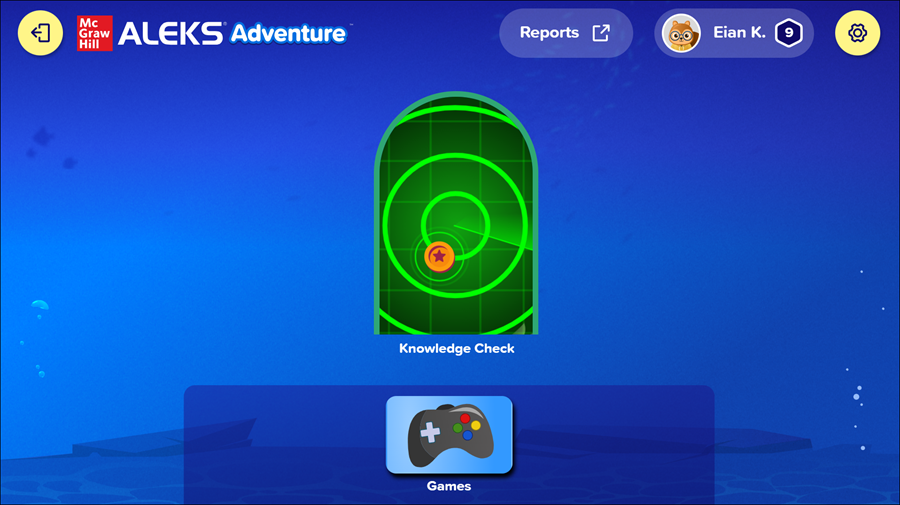
After students successfully complete a topic for the first time, they are automatically given a Progress Knowledge Check. Progress Knowledge Checks are designed to help gauge student retention of topics learned.
Students are given a question on a single topic to answer. If they answer incorrectly, they are guided through the answer and then are given another question on the same topic.
Students are awarded a Coin after the Progress Knowledge Check regardless of whether they answer correctly or incorrectly. They cannot progress to the next topic without taking the Progress Knowledge Check.
Progress Knowledge Check Questions
When students enter a Progress Knowledge Check, the question(s) provided are on a single topic. When students first begin ALEKS Adventure, the Progress Knowledge Check pulls questions from topics that are marked as unlearned during the Initial Knowledge Check.
After students have had the opportunity to complete several topics, the questions in a Progress Knowledge Check come primarily from topics students have already successfully completed, but may also come from topics students have not yet learned.
- When students receive a question from a topic they have not yet learned, they do not receive feedback on their answer. However, if they correctly answer the question, the topic is marked as complete in the land
- When students receive a question from a topic they have learned, AND:
- They get the answer correct, they receive feedback that their answer was correct and progress to the end of the Progress Knowledge Check.
- They get the answer incorrect, they receive feedback that their answer was incorrect, are given a hint from Digit, and are prompted to try the question again.
- If they answer the question correctly on the retry, they are then presented with a second question from the same topic as the first. They receive feedback on whether their answer was correct or incorrect and, upon submitting a second incorrect answer, are prompted to try the question again, but are not given any additional questions. The Progress Knowledge Check ends after the second question regardless of whether the student correctly or incorrectly answers the question.
- If they answer the question incorrectly on the retry, they do not receive a second question and the Progress Knowledge Check ends.
- If the student answers questions on a previously learned topic incorrectly, they will be guided to re-play the topic for just-in-time review.
- Students do not have access to the Hint option during the Progress Knowledge Check, but can select I Don’t Know if they do not know the answer to the question. This marks the question incorrect and progresses the student to the end of the Progress Knowledge Check.
