
Actively Learn - Explore Catalog
Explore the Actively Learn catalog to find texts, lessons, and instructional resources.
- Supplemental
- Getting Started & Orientation
- Dashboard & Navigation Overview
- Literacy
- Actively Learn
- SSO & Manual-Rostering
- Customer Support
- Social Studies
- Direct Login & Auto-Rostering
- Middle School
- Direct Login & Manual-Rostering
- High School
- Classroom Teacher
- SSO & Auto-Rostering
- PreK-12
- Science
- Preschool
- Elementary School


This article walks teachers through navigating the Actively Learn catalog.
The catalog allows you to discover and add content that you love. You can discover the thousands of cross-curriculum texts of different depth of knowledge levels with many aligned with common core standards. You can search in our Catalog in three distinct ways: Featured Content Page, filters, or instant search.
Switch Between Subjects
Depending on the subjects purchased by the districts, teachers can switch between ELA, Science, and Social Studies by clicking on the Menu at the top-left of the page.

Featured Content Page
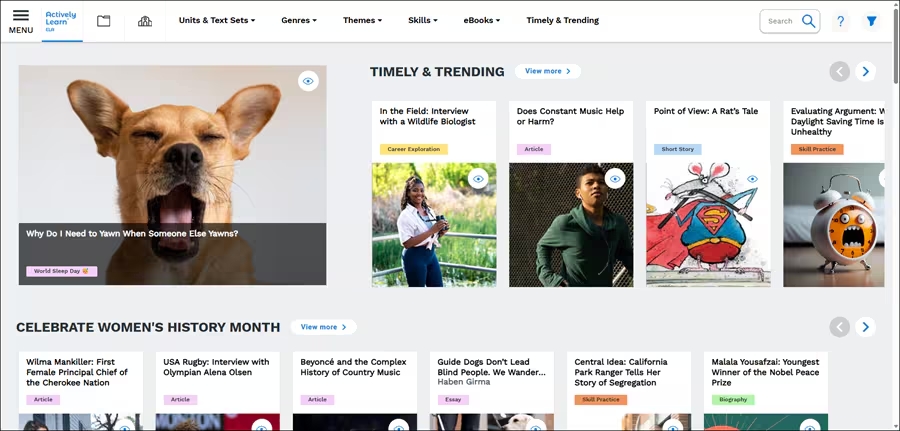
Once you enter our Catalog, you will see our Featured Content Page. On this page, you will see top curated content grouped by genres and themes.
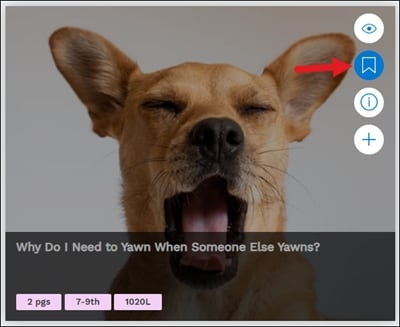
Hover over a resource tile and click the Bookmark icon to add it to your Workspace.
Filters
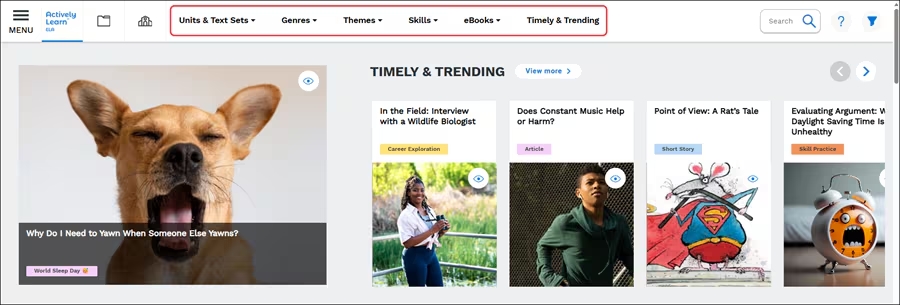
All of our content is organized by multiple categories that appear on the top of the Catalog or through the main menu, so finding what you need is simple.
Select the subject you want to filter by going to the main menu

Hover over an option in the top navigation menu to search by the type of content.
Click the Filters button at the top-right to narrow down options by Grade Level, Assignment Type, Lexile Level, and Standards,

The Grade Level filters text by the most common grade level they are assigned to. Click the show all grade levels to have additional filter options.

The Assignment Type filters by options such as article, biography, book, career exploration, data analysis, and many more options. Click the show all assignment types to have additional filter options.

The Lexile Level filters by the most common Lexile level they are assigned to. Click the show all lexiles to have additional filter options.

The Standards filters vary based on the subject selected and the state in which the teacher profile is associated with.

Search the Catalog
If you have a particular title or author you're looking for, you can use our search feature to instantly see if our Catalog has what you're looking for.

Popular Articles
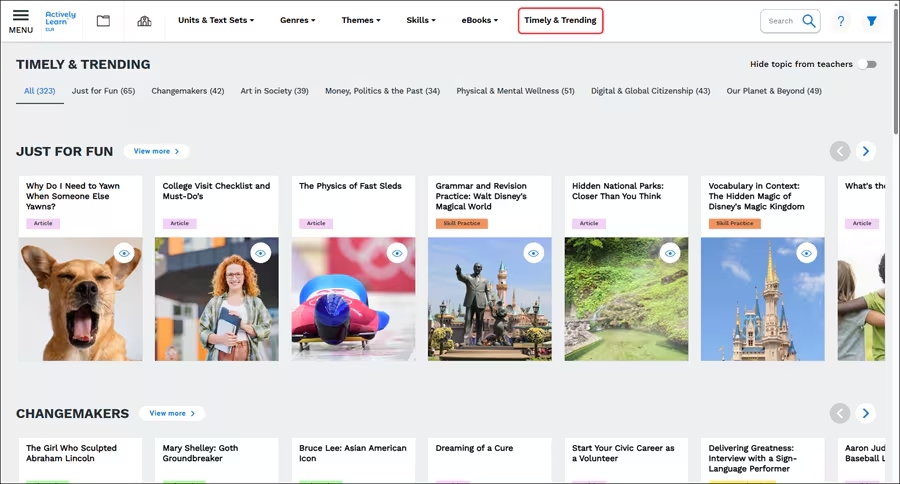
The catalog includes popular articles that are updated weekly. The can be easily accessed by clicking the Timely & Trendy menu option at the top of the page.
Advanced Placement® (AP)
The catalog supports teaching Advanced Placement® (AP) classes. This content is designed for students who are learning at an advanced level, and can be assigned to teachers' AP classes or to individual students and small groups who are looking to work with college-level curricula.
Teachers can add content from these subgenres to folders in their Workspace to organize, edit assignments for their AP classes, and also import their own content to use in AP classes.
These resources can be located by hovering over Genres and clicking on Advanced Placement® Language or Advanced Placement® Literature in the Instructional Focus section of the menu.
Advanced Placement® is a trademark registered by the College Board, which is not affiliated with, and does not endorse, this site.
Social Studies Supplements
Actively Learn's Core Supplements offers a selection of assignments that provides teachers the opportunity to engage students in interactive digital assignments that are directly related to the core content they are covering in five McGraw Hill textbooks. Each page includes a wide variety of assignments including articles that connect to current events, primary sources, document based question assignments, interactive "You Decide" simulations, and explainers at a lower reading level (to name a few!). Core Supplements makes lesson planning easy by giving teachers and students an engaging variety of lesson types.
Core Supplements offers supplementary assignments for use with any five of the following McGraw Hill Middle School and High School textbooks:
- Discovering Our Past: A History of the United States, Early Times
- Discovering Our Past: A History of the United States, Modern Times
- United States History: Voices and Perspectives
- United States History & Geography
- United States History
Access the McGraw Hill supplements resources by hovering over Resources in the navigation menu and selecting US History: McGraw Hill Supplements.
Click on the US History tile you want the assignments for.
This will bring you to a page with curated assignments relating to the core content of the textbook, where teachers can explore Featured Assignments and Topic Supplements.
Integrated Science Supplements
Actively Learn offers supplementary assignments to be used with McGraw Hill's Integrated Science middle school textbook. Within our science catalog, this page offers a compilation of assignments which align with the module tiers within this textbook. Each assignment was selected with the essential questions in the lessons in mind, and each match the question for the module, making them perfect for use as supplements for the textbook's units.
Access these supplemental assignments by hovering over Interactives & Resources in the navigation menu and clicking on McGraw Hill Integrated Science: Middle School.
This will bring you to the resource page with complementary content for 6th-8th grade, our featured assignments, and Careers in Science assignments.
Associated Articles
Actively Learn - Science Performance Tasks
Actively Learn - Science PhET Simulations
Actively Learn - Customize Text Assignments
Actively Learn - Customize Video Assignments
Actively Learn - Create Assignments
Actively Learn - District Library
Actively Learn - Manage Student Library