Edit Your Actively Learn Teacher Profile Details
Instructions on how to make changes to an Actively Learn teacher profile.
Tags
- Customer Support
- PreK-12
- Classroom Teacher
- Elementary School
- Middle School
- High School
- Direct Login & Auto-Rostering
- Direct Login & Manual-Rostering
- SSO & Auto-Rostering
- SSO & Manual-Rostering
- Supplemental
- Literacy
- Science
- Social Studies
- Actively Learn
- Account Management
- User Management


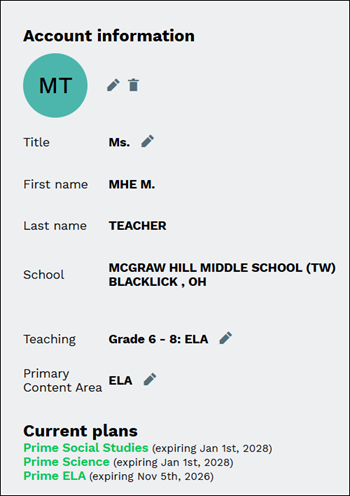
Teachers can make changes to their Avatar, Title, Teaching, and Primary Content Area within their Actively Learn profile.
Note: To make changes to your First name or Last name, this will need to be done by making changes to your McGraw Hill profile. Refer to the Access Assigned Roles, View Organizations, and Change Profile Settings article for these steps. To make adjustments to your assigned school, teachers will need to reach out to their Organization Administrator.
1. Click Menu at the top-left.
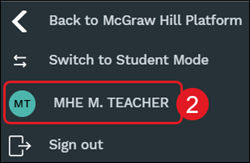
2. Click on your name at the bottom of the menu.
3. Click the pencil icon to make changes to the section.
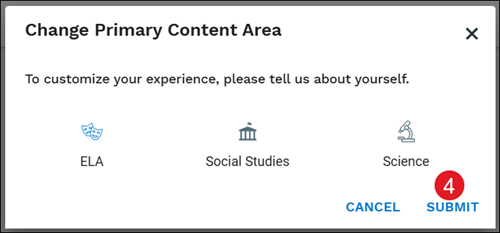
4. Click the Submit button to save any changes made.