How do I find content?
Learn how to search, browse, and locate content in Create to build your custom project.
- Higher Education
- Customer Support
- Create
- User Guides & Account Management
- Instructor


Create provides several ways to find content for your custom book. You can search by keywords, title, description, author, or ISBN. Alternatively, you can browse content by categories.
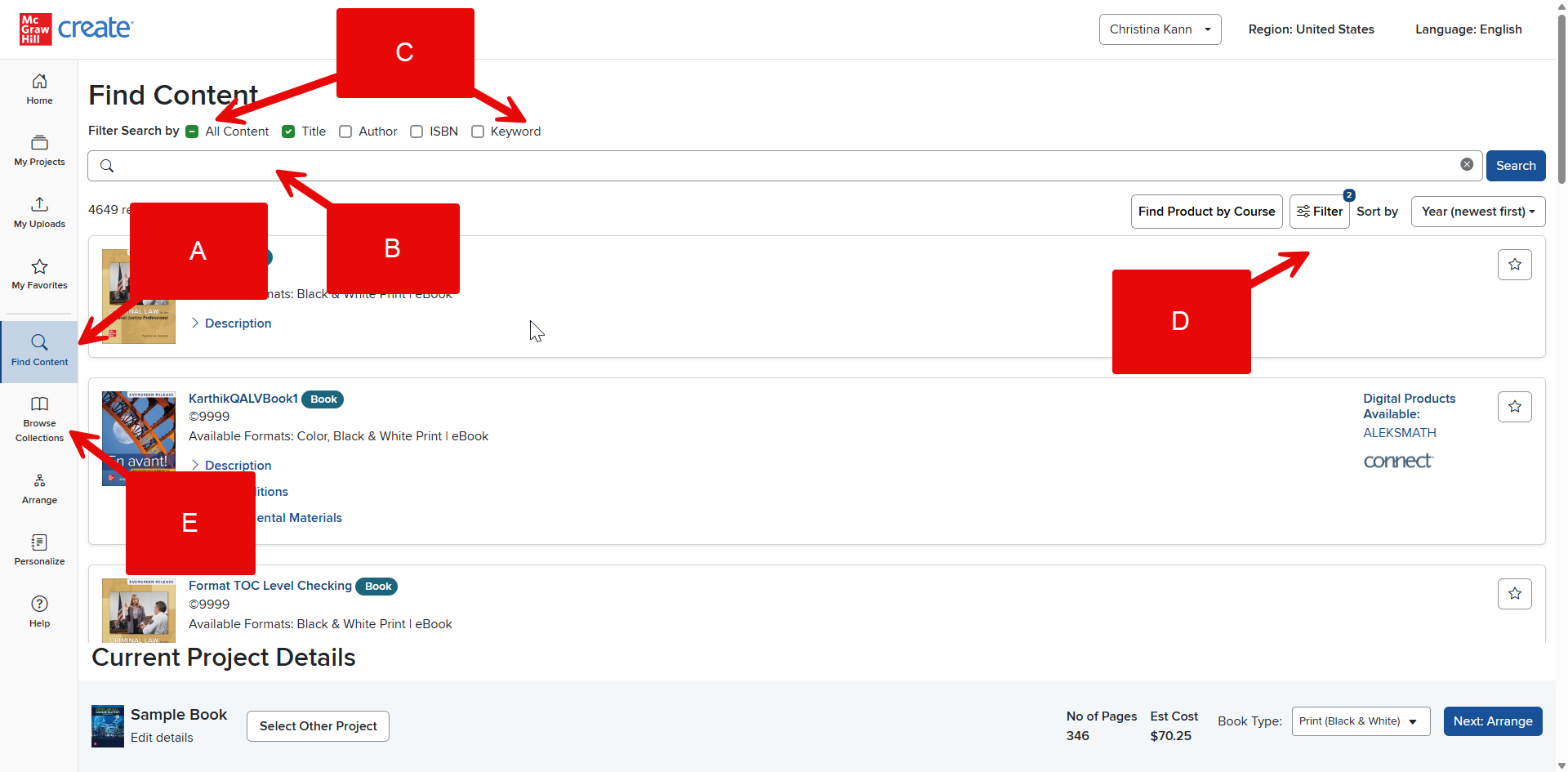
Step 1: Get started by clicking Find Content (A).
Step 2: Enter a search term into the search bar (B). You can search using the piece’s title, author, or ISBN, a keyword from the work, or multiple or all of these (C).
Step 3: The results from your search will appear in a list on the right side of your screen. Filters for viewing these results will appear on the left side of your screen (D). Learn more about Filters in How do I refine my search results?
Step 4: Alternatively, click Browse Collections (E) to see all our case collections and browse those without entering keywords.