How do I refine my search results?
Learn how to refine search results in Create using filters and tools to quickly find the most relevant content.
- Higher Education
- Customer Support
- Create
- User Guides & Account Management
- Instructor


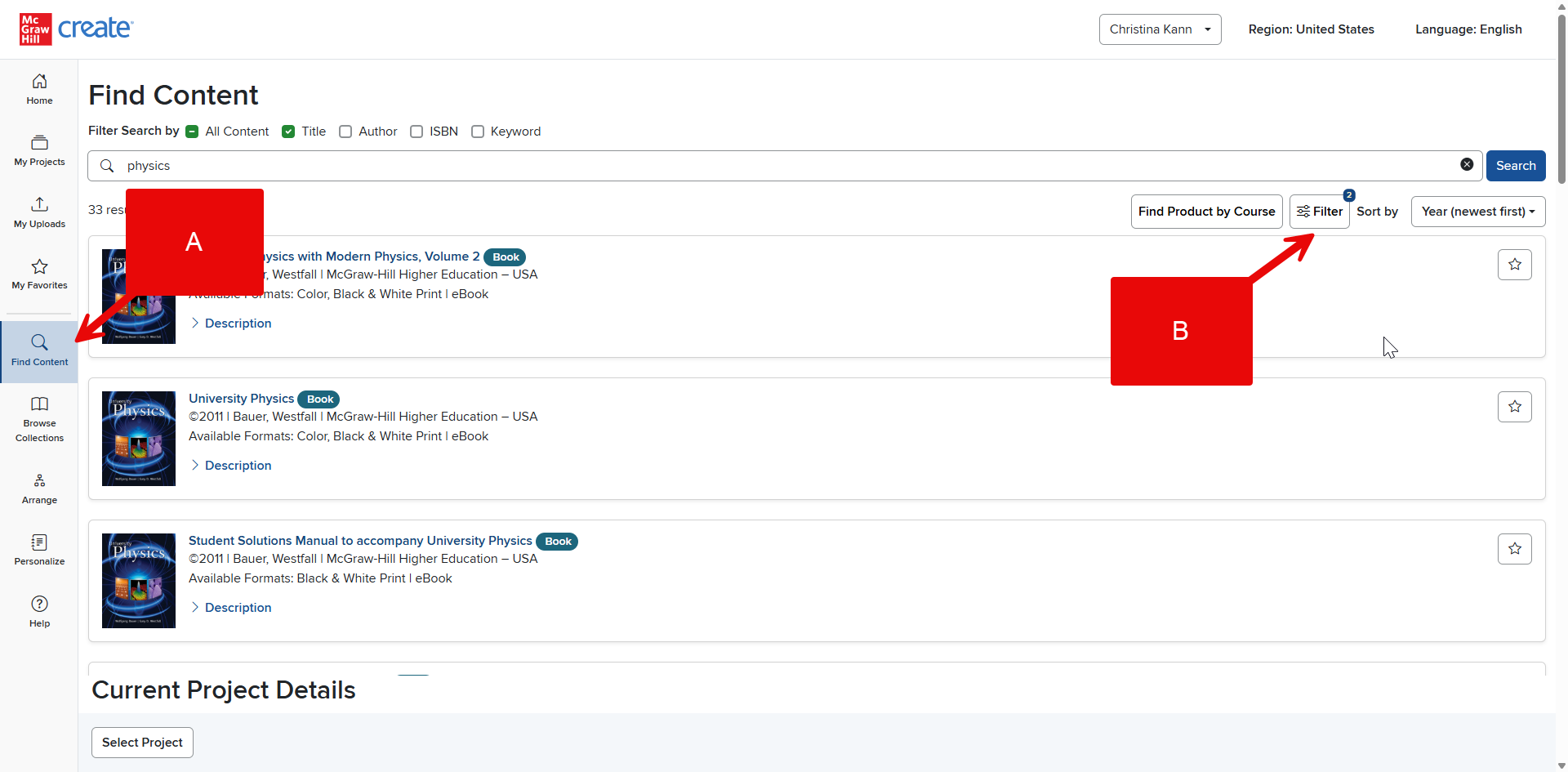
If you are in Find Content (A), you can view search filters by clicking the button above your search results (B).
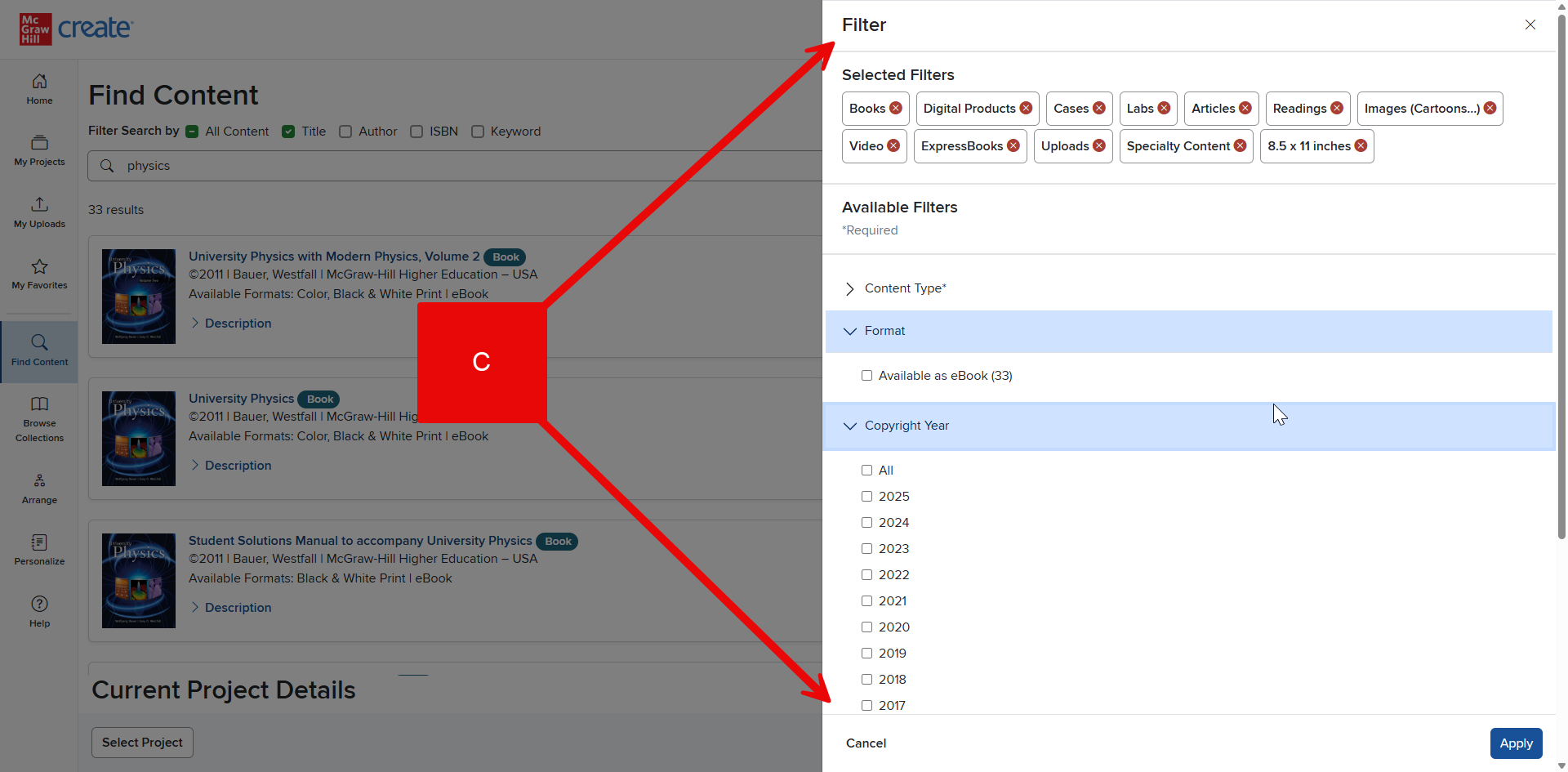
These filters (C) provide options to narrow your search using certain quantifiers. By checking and/or unchecking filters, you can narrow your search results by features like content type, format, copyright year, language, trim size, and many more. The numbers within the parentheses next to the filter options indicate the number of available items in each filter related to your search.
Note: Turning on too many filters may narrow your search results too much or leave you with no results at all. If this occurs, try reducing the number of filters you have selected.