
Connect - Access Code and Registration Support
Learn how students register, create accounts, and access Connect courses.
- Higher Ed Student
- Resources
- Higher Education
- Customer Support
- Connect


What Are Connect Access Codes?
A Connect access code is a 20-digit code that registers you for your instructor's Connect course. Keep these things in mind:
- Access codes are title specific.
- Each access code can only be used once.
- If your access code is for a different version or edition of a title, the code will not work.
If your school participates in an Inclusive Access program, your course materials may be provided automatically through your institution, and you may not need to enter an access code at all. Check with your instructor or bookstore if you are unsure.
3 Connect Registration Methods
When registering for Connect, navigate to the Connect section URL provided by your instructor. If your course does not use a learning management system (LMS) such as Blackboard, Canvas, D2L, or Moodle, visit the Connect course section URL provided by your instructor. If you haven't received a URL, contact your instructor for help.
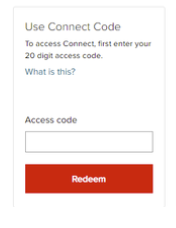
Use a Connect Access Code
Enter your 20-digit Connect access code and click REDEEM.
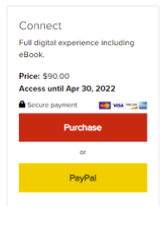
Purchase Connect Access
Purchase access with either a credit card by clicking Purchase or a PayPal account by clicking PayPal under the desired option.
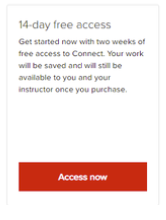
Register for Temporary Access
Early in the semester, you may be able to register for 14-day free access by selecting the Access now option. For more information, review the 14-day free access details.
Connect Access Code Troubleshooting
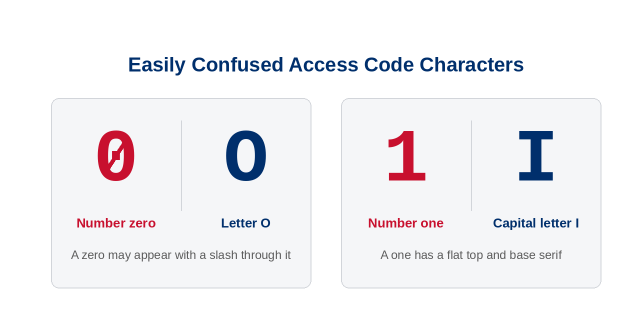
Carefully enter your code, paying close attention to similarities between the number 1 and the letter I, and between zero and the letter O. On access code cards, a zero may appear with a slash through it.
- If you have a damaged or scratched-off code, call or contact Technical Support. You'll need to provide a photo or scanned copy of the front and back of the access card showing the damaged or scratched-off code. We can provide a replacement code if your code has not been used.
- If you receive an error message when entering your code, contact Technical Support, or ask Athena, McGraw Hill's virtual support assistant, in the lower right corner of this page.
No Registration Code with My Textbook
Connect registration codes are not always included when purchasing a new or used textbook. Bookstores can order and sell Connect packages with or without registration codes included. If a Connect registration code was not bundled with your purchase, first check with the bookstore for confirmation. If they confirm that a registration code is not included with your textbook, you can purchase access directly from the Connect section URL provided by your instructor. If you purchased your print book, eBook, or access code through Chegg, contact Chegg support directly with any questions about your purchase.
Changing Sections or Continuing Access
If any of the following scenarios apply:
- You have a Connect license for a textbook that extends to another semester
- You need to change sections during the term
- You registered under the wrong section
You can register directly without entering a new access code or purchasing access again. You can do this via the new Connect course URL provided by your instructor or via your school's Learning Management System (LMS).
Important Notes:
- Any assignment grades from your previous section cannot be transferred to a new Connect course.
- Remember to purchase full access to Connect before the 14-day free access period ends in order to avoid interrupted access to your course.
- When purchasing full access, use the same email address you used to sign up for 14-day free access.
