We're making updates to improve your experience. Some products and checkout may be unavailable on Saturday, November 21 and Sunday, November 22. Thanks for your patience. Check our status page for updates.
Your information will be used to provide you with the requested information and other information about McGraw Hill’s products and services. You may opt out at any time by contacting McGraw Hill’s local privacy officer or selecting “unsubscribe” at the bottom of any email you receive from us. For information on our privacy practices, visit the McGraw Hill Privacy Center.
Your information will be used to provide you with the requested information and other information about McGraw Hill’s products and services. You may opt out at any time by contacting McGraw Hill’s local privacy officer or selecting “unsubscribe” at the bottom of any email you receive from us. For information on our privacy practices, visit the McGraw Hill Privacy Center.
Validated Instructors Only
ISBN10:1260136124 |
ISBN13: 9781260136128
More information about this Print book can be found in the page section below.
Step 2. Register and authorize your Adobe ID (optional). To access your eBook on multiple devices, first create an Adobe ID. Then, open Adobe Digital Editions, go to the Help menu, and select "Authorize Computer" to link your Adobe ID.
Step 3. Open Your eBook. Use Adobe Digital Editions to open the file. If the eBook doesn’t open, contact customer service for assistance.
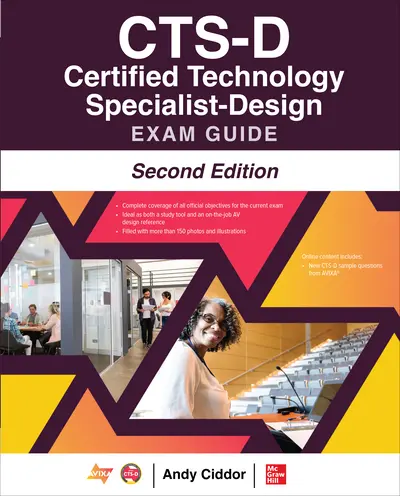
The most up to date CTS-D exam study system—available exclusively from McGraw Hill and AVIXA Press
Published with AVIXA®, CTS-D® Certified Technology Specialist-Design Exam Guide, Second Edition provides comprehensive coverage of all exam objectives on the leading internationally recognized certification for audiovisual design professionals. Each chapter features learning objectives, best practices, diagrams, photos, and chapter review questions with in-depth explanations. Designed to help you prepare for the CTS-D exam, this authoritative resource also serves as an essential on-the-job reference.<
Online content includes:
New CTS-D sample questions from AVIXA
Link to a library of design, installation, and AV math videos
Link to AVIXA standards
Link to AVIXA’s AV standards Clearing House
Covers all CTS-D exam objectives, including:
Communicating design intent
Ergonomics in AV design
Audio and visual principles of design
Communicating with allied trades
Lighting specifications
Structural and mechanical considerations
Specifying electrical infrastructure
Elements of acoustics
Digital signals
Audio and digital video design
Control requirements
Networking for AV
Streaming design
Security for networked AV applications
Project implementation activities
PART IThe Certified Technology Specialist-Design CH 1: What is a Certified Technology Specialist-Design? CH 2: The CTS-D Exam PART IIEnvironment CH 3: Communicating Design Intent CH 4: Ergonomics in AV Design CH 5: Visual Principles of Design CH 6: Audio Principles of Deisng PART IIIInfrastructure CH 7: Communicating with Allied Trades CH 8: Lighting Specifications CH 9: Structural and Mechanical Considerations CH 10: Specifying Electrical Infrastructure CH 11: Elements of Acoustics PART IVApplied Design CH 12: Digital Signals CH 13: Digital Video Design CH 14: Audio Design CH 15: Control Requirements CH 16: Networking for AV CH 17: Streaming Design CH 18: Security for Networked AV Applications CH 19: Conducting Project Implementation Activities PART VAppendices & Glossary App A: Math Formulas Used in AV Installations App B: AVIXA Standards App C: AVIXA AV Standards Clearinghouse App D: Video References App E: About the Online Content
Accessibility
Creating accessible products is a priority for McGraw Hill. We make accessibility and adhering to WCAG AA guidelines a part of our day-to-day development efforts and product roadmaps.
highered <p>Hello world</p> <ul> <li>Rent or purchase for a fraction of the printed textbook price</li> <li>Rental transaction occurs through McGraw Hill's authorized rental partner</li> </ul> <ul> <li>Purchase un-bound 3-ring binder ready textbook</li> <li>Flexibility and ease of selecting chapters to take where you want to go</li> </ul> <ul> <li>Rent or purchase for a fraction of the printed textbook price</li> <li>Easily highlight, take notes and search</li> <li>Download the free ReadAnywhere App for offline access and anytime reading</li> <li><b>Note:</b> the eBook does not include access to Connect. If your instructor assigned Connect, click the "Digital" tab.</li> </ul> Watch a quick video to learn more <p style="text-align: left;">* By purchasing <b>lifetime</b> access to this McGraw Hill eBook title, you have access to the title for as long as it is available through the McGraw Hill Bookshelf website.</p> <ul> <li><b>Note: Connect can only be accessed if your instructor is using Connect in your course.</b></li> <li>Personalize your learning, save time completing homework, and possibly earn a better grade</li> <li>Download free ReadAnywhere App for offline access to eBook for anytime reading</li> <li>Access to eBook, homework and adaptive assignments, videos, and study resources</li> </ul> Features <ul> <li>Rent for a fraction of the printed textbook price</li> <li>Complete text bound in hardcover or softcover</li> </ul> <div><b> Note:</b> Payment through authorized rental partners</div> Features <ul> <li><b>Digital access</b> to a comprehensive online learning platform</li> <li>Includes <b>homework</b>, <b>study tools</b>, <b>eBook, and adaptive assignments</b></li> <li>Download the <b>free </b><a href="/content/mhe/en_us/learning-solutions/digital-solutions/mhebook.html"><span class="link-dark-underline">ReadAnywhere app</span></a> to access the eBook offline</li> </ul> Features <p>Unbound loose-leaf version of full text</p> View shipping options <ul> <li>A <b>personalized </b>and dynamic learning experience</li> <li>Adaptive learning will <b>focus </b>your study time </li> <li>Integrated <b>eBook </b>for additional support</li> <li>Exercise and lecture videos, interactives, and extra practice materials</li> </ul> Features <p>Complete text bound in hardcover or softcover</p> View shipping options Features <p><b>Details</b> </p> <ul> <li>Includes: access to an online learning platform and full printed textbook rental available in hardcover or softcover</li> <li>Access resources and tools in one place: eBook, complete homework, and customized assignments based on your progress</li> <li>Easily access offline or on a mobile device by downloading the free<b> </b><a href="/content/mhe/en_us/learning-solutions/digital-solutions/mhebook.html"><span class="link-dark-underline">ReadAnywhere app</span></a></li> </ul> <ul> <li>Comprehensive online learning platform + unbound loose-leaf print text package</li> <li>Connect includes <b>homework</b>, <b>study tools,</b> <b>eBook, and adaptive assignments</b></li> <li>Download the <b>free </b><a href="/content/mhe/en_us/learning-solutions/digital-solutions/mhebook.html"><span class="link-dark-underline">ReadAnywhere app</span></a> to access the eBook offline</li> </ul> View shipping options Features <p><b>Receive instant access to:</b></p> <ul> <li>Personalize your learning, save time completing homework, and possibly earn a better grade</li> <li>Access to eBook, homework and adaptive assignments, videos, and study resources</li> <li>Diagnostic assessment platform combined with an online homework system</li> <li>Access to algorithmic homework assignments tied to textbook questions</li> <li>Immediate feedback and step-by-step solutions</li> </ul> <ul> <li>Comprehensive online learning platform + unbound loose-leaf print text <b>package</b></li> <li>ALEKS includes <b>videos</b>, <b>interactives</b>, and <b>practice materials</b></li> <li>Integrated <b>eBook </b>for additional support</li> <li><b>Adaptive learning</b> will focus your study time </li> </ul> View shipping options Features Features <ul> <li>Comprehensive online learning platform + bound traditional print text </li> <li>Connect includes <b>homework</b>, <b>study tools</b>, <b>eBook, and adaptive assignments</b></li> <li>Explore the <b>free </b><a href="/content/mhe/en_us/learning-solutions/digital-solutions/mhebook.html"><span class="link-dark-underline">ReadAnywhere app</span></a> app to access the eBook offline</li> </ul> <p><span><b>Note:</b> Connect can only be used if assigned by your instructor. </span></p> Learn more about Connect > <span><span><span class="link-dark-underline">Learn more about Connect ></span></span></span> Learn more about ALEKS 360> Features <ul> <li>Highlight, take notes, and search</li> <li>Download the<b> free </b><a href="/content/mhe/en_us/learning-solutions/digital-solutions/mhebook.html"><span class="link-dark-underline">ReadAnywhere app</span></a> for offline and mobile access</li> </ul> <div>Note:<b> Connect access NOT included.</b> If Connect is required for your course, click the "Connect" tab.</div> Check out this video to learn more about eBooks > Watch to learn more about the eBook <p><u>Watch to learn more about the eBook</u></p> <span><span><b>Note:</b> GO can only be used if assigned by your instructor. <a href="https://www.mheducation.com/highered/go"><span class="link-dark-underline"><b>Learn more about GO</b></span></a></span></span> Features <ul> <li><b>Digital access</b> to eBook+ embedded in your school's Learning Management System (LMS)</li> <li>Includes full <b>eBook</b> and chapter questions</li> <li>Download the<b> free</b> <a href="/content/mhe/en_us/learning-solutions/digital-solutions/mhebook.html" target="_self"><span class="link-dark-underline">ReadAnywhere app</span></a> for offline and mobile access</li> </ul> eBook Print Connect ALEKS GO GDP Online Only <p><span><b>Details:</b></span></p> <ul> <li>Normally the lowest price option for studen</li> <li>Integrates in your LMS</li> <li>Accessible tools for students, including read-aloud functionality, jump links and dynamic note-taking and highlighting features</li> </ul> <p><span><span><b>Details:</b></span></span></p> <ul> <li><span>Integrates in your LMS</span></li> <li><span>Prebuilt courses, presentation slides and instructor resources</span></li> <li><span>Test question banks, adaptive assignments, essay prompts, video content and more interactive exercises specific to your course subject</span></li> <li><span>eBook access (with included <a href="/content/mheducation/us/en/highered/digital-products/mhebook">ReadAnywhere app</a>)</span></li> <li><span><span>Print book add-on availability</span></span></li> <li><span><span>Remote proctoring</span></span></li> </ul> Connect - Take a Tour Connect - Take a Tour Connect - Take a Tour Take a Tour Connect - Take a Tour Connect - Learn More Connect - Learn More Connect - Learn More Learn More Connect - Learn More <p><b>Details:</b></p> <ul> <li>Rentable option</li> <li>Hardcopy and softcover formats</li> </ul> <p><b>Details:</b></p> <ul> <li>Integrates in your LMS</li> <li>Assignable readings</li> <li>Auto-graded chapter questions</li> </ul> Go - Take a Tour Go - Take a Tour Go - Take a Tour Take a Tour Go - Take a Tour Go - Learn More Go - Learn More Go - Learn More Learn More Go - Learn More <p><b>Details:</b></p> <ul> <li>Unbound loose-leaf version of full text</li> </ul> <p><b>Details:</b></p> <ul> <li>Comprehensive online learning platform + unbound loose-leaf print text package</li> <li>Connect includes <b>homework</b>, <b>study tools,</b> <b>eBook, and adaptive assignments</b></li> <li>Download the <b>free </b><a href="https://www.mheducation.com/highered/learning-solutions/digital-solutions/mhebook.html">ReadAnywhere app</a> to access the eBook offline</li> </ul> Features <ul> <li>Highlight, take notes, and search</li> <li>Download the<b> free </b><a href="/content/mhe/en_us/learning-solutions/digital-solutions/mhebook.html"><span class="link-dark-underline">ReadAnywhere app</span></a> for offline and mobile access</li> </ul> <div>Note:<b> Connect access NOT included.</b> If Connect is required for your course, click the "Connect" tab.</div> Check out this video to learn more about eBooks > Watch to learn more about the eBook <p><u>Watch to learn more about the eBook</u></p> Features <p>Access this eBook by following the instructions found below in How to access your eBook.</p> Features <p>More information about this Print book can be found in the page section below.</p> Features <p>More information about this eBook can be found in the page section below.</p> Request eBook Sample <p>Validated Instructors Only</p> Features <p>More information about this Print book can be found in the page section below.</p> <h2><span class="fs-5"><span class="fw-bolder">Product Information</span></span></h2> <p>First accordion item</p> <h2><span class="h3">Accessibility</span></h2> Review this product's accessibility information <p>Creating accessible products is a priority for McGraw Hill. We make accessibility and adhering to WCAG AA guidelines a part of our day-to-day development efforts and product roadmaps.</p> <p>For more information, visit our <a href="/content/highered/en_us/accessibility.html" target="_self">accessibility page</a>, or contact us at <a href="mailto:accessibility@mheducation.com">accessibility@mheducation.com</a></p> affordability icon <h2><span class="h3">Affordability</span></h2> Learn more about Inclusive Access <p>Reduce course material costs for your students while still providing full access to everything they need to be successful. It isn't too good to be true - it's Inclusive Access.</p> <p>Trouble downloading resources? Email <a href="mailto:MHPAcademic@mheducation.com">MHPAcademic@mheducation.com</a> for help.</p> <p><strong>Step 1<span aria-hidden="true">.</span> Download </strong><a href="https://www.adobe.com/solutions/ebook/digital-editions/download.html"><strong><u>Adobe Digital Editions</u></strong></a> to your PC or Mac desktop/laptop.</p> <p><strong>Step 2. Register and authorize your Adobe ID (optional). </strong>To access your eBook on multiple devices, first <a href="http://account.adobe.com/"><u>create an Adobe ID</u></a>. Then, open Adobe Digital Editions, go to the Help menu, and select <strong>"Authorize Computer"</strong> to link your Adobe ID.</p> <p><b>Step 3. Open Your eBook.</b> Use Adobe Digital Editions to open the file. If the eBook doesn’t open, contact <a title="mailto:MHP-Ebooks@mheducation.com" href="mailto:MHP-Ebooks@mheducation.com"><u>customer service</u></a> for assistance.</p> How to Access Your eBook Overview Table of Contents Sample sample-chapter Read Sample Chapter Author Bios Accessibility Affordability Downloads & Resources <p style="text-align: center;"><strong>Need support?</strong> We're here to help - <a href="/content/mheducation/us/en/highered/support.html" target="_self">Get real-world support and resources every step of the way.</a></p>