
Respondus LockDown Browser Now Available for ALEKS on Chromebooks
Learn about Respondus LockDown Browser availability for ALEKS on Chromebooks.
- Classroom Teacher
- Higher Education
- Customer Support
- Instructor
- ALEKS
- Higher Ed Student
- Higher Ed Administrator


Respondus developed a browser extension solution for LockDown Browser and Monitor that works with non-managed Chromebooks.
The ALEKS integration with Respondus LockDown Browser and Monitor was updated so that students using Chromebooks with this extension can also use Respondus products without needing to put the device in "kiosk mode".
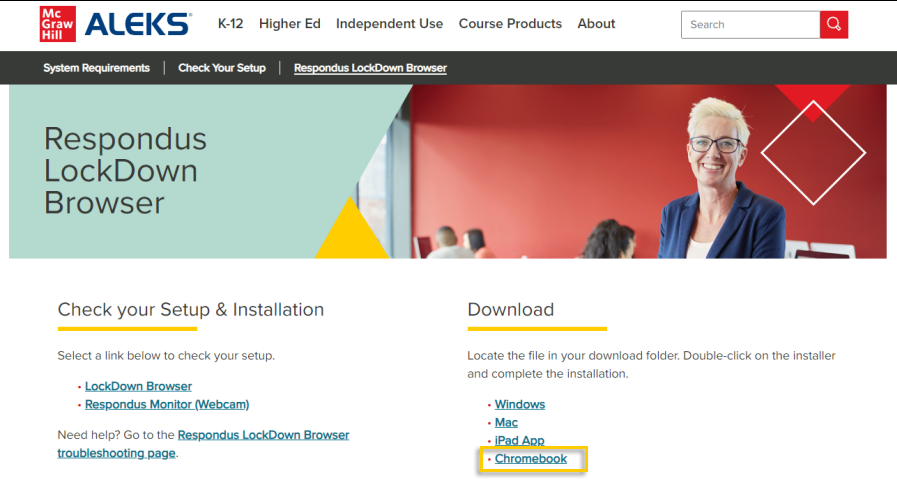
Higher Education students can use ALEKS with Respondus LockDown Browswer and Monitor on Chromebooks by downloading the Chromebook extension from the ALEKS Website at https://www.aleks.com/support/lockdown_system_requirements.
To install the Chromebook extension:
Click on the Chromebook link under Download.
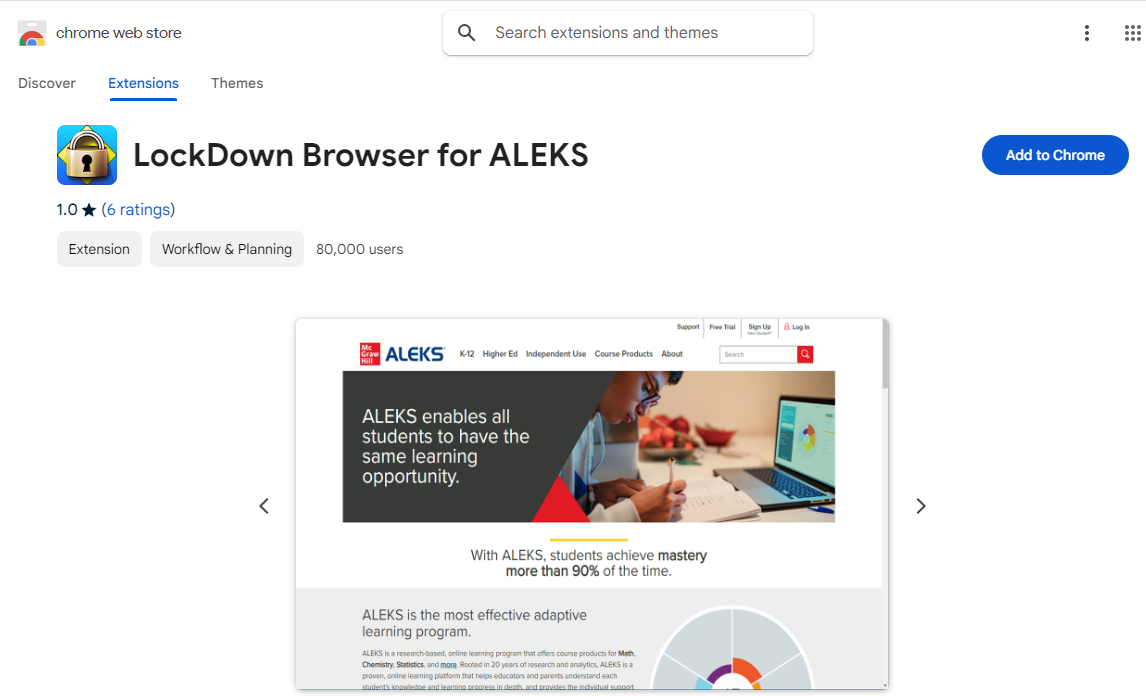
Click on Add to Chrome on the Chrome Web Store, and then click on Add Extension.
Note: Student licenses will not be able to be purchased via the Respondus Chromebook extension. The purchase must be made using a Mac or Windows computer. Once the purchase is processed, you can go back to your Chromebook and launch the Respondus exam through ALEKS.
