Wonders/Maravillas Suggested Lesson Plans and Pacing Guides
Access suggested lesson plans and pacing guides for Wonders and Maravillas instruction.
- Literacy
- SSO & Manual-Rostering
- Customer Support
- Direct Login & Auto-Rostering
- Wonders 2014
- Maravillas 2020 & 2017
- Core
- Plan & Present
- Direct Login & Manual-Rostering
- Classroom Teacher
- Wonders 2023 2020 2017
- SSO & Auto-Rostering
- PreK-12
- Elementary School
- Kindergarten
- 1st Grade
- 2nd Grade
- 3rd Grade
- 4th Grade
- 5th Grade
- 6th Grade
- Middle School


Overview
On the Data Dashboard, you can view student data in interactive tables.
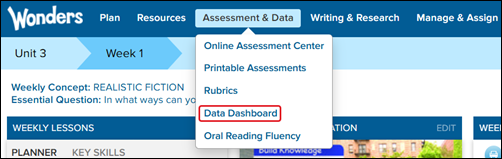
1. On the Navigation Banner, click Assessment & Data.
2. Select Data Dashboard.
Data Collection
Data in the available reports is collected from three sources
• Online Assessments
• Online Games
• Observational Rubrics
Each of these items is aligned to specific Wonders skills and ELA standards. Data is averaged to produce student performance scores.
Navigate
You can easily filter and drill-down on the pages to access the types of information you want to view. Specify the information you want to see by selecting from the available filters and lists.
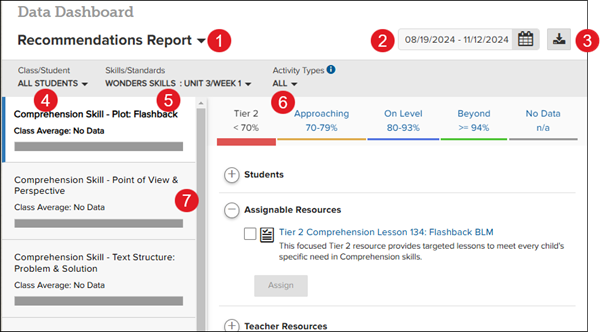
1. Select Report — select the report to view the information you want; available reports include the Recommendations Report, the Activity Report, and the Skills Report.
2. Select Date — specify the dates of the information you want to view; you can see the last week, the last month, or determine a specific date range.
3. Export to PDF — create a printable PDF version of the current report.
4. Class/Student — specify if you want to view the scores of the whole class or a particular student.
5. Skills/Standards — specify the data from particular skills or standards.
6. Activity Types — specify the type of activity recorded or all of them.
7. Report-Specific Information — drill-down the information further by selecting from the topics available on the left side of the report. Each report has its own list of topics.
Types of Reports
Select the report type in the drop-down list in the upper-left corner of the Data Dashboard.
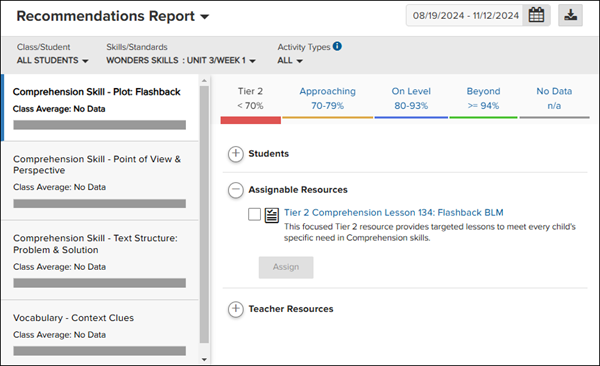
Recommendations Report
Helps measure students’ mastery of skills and standards, access resources aligned to learning needs, and plan differentiated support.
Activity Report
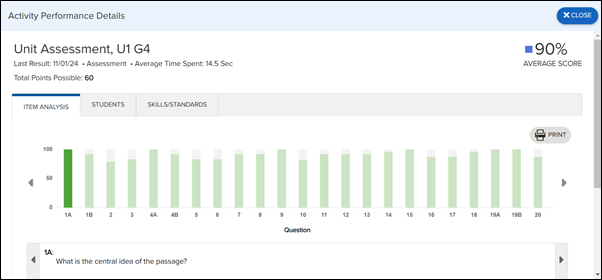
Provides detailed information about each activity that produces data, including online assessments, games, and rubric scores.
Skills Report
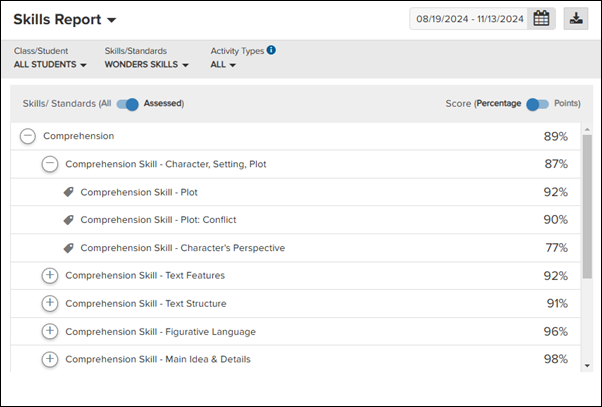
Looks at the skills and standards assessed online and monitors class and student progress toward achieving learning goals.
Progress Report
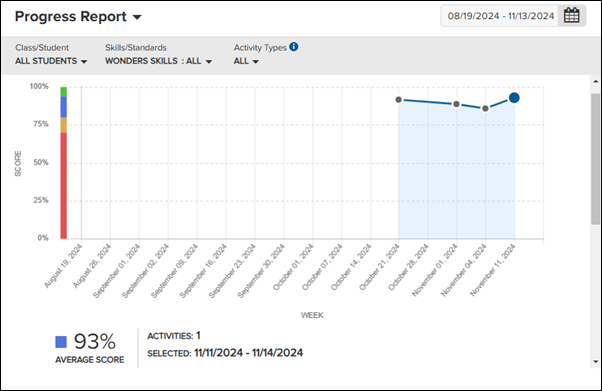
Charts overall student progress by tracking scores for each assessed skill and standard in graph form.
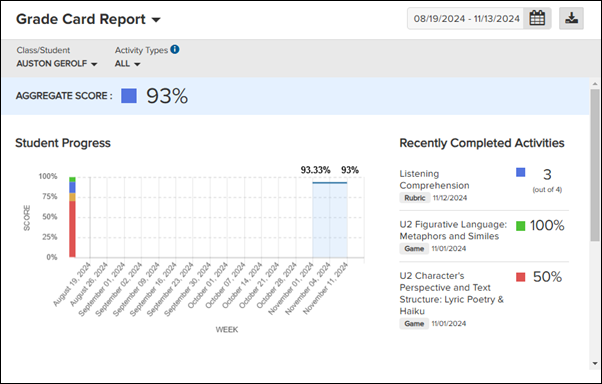
Grade Card Report
Tracks student total scores for each grading period, by listing each assessed skill and standard that makes up the grade, including highest and lowest performance.