Using Smart Start in Wonders/Maravillas
Get started with Wonders and Maravillas using Smart Start guidance for setup, pacing, and early instruction.
Tags
- Getting Started & Orientation
- Literacy
- SSO & Manual-Rostering
- Customer Support
- Direct Login & Auto-Rostering
- Wonders 2014
- Core
- Direct Login & Manual-Rostering
- Classroom Teacher
- Wonders 2023 2020 2017
- SSO & Auto-Rostering
- PreK-12
- Elementary School
- Plan & Present
- Kindergarten
- 1st Grade
- 2nd Grade
- 3rd Grade
- 4th Grade
- 5th Grade
- 6th Grade
- Middle School


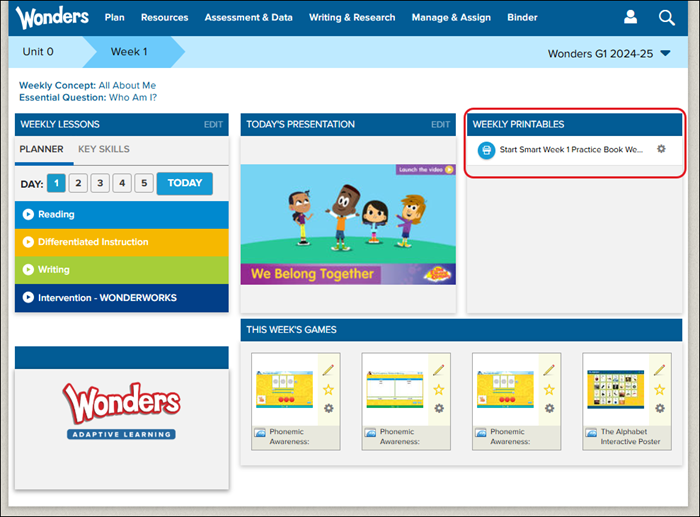
Smart Start resources are available for Wonders grades K-2 and can be found by navigating to Unit 0 Weeks 1, 2, and 3.
The Start Smart Practice Book Weekly Packet can be located to the right of Unit 0 and the selected Week in the Weekly Printables section.
For steps on how to assign the resource to the class, refer to the Wonders/Maravillas - Assignment Management document.
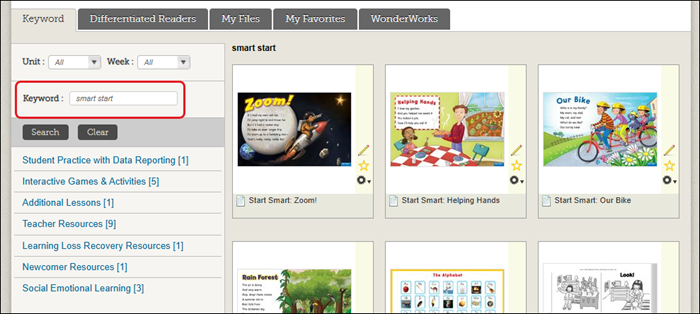
You can also navigate to the Resource Library and search for Smart Start in the filters. This will pull up all of the Smart Start resources available in the program.