Reassign Wonders/Maravillas Adaptive Learning Placement Test
Learn how to reassign adaptive learning placement tests in Wonders and Maravillas.
Tags
- Literacy
- SSO & Manual-Rostering
- Customer Support
- Direct Login & Auto-Rostering
- Wonders 2014
- Maravillas 2020 & 2017
- Core
- Direct Login & Manual-Rostering
- Classroom Teacher
- Wonders 2023 2020 2017
- SSO & Auto-Rostering
- PreK-12
- Elementary School
- Online Assessments
- Kindergarten
- 1st Grade
- 2nd Grade
- 3rd Grade
- 4th Grade
- 5th Grade
- 6th Grade
- Middle School


Teachers can follow the steps below to reset a student's Adaptive Learning Placement Test. Keep in mind, this option is not available until the student completes the Placement Test.
1. SSO or sign in at my.mheducation.com.
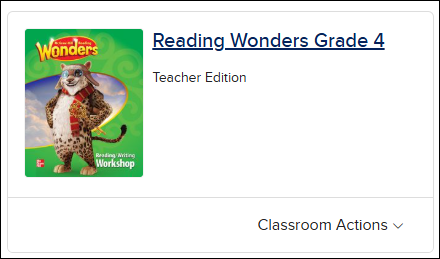
2. Click on your Wonders class.
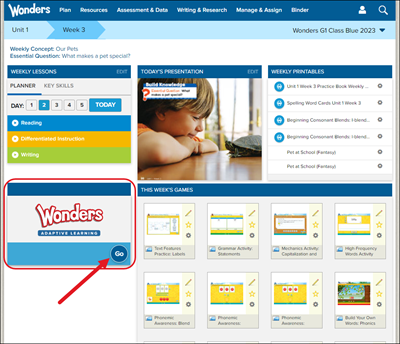
3. Click Go on the Wonders Adaptive Learning resource on the home page. The program will launch in a secondary browser tab.
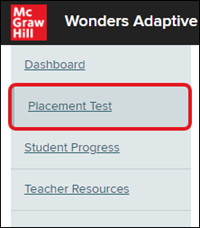
4. Click on Placement Test in the navigation menu.
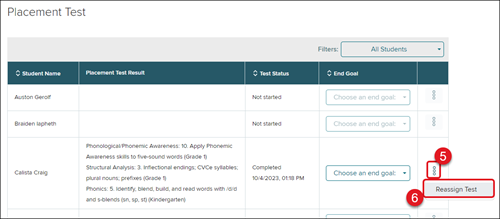
5. Click on the kebob menu at the left of the student name.
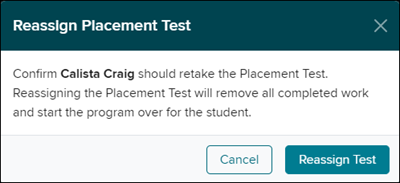
6. Select Reassign Test from the menu.
7. On the Reassign Placement Test pop-up, click the Reassign Test button to confirm.