Completing StudySync Blast Assignments in Wonders/Maravillas
See how students complete StudySync Blast assignments within Wonders and Maravillas.
- Literacy
- SSO & Manual-Rostering
- Customer Support
- Grades & Assignments
- Direct Login & Auto-Rostering
- Maravillas 2020 & 2017
- School Student
- Core
- Direct Login & Manual-Rostering
- Wonders 2023 2020 2017
- School Parent
- SSO & Auto-Rostering
- PreK-12
- Elementary School
- Kindergarten
- 1st Grade
- 2nd Grade
- 3rd Grade
- 4th Grade
- 5th Grade
- 6th Grade
- Middle School


Students are able to follow the steps below on how to complete Wonders StudySync Blast Assignments.
Note: If you receive a message that you do not have access to your StudySync Blast assignment, you will need to reach out to your teacher.
1. Sign in to your student account at my.mheducation.com or through your district's sign-on portal.
2. Click on your Wonders class.
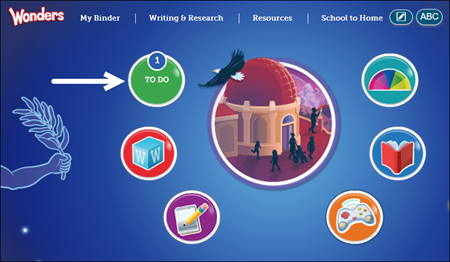
3. Click on the To Do button.
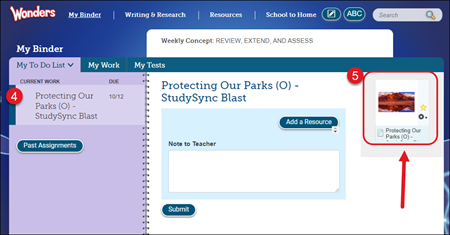
4. Click on the StudySync Blast assignment in your My To Do List.
5. Click on the StudySync Blast resource on the assignment. This will launch in a secondary browser tab.
Note: If the resource does not open, you will need to make sure your pop-up blocker is off.
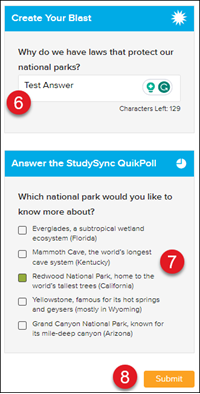
6. Answer the Create Your Blast question.
7. Select an Answer the StudySync QuikPoll option.
8. Click the Submit button to submit your assignment answers.
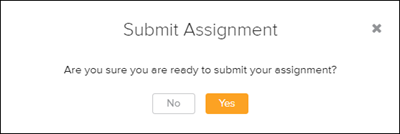
9. Click the Yes button on the Submit Assignment pop-up.
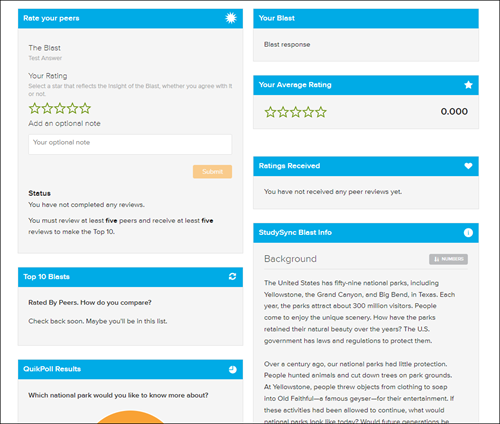
Once you complete a Blast assignment, you will be able to review and rate your peers' Blast responses. You will also be able to see the ratings your response receives, as well as the top-rated Blast responses. Check back often to see the top responses and QuikPoll results.