Change Wonders/Maravillas Story Summary Language
Learn how to change story summary language settings in Wonders and Maravillas instructional content.
- Literacy
- SSO & Manual-Rostering
- Customer Support
- World of Wonders 2017
- Direct Login & Auto-Rostering
- Wonders 2014
- Tools & Resources
- Core
- Direct Login & Manual-Rostering
- Classroom Teacher
- Wonders Balanced Literacy 2016
- Wonders 2023 2020 2017
- SSO & Auto-Rostering
- PreK-12
- Elementary School
- Kindergarten
- 1st Grade
- 2nd Grade
- 3rd Grade
- 4th Grade
- 5th Grade
- 6th Grade
- Middle School


In Wonders, there are audio summaries of the stories in the majority of the available eBooks that allow you to select a different language when the book is read aloud. Please note, this is not an option for all eBooks within the program.
1. Launch Wonders program.
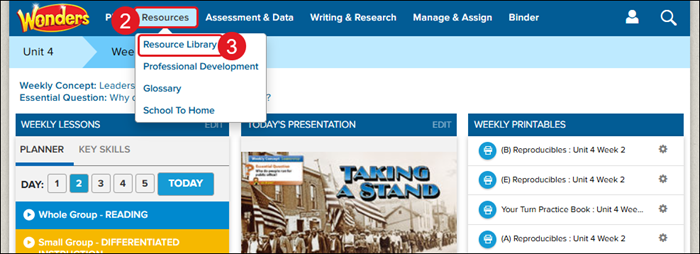
2. Hover over Resources in the Navigation Menu.
3. Click on Resource Library from the menu.
4. Click on an available eBook.
5. Navigate to a story within the book.
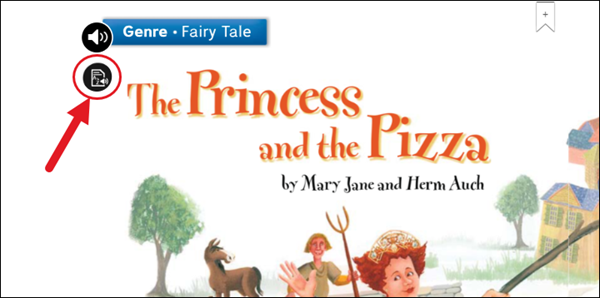
6. Click on the paper/audio icon. The location of the button will vary on the book/story.
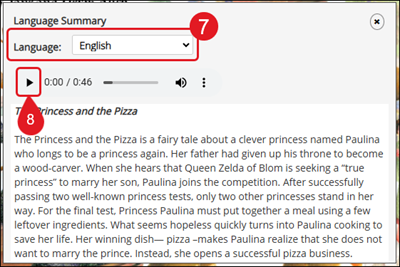
7. On the Language Summary pop-up, select the desired language from the Language drop-down.
8. Click the Play button to read the summary aloud.