Why can't I access my Wonders or Everyday Math class?
Identify and resolve any technical or access-related issues affecting your Wonders or Everyday Math courses.
- Customer Support
- PreK-12
- School Student
- School Parent
- Preschool
- Elementary School
- Middle School
- Direct Login & Auto-Rostering
- Direct Login & Manual-Rostering
- SSO & Auto-Rostering
- SSO & Manual-Rostering
- Core
- Literacy
- Math
- WonderWorks 2022 & 2014
- Maravillas 2020 & 2017
- Wonders
- Wonders 2014
- Wonders 2023 2020 2017
- Wonders Balanced Literacy 2016
- Wonders EL 2016
- World of Wonders 2017
- Everyday Mathematics 4 (K-6)
- Error Messages
- Troubleshooting
- Dashboard & Navigation Overview


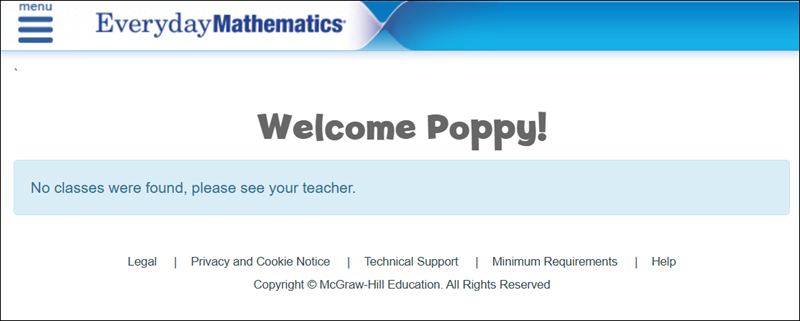
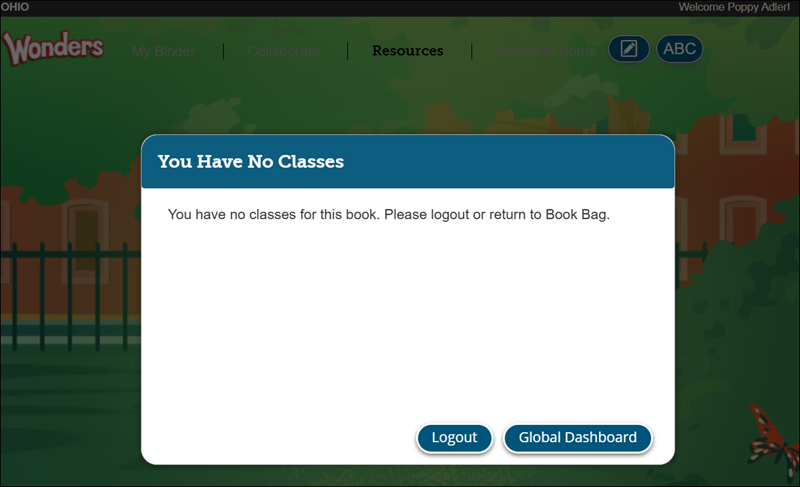
When a student clicks on their Wonders and/or Everyday Mathematics 4 class on their dashboard and receives a message that a class has not been found, this means that the teacher does not have them assigned to the class within their Teacher Edition.
To gain access to the class, the student will need to reach out to their teacher. The teacher will then need to go into their Teacher Edition and add the student to the appropriate class. Having the program on the dashboard for Wonders and/or Everyday Mathematics 4 only means they have been assigned to the Student Edition.
Wonders
Messaging shows: You have no classes for this book. Please logout or return to Book Bag.
Everyday Mathematics 4
Messaging shows: No classes were found, please see your teacher.