Unlock Wonders Adaptive Learning Student Activities
Instructions on how teachers can unlock Adaptive Learning activties for students.
- PreK-12
- Customer Support
- Direct Login & Auto-Rostering
- Direct Login & Manual-Rostering
- SSO & Auto-Rostering
- SSO & Manual-Rostering
- Elementary School
- Middle School
- Classroom Teacher
- Literacy
- Wonders 2023 2020 2017
- Wonders 2014
- Reading Wonders
- Dashboard & Navigation Overview
- Grades & Assignments
- Assignment Management


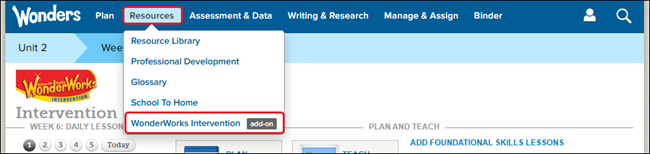
1. Hover over Resources in the Navigation Banner and select WonderWorks Intervention from the drop menu.
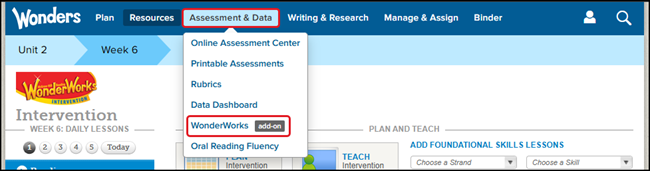
Another option is to hover over Assessment & Data and select WonderWorks from the drop menu.
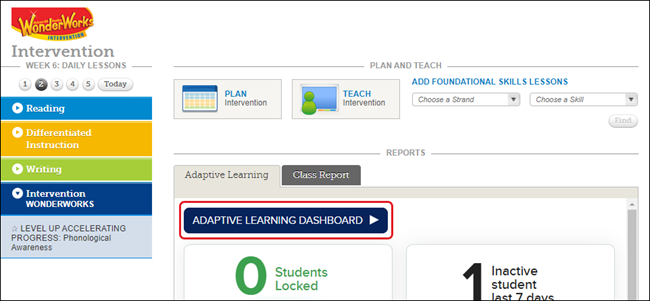
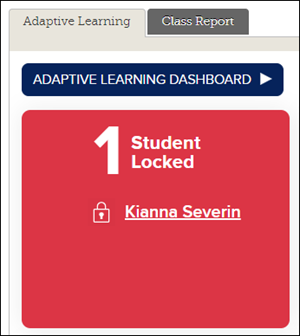
2. Click on the Adaptive Learning Dashboard button. The Dashboard will then open in a secondary browser tab.
3. Click on Student Progress or the student's name on the Dashboard. Or you can click directly on the student's name on the Student Locked widget.
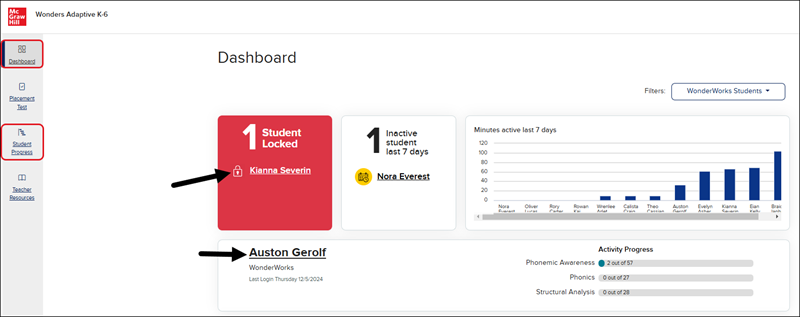
Another option is to click on the student's name in the Student Locked widget on the Adaptive Learning page.
4. Click on the Activity with the Locked icon to expand the activity details.
5. Click the Unlock Activity button.
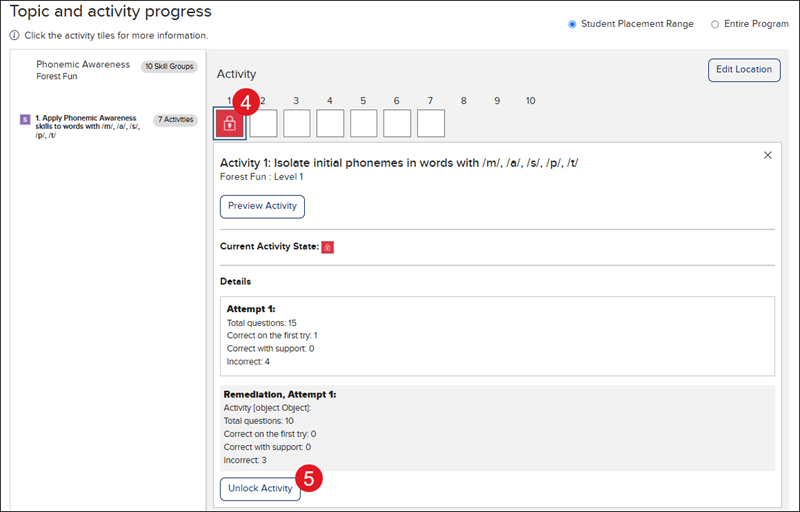
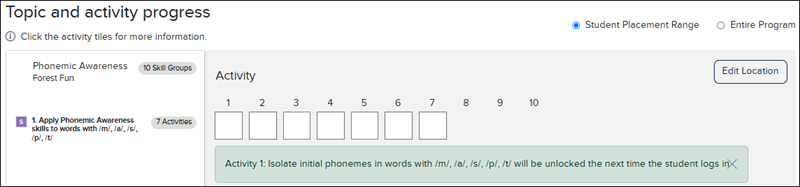
You will then receive a message that the activity will be unlocked the next time the student logs into the Adaptive Learning program.