
Reveal Math - Accessing Student Games for Grades K-5
Explore how students access Reveal Math games for grades K–5.
Tags
- Math
- Resources
- Getting Started & Orientation
- Elementary Student
- SSO & Manual-Rostering
- Customer Support
- Direct Login & Auto-Rostering
- School Student
- Core
- Direct Login & Manual-Rostering
- School Parent
- SSO & Auto-Rostering
- PreK-12
- Preschool
- Reveal Math 2020 (K-12)
- Elementary School


Recently there was an update with the games and Reveal Math K-5 for students. Due to the update, the Games tile is no longer available through the Student Dashboard. The following steps will walk you through how to find the games as a student for all grade levels.
1. From your My Classes page, click on your class tile.
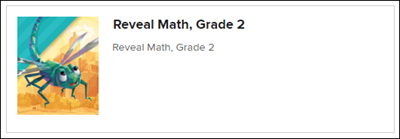
2. Click on Lessons on the left-hand side menu.
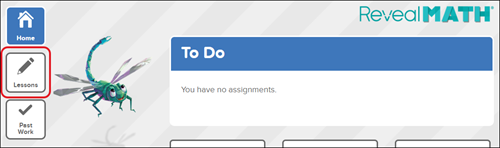
3. Click on the Course Navigation icon.
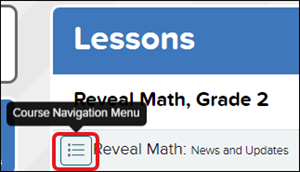
4. Select Program Resources: Course Materials at the top of the menu.
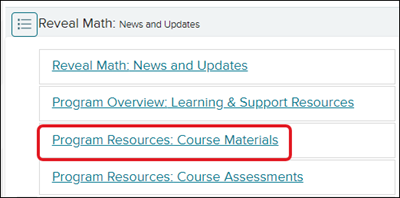
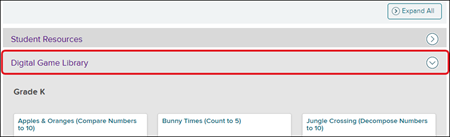
5. Expand the Digital Game Library blade to find and access all the available games for all grade levels.
1. From your My Classes page, click on your class tile.
2. Click on Lessons on the left-hand side menu.
3. Click on the Course Navigation icon.
4. Select Program Resources: Course Materials at the top of the menu.
5. Expand the Digital Game Library blade to find and access all the available games for all grade levels.