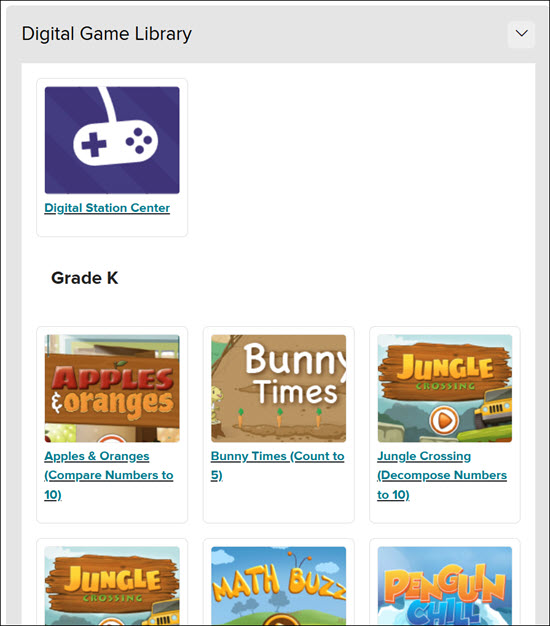
Accessing Reveal Math® Games for Grades K-5 as a Teacher
Learn how teachers and students access Reveal Math games for grades K–5 to reinforce math concepts.
- PreK-12
- Customer Support
- Classroom Teacher
- Elementary School
- Direct Login & Auto-Rostering
- Direct Login & Manual-Rostering
- SSO & Auto-Rostering
- SSO & Manual-Rostering
- Core
- Math
- CA Reveal Math (K-12)
- Reveal Math (K-12)
- Tools & Resources
- Dashboard & Navigation Overview


Article Contents
Access Games as a Teacher
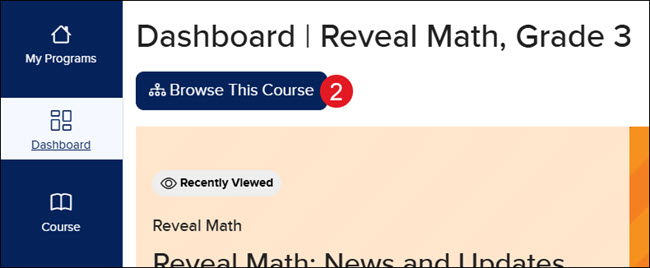
1. Launch your Reveal Math course.
2. Click the Browse This Course button on the Dashboard or Course page.
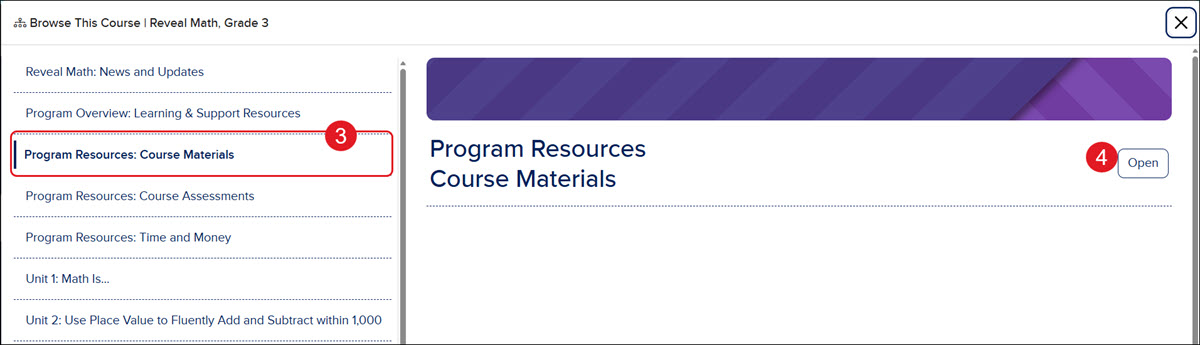
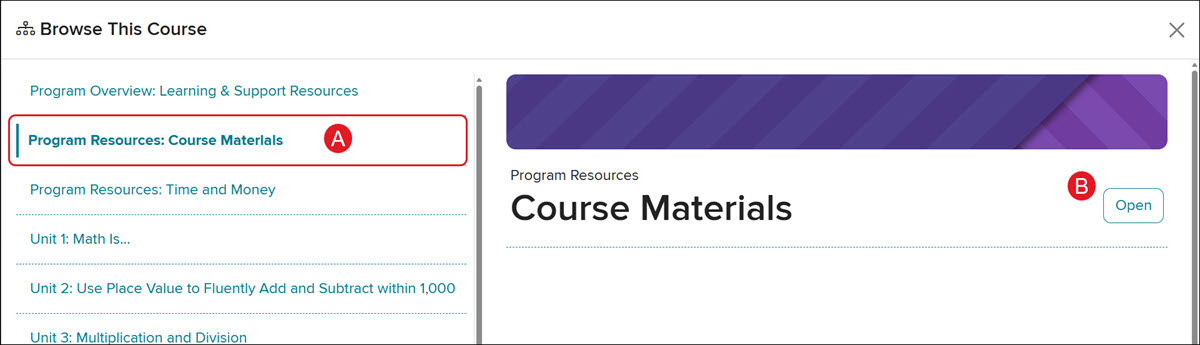
3. Click on Program Resources: Course Materials on the left.
4. Click on Program Resources: Course Materials or the Open button on the right.
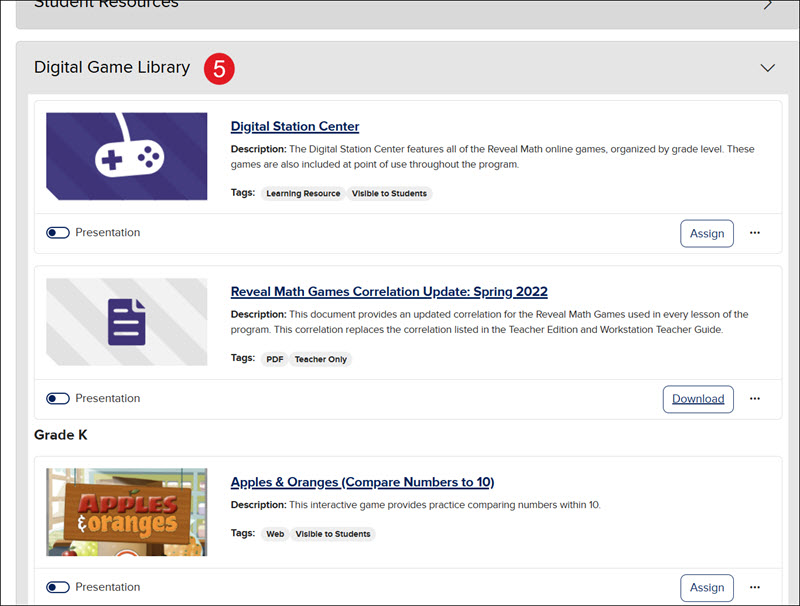
5. Expand the Digital Game Library blade to access all the available games that can be assigned to students.
From here, resources and games can be assigned, downloaded, added to the course calendar or Google Drive, among other options.
Access Games as a Student
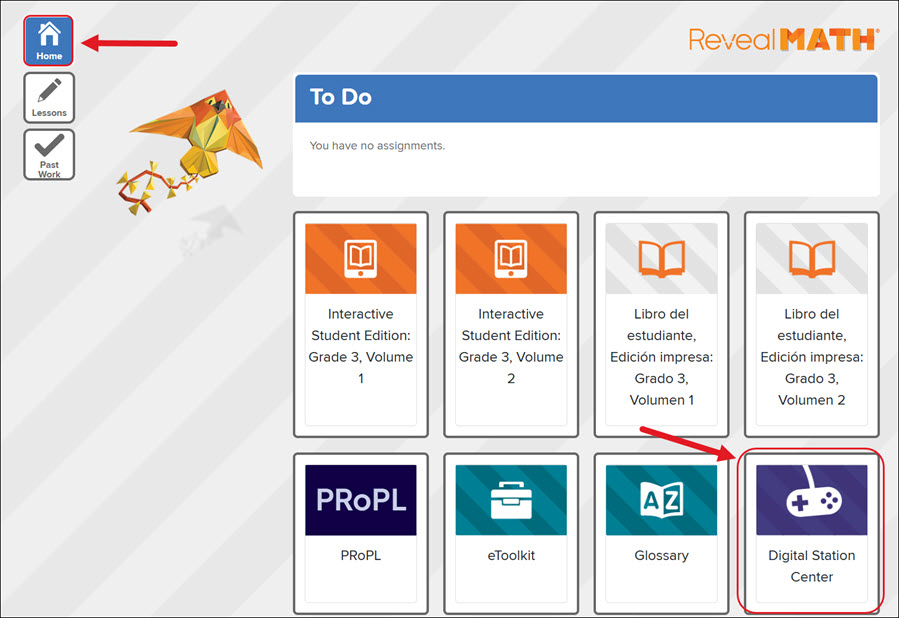
For students, the games can be accessed from the Home page, as well as from the Lessons page.
From the Home page, click the Digital Station Center tile under the To Do section.
From the Lessons page, click the Browse This Course button. Click Program Resources: Course Materials on the left (A), then click it again on the right (B).
Expand the Digital Game Library blade to access the associated games.