Using My Tools on the McGraw Hill Platform
Learn how teachers can manage their My Tools links.
Tags
- Customer Support
- PreK-12
- Classroom Teacher
- Preschool
- Elementary School
- Middle School
- High School
- Direct Login & Auto-Rostering
- Direct Login & Manual-Rostering
- SSO & Auto-Rostering
- SSO & Manual-Rostering
- Core
- Intervention
- Supplemental
- AP, Honors & Electives
- Career & Technical Education
- Literacy
- Math
- Science
- Social Studies
- Health
- Visual & Performing Arts
- World Languages
- AP Biology
- AP Chemistry
- AP History & Geography
- AP Psychology
- AP Economics
- AP African American Studies
- AP Precalculus
- AP Statistics
- AP Computer Science
- AP Language and Composition
- AP Public Speaking
- AP Music Theory
- 5 Steps to a 5 - AP Test Prep
- Glencoe Health 2022
- Teen Health 2021
- Arrive Math
- Building Blocks 2024
- Building Blocks PreK 2025
- Number Worlds 2024
- SRA Reading Laboratory 2025
- SRA Reading Mastery Transformations
- Achieve3000 Literacy
- Actively Learn
- McGraw Hill Literacy Emerge!
- McGraw Hill Literacy Summit!
- McGraw Hill Literacy Soar!
- Open Court Reading 2025
- Redbird
- StudySync 2021
- ALEKS
- ALEKS Adventure
- CA Reveal Math (K-12)
- Illustrative Math
- Redbird Math
- Reveal Math (K-12)
- Texas Math
- CA Inspire Science 2020
- FL Science 2025 (K-12)
- Inspire Science 2020
- TN Science (K-12)
- TX Science 2025 (K-12)
- CA Impact 2019
- FL Social Studies 2024 (K-12)
- Impact Social Studies
- McGraw Hill Social Studies
- All Sorts 2026 (K-5)
- Asi se Dice 2024
- CTE - Business, Marketing, and Finance
- CTE - Health Science
- CTE - Computing and Technology
- CTE - Agriculture
- CTE - Culinary Arts
- CTE - Early Childhood Education
- CTE - Criminal Justice
- Level Up K–5
- Level Up 6–8
- Level Up 9–12
- Plan & Present
- Dashboard & Navigation Overview
- Tools & Resources


This feature allows teachers to create links within Open Learning classes that serve as a launch point to custom class resources to share with students.
Organization Administrators have the ability to create organization-level tools for other administrators to access. If you are trying to create My Tools as an administrator, see the Using My Tools in the Administrator Tools article.
To create a custom link, the content provider must be LTI® 1.1 compatible and must be a tool (tool provider) and not a platform (tool consumer).
- SSO or sign in at my.mheducation.com.
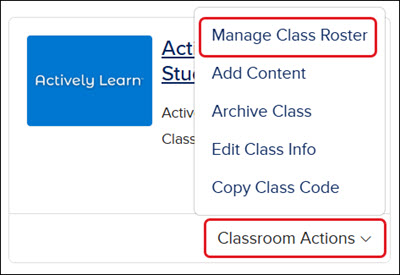
For ALEKS, ALEKS Adventure, Actively Learn, Achieve3000 Literacy, Redbird, and StudySync ©2021 - you will need to click on Classroom Actions on the class card and then Manage Class Roster from the menu.
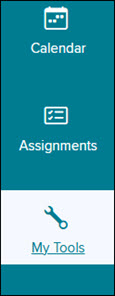
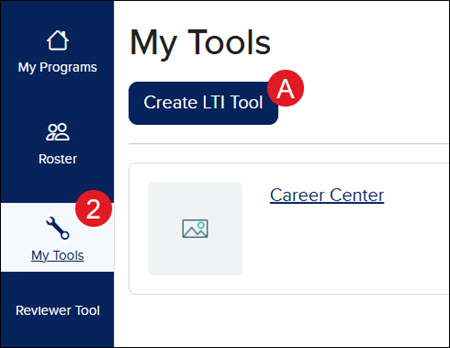
- Click on My Tools on the navigation menu.
Some programs may already have an LTI Tool created for it. Click the Create LTI Tool button (A) to create a new tool link.
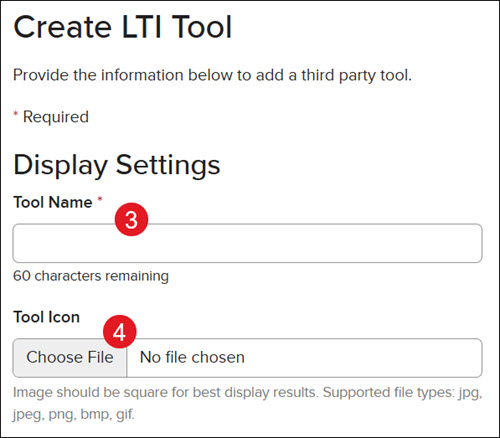
- Enter a Tool Name.
- Click the Choose File button and select an image for the tool link. This is optional.
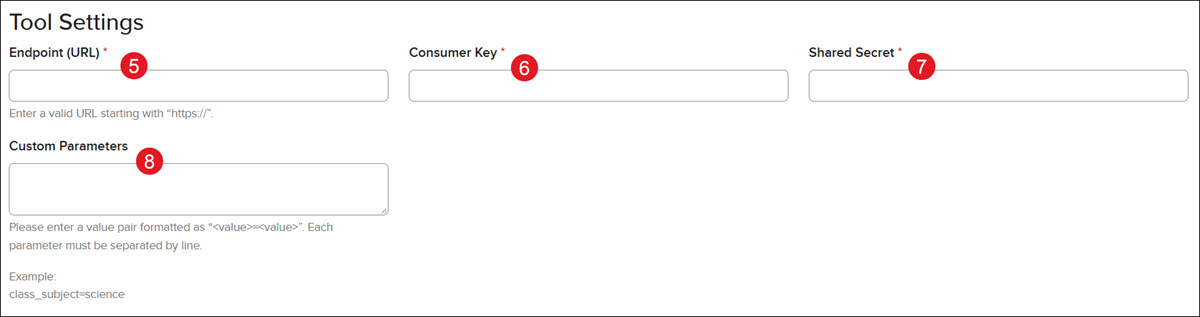
- Enter an Endpoint URL.
- Enter the Consumer Key.
- Enter the Shared Secret code.
- Enter the Custom Parameters. This is optional.
Enter a value pair formatted as “<value>=<value>”. Each parameter must be separated by a line.
Example: class_subject=science
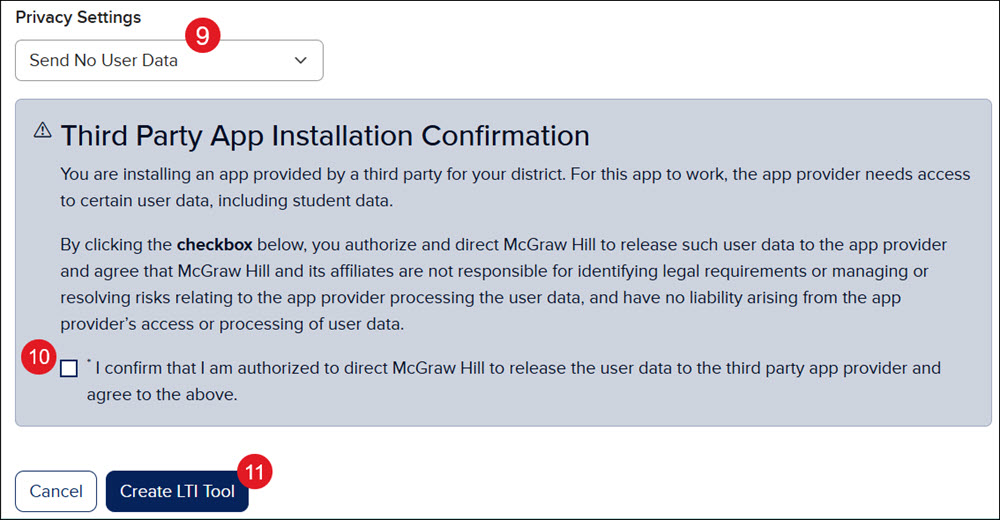
- Select the preferred Privacy Settings from the drop-down.
- Check the Third Party App Installation Confirmation box to confirm authorization.
- Click the Create LTI Tool button.
The new tool link will appear on the My Tools page, where it can be easily accessed.
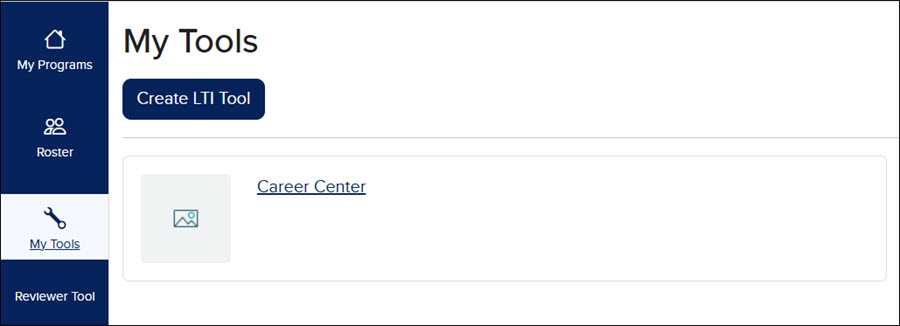
Students can access these links as well from their My Tools page.
Please note: This is only available for grades 6-12 students.