Number Worlds 2015 Student Dashboard Overview
Learn how students navigate the Number Worlds 2015 dashboard to access lessons and activities.
Tags
- Customer Support
- PreK-12
- School Student
- School Parent
- Elementary School
- Direct Login & Auto-Rostering
- Direct Login & Manual-Rostering
- SSO & Auto-Rostering
- SSO & Manual-Rostering
- Intervention
- Math
- Number Worlds 2015
- Building Blocks 2015
- Dashboard & Navigation Overview
- Getting Started & Orientation


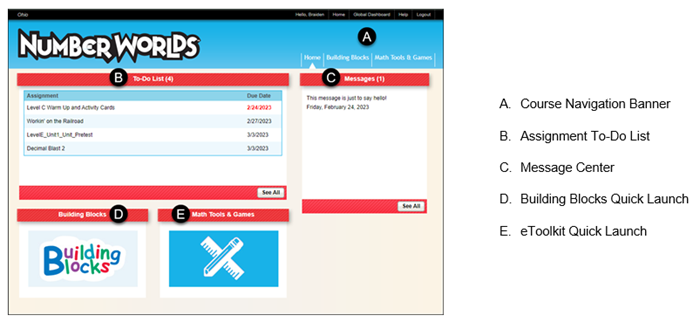

1. Click the program title in the upper left corner of the page to return to the Teacher Center Dashboard.
2. Click the Home link to return to the Student Dashboard home page.
3. Click the Global Dashboard link to return to the My Classes page.
4. Click the Home link to return to the Student Dashboard home page.
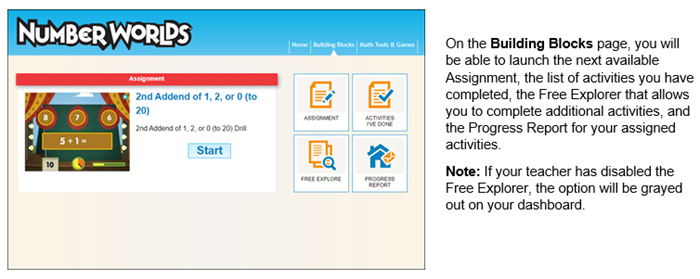
5. Click the Building Blocks link to navigate to your current assignments, the list of activities you’ve completed, the Free Explorer option, and a Progress Report of your completed activities.
Note: If your teacher has disabled the Free Explorer, this option will be grayed out.
6. Click the Math Tools & Games link to launch the eToolkit.