
Access Music Stuido Audio Tracks for Offline Use
Download and use Music Studio audio tracks offline so instruction can continue without an internet connection.
- Visual & Performing Arts
- SSO & Manual-Rostering
- Customer Support
- Direct Login & Auto-Rostering
- Tools & Resources
- Middle School
- Core
- Direct Login & Manual-Rostering
- Spotlight on Music
- High School
- Classroom Teacher
- SSO & Auto-Rostering
- PreK-12
- Preschool
- Elementary School
- Plan & Present


1. Click Menu at the top-left.
2. Select the music program from the menu. For example, Spotlight on Music.
The program will automatically navigate to the first lesson of the youngest grade level that is on your teacher account.
3. Select the Grade, Section, and Lesson from the navigation menu you want the song from.
Another option is to search for the song using the keywords field.
4. Click on the iSong resource tile.
5. Click the Start button.
Offline access can also be used for the Stereo Mix and Instrumental options, however, you want to keep in mind those will not open in a separate tab like the iSongs do.
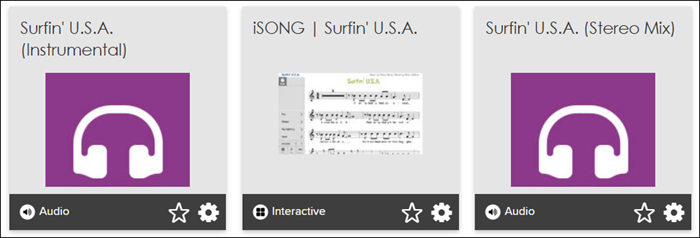
Clicking on the options loads the song into the cache on your device browser and allows you to play them offline until the tab and/or browser is closed or the device is turned off/restarted.
