Advanced Scoring Options for McGraw Hill Assessments
Explore McGraw Hill assessment advanced scoring options for evaluating student responses.
Tags
- McGraw Hill Social Studies
- Asi se Dice 2024
- Arrive Math
- Customer Support
- Online Assessments
- Inspire Science 2020
- Middle School
- High School
- Open Court Reading
- Glencoe Health 2022
- CA Impact 2019
- Wonders 2023 2020 2017
- Networks 2018
- CA Inspire Science 2020
- SSO & Auto-Rostering
- PreK-12
- Everyday Mathematics 4 (K-6)
- All Sorts 2026 (K-5)
- Wonders EL 2016
- Supplemental
- Visual & Performing Arts
- Health
- Literacy
- Social Studies
- WonderWorks 2022 & 2014
- Core
- AP, Honors & Electives
- CA Reveal Math (K-12)
- Teen Health 2021
- FL Social Studies 2024 (K-12)
- Building Blocks PreK 2025
- McGraw Hill Literacy
- OCR Foundational Skills Kit
- TX Science 2025 (K-12)
- SSO & Manual-Rostering
- Number Worlds 2024
- Spotlight on Music
- Direct Login & Manual-Rostering
- Classroom Teacher
- Elementary School
- FL Science 2025 (K-12)
- World Languages
- Math
- Direct Instruction
- Intervention
- OCR Word Analysis Kit
- Direct Login & Auto-Rostering
- Building Blocks 2024
- McGraw Hill My Math 2018
- Science
- Preschool
- Grades & Assignments
- AP Biology
- AP Chemistry
- AP History & Geography
- AP Psychology
- AP Economics
- AP African American Studies
- AP Precalculus
- AP Statistics
- AP Computer Science
- AP Language and Composition
- AP Public Speaking
- AP Music Theory
- 5 Steps to a 5 - AP Test Prep
- SRA Reading Laboratory 2025
- SRA Reading Mastery Transformations
- Achieve3000 Literacy
- Actively Learn
- McGraw Hill Literacy Emerge!
- McGraw Hill Literacy Summit!
- McGraw Hill Literacy Soar!
- Redbird
- StudySync 2021
- ALEKS
- ALEKS Adventure
- Illustrative Math
- Redbird Math
- Reveal Math (K-12)
- TN Science (K-12)
- Impact Social Studies
- Wonders Balanced Literacy 2016
- Maravillas 2020 & 2017
- Music! Its Role


Advanced Scoring is not available for all assessment questions. To set Advanced Scoring for a question, you will first need to edit the question before assigning the assessment to students. For steps on editing a question, refer to the MH Assess - Create and Edit Questions article.
| Advanced Scoring Option | Description | Scoring |
| Perfect Response | A single score for the question is based on whether all answers were correctly answered. | If an answer is marked as incorrect in a single or multi-part question, the student will receive 0 points. If the student gets all parts of the question correct, they receive full points for that question. |
| Additive with Negation | Each selection is worth one point with the total points possible being the number of correct selections. This allows for partial credit to be given. | 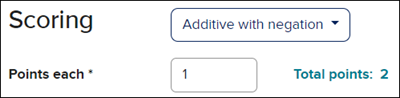 |
| Advanced | Allows for conditions to be set based on answer selections. | 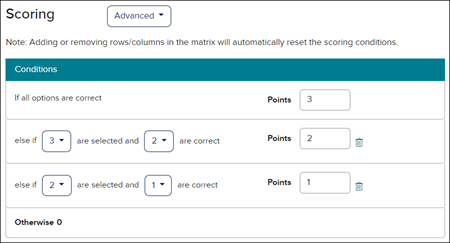 |
| Manual | Allows the question to be manually scored instead of auto-scored. For some question types, manual scoring may be the only option. |
The teacher would be required to score the question after reviewing student submissions instead of the system scoring the question automatically. |
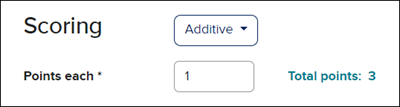
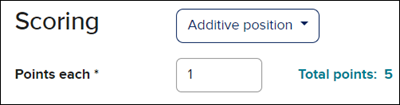
| Additive/Additive Position | One point is given for each correctly placed answer. This allows for partial credit to be given. |
|
| Additive Consecutive | If answers are in the correct order placement for some of the questions, but are assigned to the wrong questions, the student will receive a partial score. This allows for partial points to be given. | 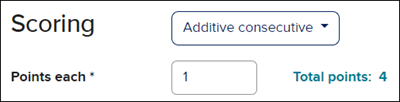 |
| Additive Buckets | One point is given for each correctly answered bucket. This allows for partial credit to be given. | 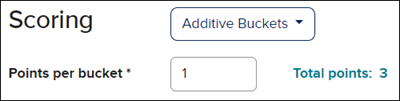 |