Personalized Learning Teacher-Led Mini Lessons
Explore available Personalized Learning teacher-led mini-lessons designed to support targeted instruction.
- Customer Support
- PreK-12
- Classroom Teacher
- Elementary School
- Middle School
- High School
- Direct Login & Auto-Rostering
- Direct Login & Manual-Rostering
- SSO & Auto-Rostering
- SSO & Manual-Rostering
- Core
- Intervention
- Supplemental
- Literacy
- Math
- CA Reveal Math (K-12)
- Reveal Math (K-12)
- ALEKS
- ALEKS Adventure
- Redbird Math
- Number Worlds 2024
- McGraw Hill Literacy Emerge!
- McGraw Hill Literacy Summit!
- McGraw Hill Literacy Soar!


View the demo in a separate tab.
View the Spanish version of the demo.
Teacher-led Mini Lessons empower teachers to use Personalized Learning recommendations to personalize instruction while taking an active role in students' learning (e.g., small group classroom work). These resources are available in addition to existing Personalized Learning resources that are assigned as independent student work.
Where can you expect to see Teacher-led Mini Lessons recommended?
- Teacher-led Mini Lessons will not appear for any high school course (AGA/Integrated). They are available in K-8 only.
- Teacher-led Mini Lessons will usually appear for the Prerequisite, Post-Requisite, Reinforce, or On-Lesson groups (with some exceptions).
- Teacher-led Mini Lessons will not appear for the Extension group.
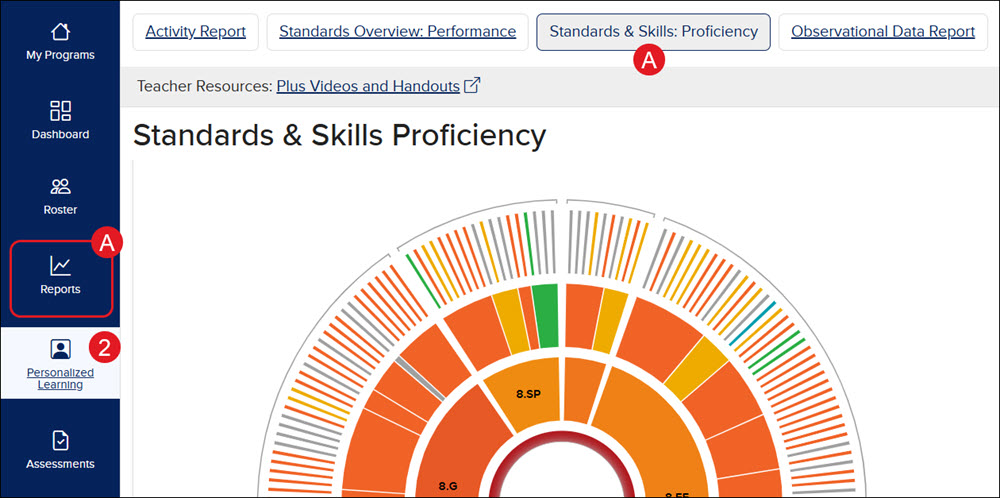
- SSO or sign in at my.mheducation.com.
- Click on Personalized Learning from the navigation menu.
A. Another option is to click on Reports, then click on the Standards & Skills: Proficiency button.
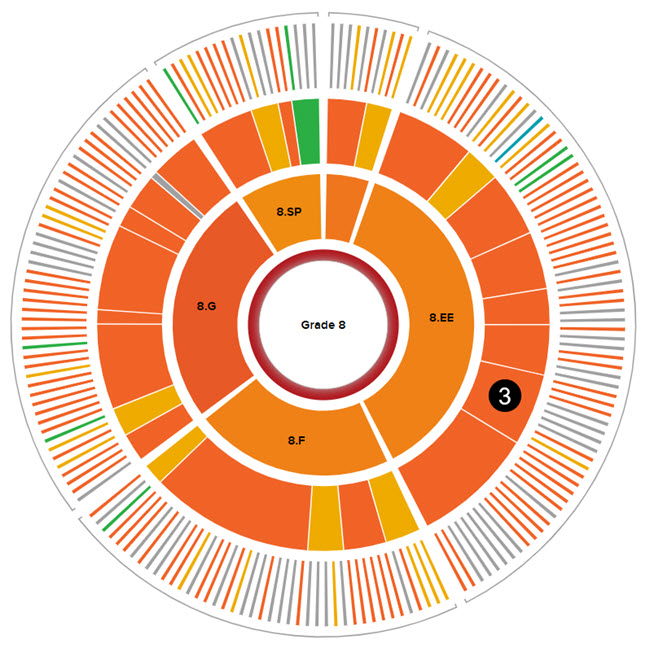
- Click on one of the sections in the third ring of the graph.
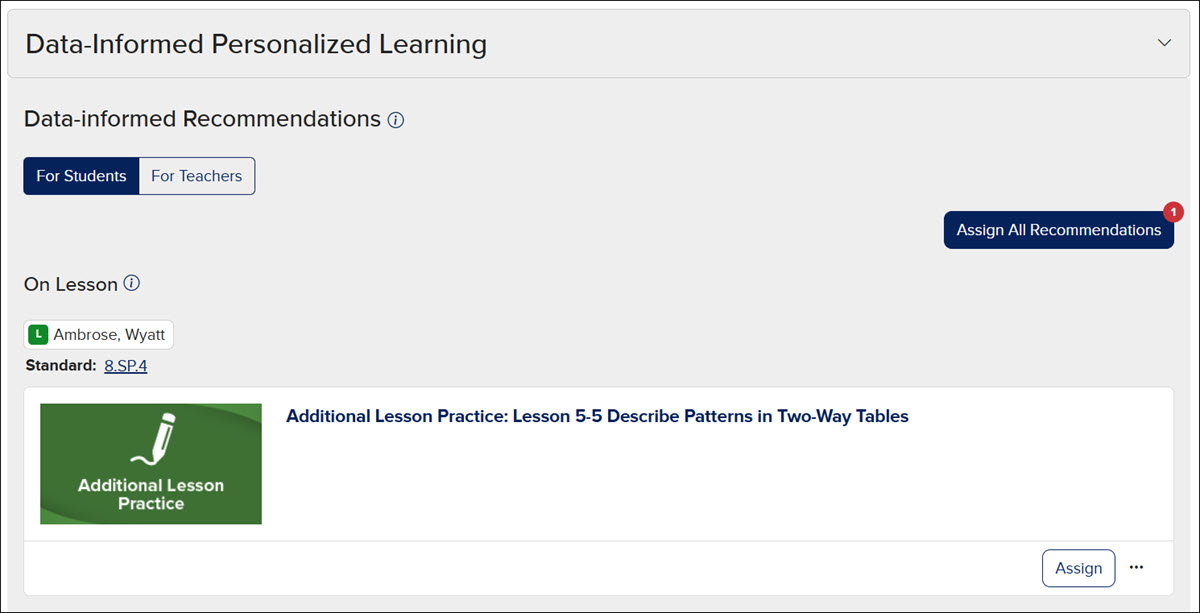
- At the bottom of the page, expand the Data-Informed Personalized Learning section.
- Click the For Teachers button.
The Teacher-led Mini Lessons are PDFs containing prompts for the teacher to follow and the necessary materials needed for each mini-lesson. The students listed above each resource in the two available sections, Reinforce and On Lesson, are those that the teacher should include when going over the selected mini-lesson. Keep in mind, resources may not show for both sections.
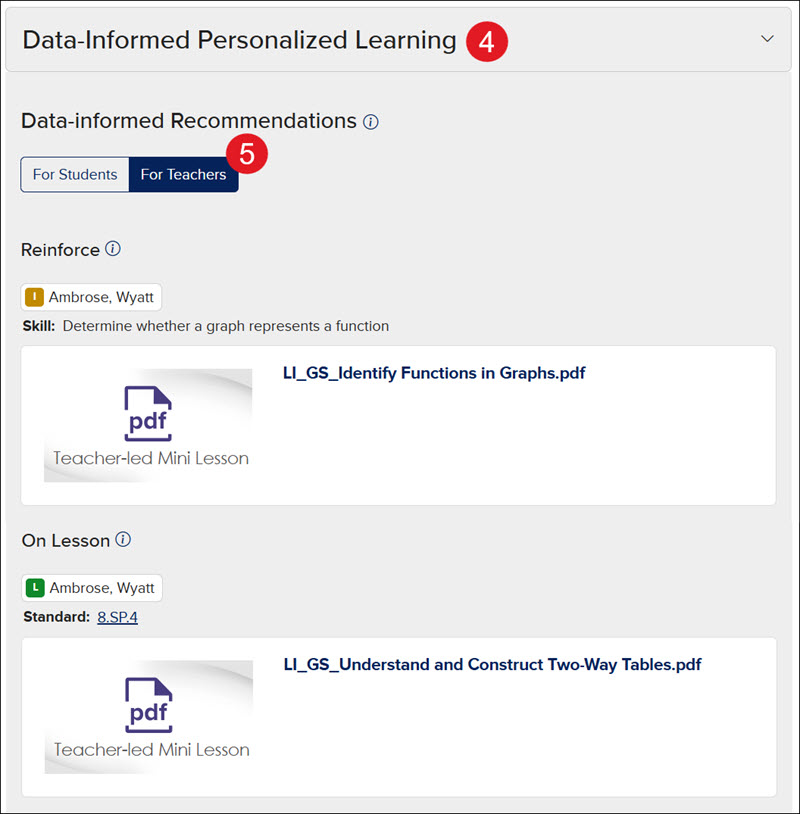
Assignable resources to use with students can be found by clicking the For Students button in the Data-Informed Personalized Learning section.
See the Create Personalized Practice Assignments article for steps on assigning these resources to students.
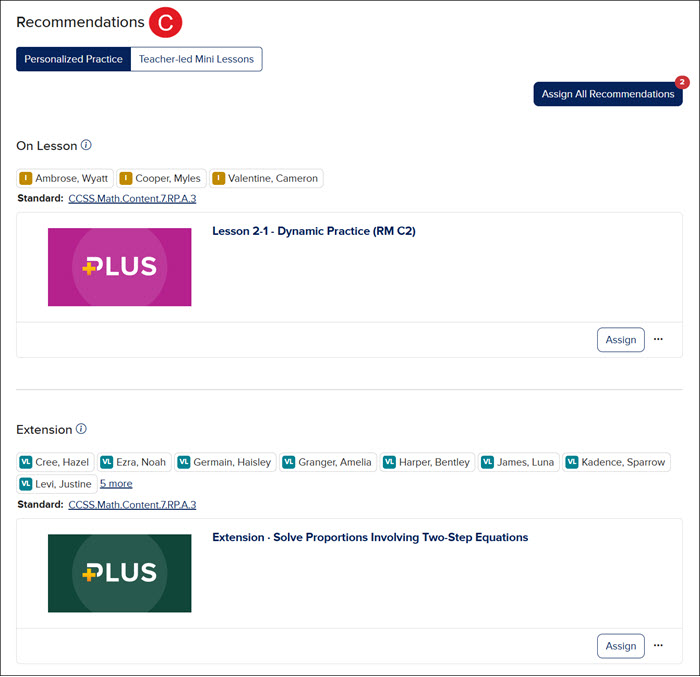
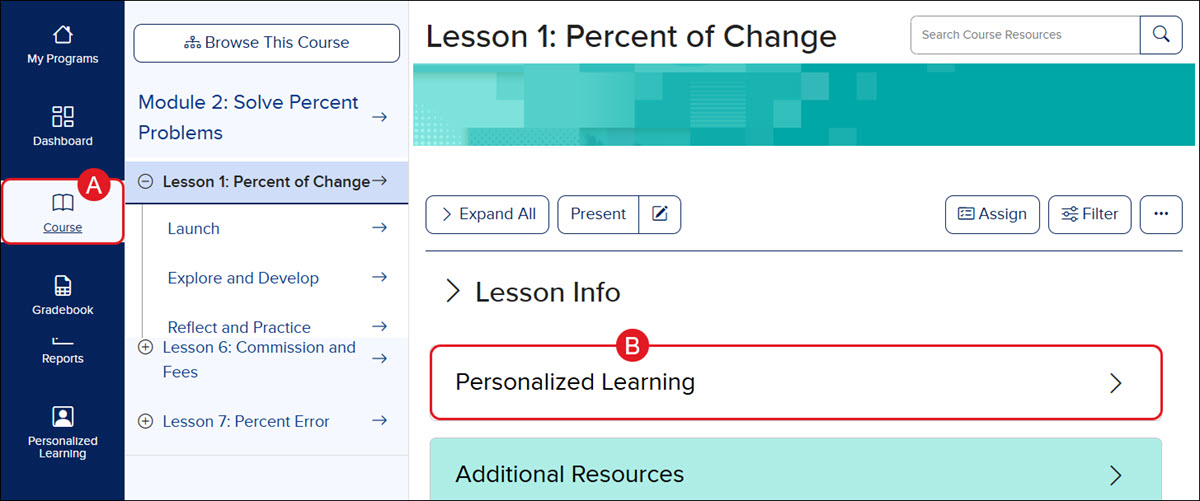
Both the Personalized Practice Recommendations and the Teacher-led Mini Lessons can be found on the Course (A) page in the Personalized Learning blade (B).
These resources can be found below the Proficiency graph in the Recommendations section (C).