View the K-12 Connect® At Risk Student Report
Review the Connect® at-risk student report to identify learners who may need additional support.
- Customer Support
- PreK-12
- Classroom Teacher
- High School
- Direct Login & Auto-Rostering
- Direct Login & Manual-Rostering
- SSO & Auto-Rostering
- SSO & Manual-Rostering
- AP, Honors & Electives
- AP Connect
- Grades & Assignments
- Reports & Analytics


Article Contents
Access At Risk Report
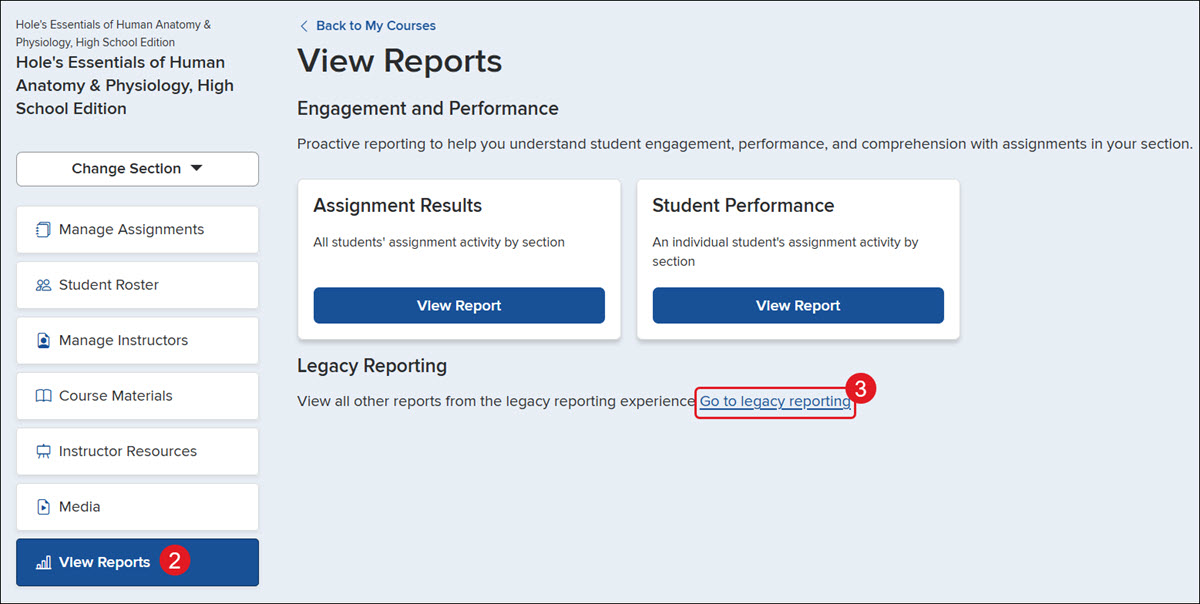
1. Click on the class name.
2. Click on View Reports from the navigation menu.
3. Click the Go to legacy reporting link.
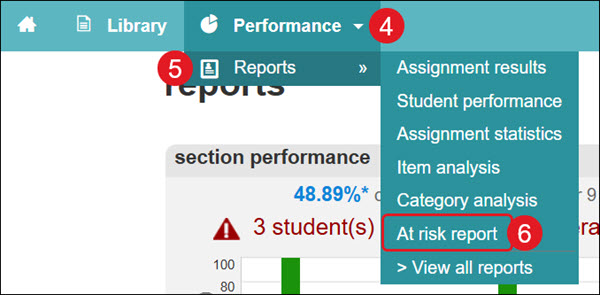
4. Click the Performance drop-down.
5. Hover over Reports.
6. Click on At risk report from the menu.
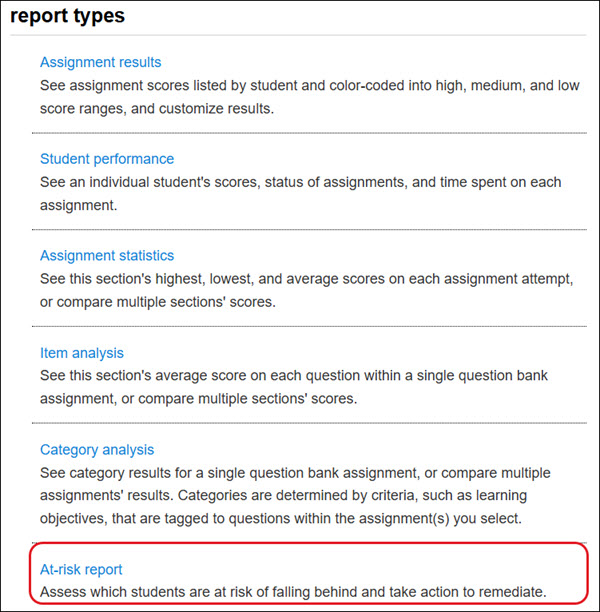
You can also click on At-risk report from the report types list at the bottom.
Find the Outliers
With all of the resources and study tools available in Connect, students engaging online will have a leg up on their peers.
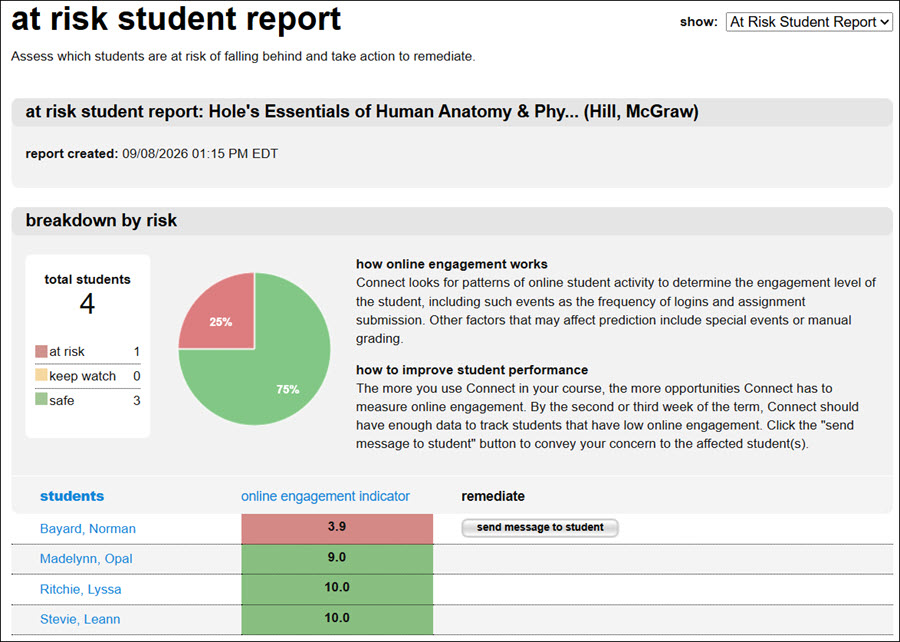
At-risk reports use pattern analysis to determine at what level students are engaging online. This report also houses a helpful remediation feature to quickly send messages to students who are at risk.
How online engagement works - Connect looks for patterns of online student activity to determine the engagement level of the student, including such events as the frequency of logins and assignment submissions. Other factors that may affect prediction include special events or manual grading.
How to improve student performance - The more you use Connect in your course, the more opportunities Connect has to measure online engagement. By the second or third week of the term, Connect should have enough data to track students that have low online engagement. Click the "send message to student" button to convey your concern to the affected student(s).