
K-12 Connect - Access Your Account
Access your K‑12 Connect account and troubleshoot sign-in issues so you can reach your courses, assignments, and eBooks.


This article walks users through how to log into an existing McGraw Hill Connect® account.
For a full page view of the demo, click here.
For a Spanish version of the demo, click here.
1. Navigate to the Connect log in page.
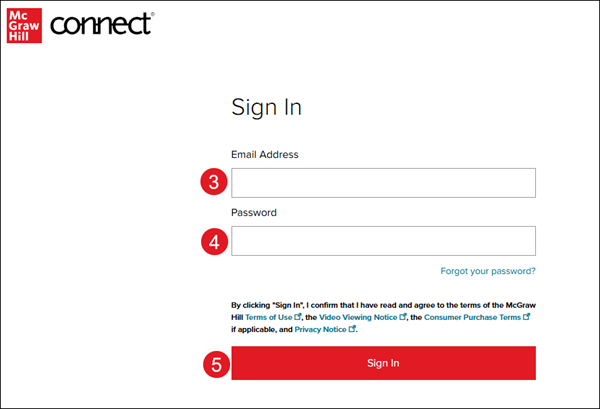
To ensure you are on the correct login page, verify you see the McGraw Hill Connect® icon at the top-left of the page.

2. Enter your Email Address.
3. Enter your Password.
Note: Your password is case-sensitive, your username is not.
4. Click the Sign In button.
Additional Articles:
K-12 Connect - How to Retrieve or Reset Password
K-12 Connect - How to Register for a Class
Access Your Teacher Account (Open Learning and ConnectED PreK-12)
Additional Support
If you're a K-12 student or teacher and are in need of additional assistance with your Connect course, please contact our Digital Technical Support team.
If you're a College/University student or instructor and are in need of additional assistance with your Connect course, please contact our Higher Education Support team.