
How to Export Adaptive Learning Student Performance Data in Wonders/Maravillas
Export adaptive learning student performance data for analysis, reporting, or external review.
Tags
- Literacy
- SSO & Manual-Rostering
- Customer Support
- Direct Login & Auto-Rostering
- Wonders 2014
- Maravillas 2020 & 2017
- Reports & Analytics
- Middle School
- Core
- Direct Login & Manual-Rostering
- Classroom Teacher
- Wonders Balanced Literacy 2016
- Wonders 2023 2020 2017
- SSO & Auto-Rostering
- PreK-12
- Elementary School
- Kindergarten
- 1st Grade
- 2nd Grade
- 3rd Grade
- 4th Grade
- 5th Grade
- 6th Grade


To export Adaptive Learning student performance data, follow these steps.
1. Open your Wonders Teacher Edition in ConnectED.
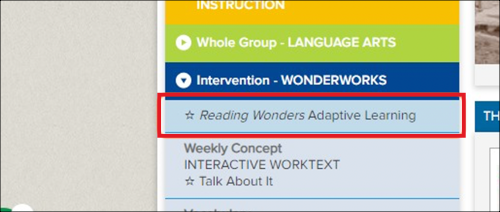
2. On the dashboard, click on the Adaptive Learning tab under Intervention.
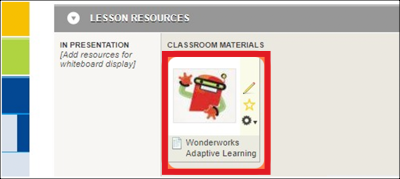
3. Click on the Adaptive Learning tile.
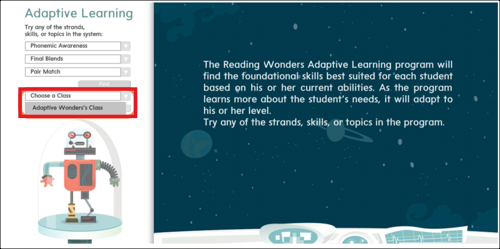
4. Choose your class.
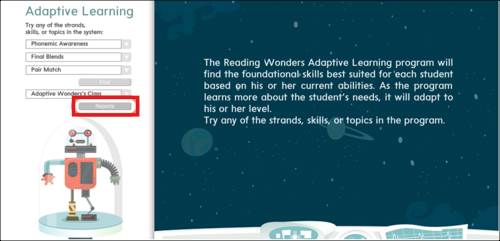
5. Click on Reports.
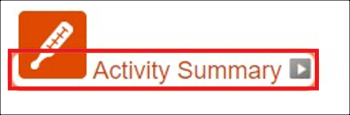
6. Click on Activity Summary.
Note: When you download the Activity Summary, it will include data for all strands, skills, and topics.
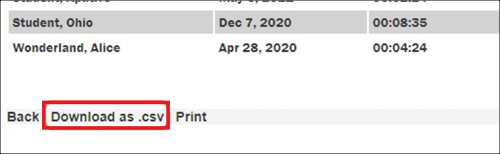
7. Click on Download as .csv.
2. On the dashboard, click on the Adaptive Learning tab under Intervention.
3. Click on the Adaptive Learning tile.
4. Choose your class.
5. Click on Reports.
6. Click on Activity Summary.
Note: When you download the Activity Summary, it will include data for all strands, skills, and topics.
7. Click on Download as .csv.
