Topic Types in ALEKS Adventure
Learn about the different topic types in ALEKS Adventure and how to respond to the questions associated to them.
- Customer Support
- PreK-12
- Classroom Teacher
- School Student
- School Parent
- Elementary School
- Direct Login & Auto-Rostering
- Direct Login & Manual-Rostering
- SSO & Auto-Rostering
- SSO & Manual-Rostering
- Supplemental
- Math
- ALEKS Adventure
- Student Resources
- Dashboard & Navigation Overview


Topic Type |
Description |
Example |
|---|---|---|
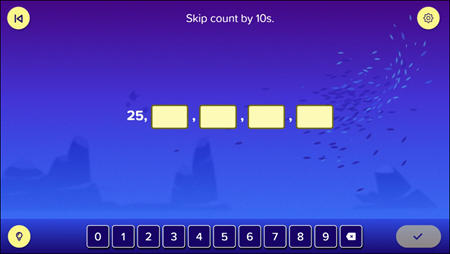
Numeric Input (single and multiple) |
Students fill in a blank(s) with the appropriate numbers to answer a question. The question may appear as a standard equation, or students may be asked to count using the tools on the screen and then enter their answer in the blank(s). |
|
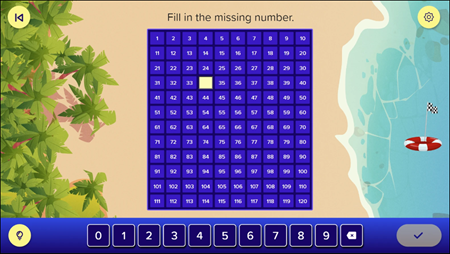
Number Chart |
Students fill in missing numbers in a number chart to visualize counting by different amounts as well as addition, subtraction, multiplication, and division. |
|
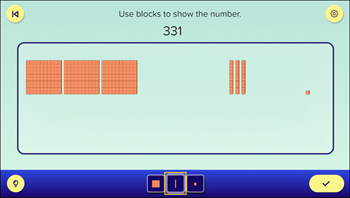
Place Value/Base 10 |
Students use base 10 blocks to represent 1s, 10s, and 100s to count and total number shown and better understand place value. They select the appropriate block from the bar at the bottom of the screen to add them to their answer. To remove blocks after adding them, students select the blocks from the answer area. |
|
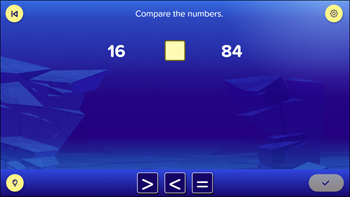
Comparison |
Students compare the numbers provided and determine if they are greater than, less than, or equal to, and then enter their answer in the box by selecting the appropriate symbol from the bar at the bottom of the screen. |
|
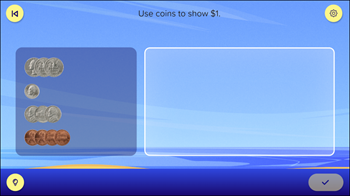
Money (coins and bills) |
Students select the coins or bills pictured on the screen to move them from the stack on the left into the answer area on the right (or vice versa) to total the appropriate amount. There may be more than one right answer for these questions. |
|
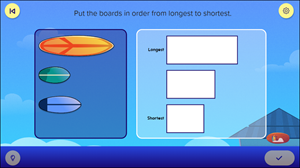
Sorting (drag and drop) |
Students select and drag items from one panel to fields in another panel where they can drop the items to sort them. |
|
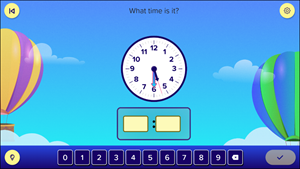
Clock/Time |
Students use an analog clock face to determine the time and enter it into the appropriate digital clock fields. Students may be filling out the hour field, the minutes field, or both. |
|
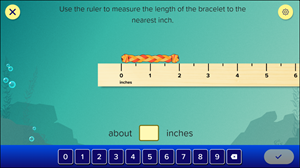
Ruler |
Students are provided with a digital ruler that they can drag and drop to measure items on the screen. The ruler can have inches, centimeters, or both. When it has both, it includes a rotation button that can be used to switch between the two. Students measure the item and enter the length in the appropriate field(s). |
|
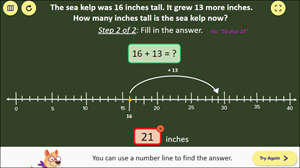
Number Line |
Students are provided with a number line that assists with answering the provided question. Students will enter their answer in the answer field. |
|
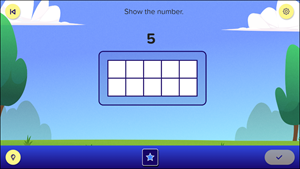
Ten Frame |
Students are shown a frame of 10 squares and are provided with a button that allows them to add up to 10 counters to the frame. They add a number of counters to the frame to match the number requested. Counters come in different shapes, such as a circle or a star, with the shape represented on the button. |
|
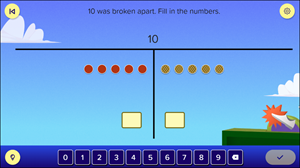
Counters |
Students are shown a number broken into parts represented by counters. They count the counters and enter the amount in the appropriate field. |
|
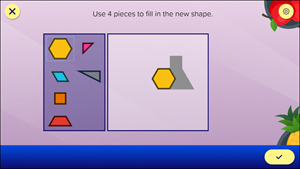
Shapes/Tangram |
Students are provided with several polygon tangram shapes on the left and a shadowed shape on the right. They use the tangram shapes to build the shadowed shape. |
|
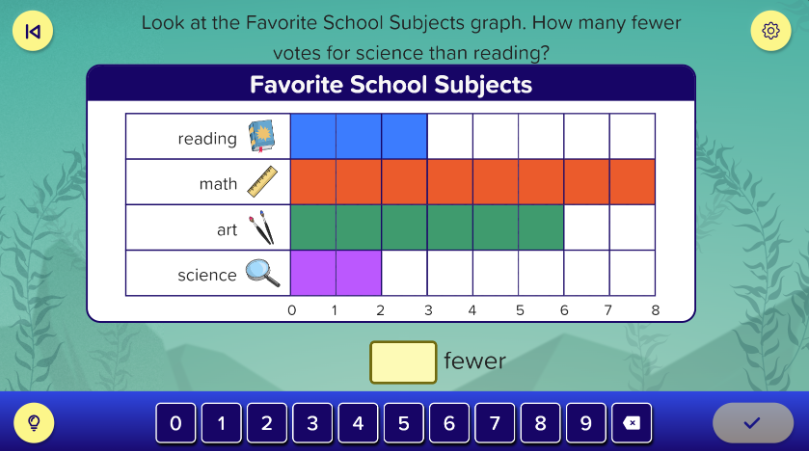
Graphs |
Students are shown items listed on a graph with colored rectangles or squares showing how many of each item is present. Students are asked to determine the total number of a single item, multiple items, or combined items, or are asked to compare the amount of one item and the amount of another item. |
|