ALEKS Adventure Teacher Support for Struggling Students
Explore ALEKS Adventure tools and strategies to support struggling students.
- Customer Support
- PreK-12
- Classroom Teacher
- Elementary School
- Direct Login & Auto-Rostering
- Direct Login & Manual-Rostering
- SSO & Auto-Rostering
- SSO & Manual-Rostering
- Supplemental
- Math
- ALEKS Adventure
- Tools & Resources
- Plan & Present


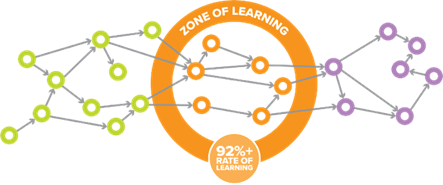
In ALEKS Adventure, students are presented with choices that fall precisely within their Zone of Proximal Development. This means that the topics they can choose to play (learn) on their map are topics they’ve demonstrated the prerequisite knowledge for.
However, students may struggle from time to time when they are learning topics. This article outlines how ALEKS Adventure supports struggling students and what educators can do to encourage productive struggle.
Topic Structure
To keep young students engaged, each topic in ALEKS Adventure unfolds as a unique story with an evolving cast of new characters. As students learn and apply the concept, they’ll help their new friends along the way while increasing their self-perception as a doer of math!
- Story/introduction: Introduces the concept or skill students are about to learn, and the character(s) they’ll help along the way.
- Instruction: Provides bite-sized, developmentally appropriate instruction on the topic, letting students step through at their own pace. Instruction uses visuals and digital manipulatives to build conceptual understanding and stimulate prior recall.
- Guided Practice: Students complete a practice problem with the support of the same visual(s) or manipulative(s) shown during instruction.
- Independent Practice: Students demonstrate their understanding by working through a set of problems independently. Depending on the topic, visuals and manipulatives may go away so students can demonstrate procedural understanding.
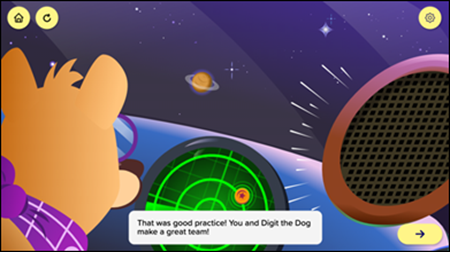
- Conclusion/Celebration: After successfully completing the independent practice problems, students celebrate with sidekick Digit, and their new friends thank them for all their help.
Feedback, Hints, and Scaffolds
During independent practice, ALEKS Adventure offers immediate feedback, hints, and scaffolds that help guide students without giving the answer away.
- Each problem gives immediate feedback after students submit their answer. This lets them know if they are on the right track or if they need to try again.
- When students enter a wrong answer, they are provided a hint with a visual scaffold, then are encouraged to try again using a modified version of the problem with the visible scaffold. If they answer the re-try incorrectly, the correct answer is shown, and students are presented with a new problem for the topic.
- If at any time students are reluctant to try a problem, they can also request a hint (lightbulb button) before entering their answer. They will be provided with a hint and visual scaffold.
- If they answer incorrectly, they are provided with that same hint and visual scaffold in the context of their wrong answer. Then they have an opportunity to re-try a modified version of the problem with the visible scaffold.
- If they answer the re-try incorrectly, the correct answer is provided, and students are presented with a new problem for the topic.
Further Support
Since students are only presented with topics in their Zone of Proximal Development, they are usually able to persist through a topic with help from the built-in support (feedback, hints, and scaffolds), but the program offers additional support for students who continue to struggle.
Try Something Else
If a student struggles repeatedly with independent practice problems, ALEKS Adventure will detect this and gently pivot the student to try something else.
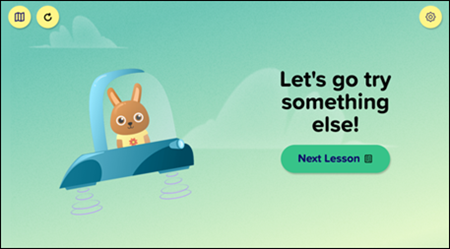
When students resume the topic later, they’ll go through the visual instruction and guided practice again, so they can revisit the concept or skill before they begin independent practice.
Student Choice
ALEKS Adventure gives students choice, so they don’t need to feel “stuck” in any topic. Students typically have a range of topics to choose from. If they aren’t learning productively in one area, they are free to move to another available topic on their map.
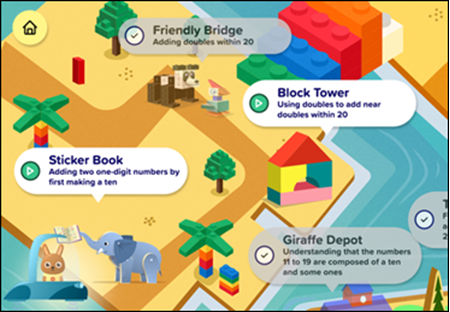
Students’ ship goes to the recommended topic, but they can select any Ready to Learn topic (with a green play button) from any available map.
Spaced Practice for Retention
The short and frequent Progress Knowledge Checks provide mixed review. They identify if students need reinforcement in previously learned or mastered topics and give just-in-time scaffolding.
Replay Topics
Students may re-play topics they already learned or mastered on a Knowledge Check. When replaying a topic, students will go through the entire topic (introduction, instruction, guided practice, and independent practice). If you think students need to re-visit a topic they’ve previously learned or mastered, you can direct them to replay a topic by showing them where to go on the map.
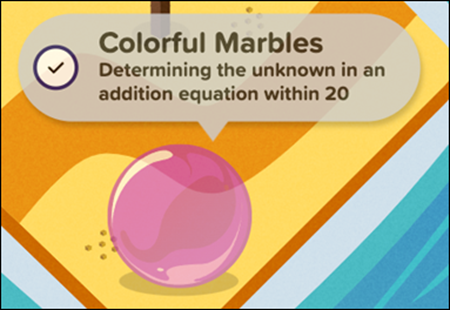
Topics already learned or mastered will be grayed out but are still available for students to play.
Teacher To-Do's
To help you plan instructional time, ALEKS Adventure highlights the topics students are struggling with and groups students with similar needs.
Quickly Identify Topics
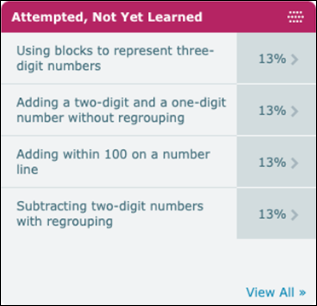
From the ALEKS Adventure class dashboard, see at a glance which topics multiple students have attempted but haven’t successfully learned yet. You may need to use the gray arrow to see the next page of dashboard tiles.
Groups Students by Need
The ALEKS Pie Report provides real-time information about what students have learned, what they are ready to learn, and what they have attempted. From the report, choose any topic in the course to see students grouped by:
- Progress - Students who have already learned or mastered the topic.
- Remaining - Those who have not learned or mastered the topic.
- Ready to Learn - Students from the Remaining group who have the prerequisite skills to be successful in learning the topic, i.e., the topic is Ready to Learn and available in their map to play. To help maximize small-group time, a notification displays if there are other topics this group of students is Ready to Learn.
- Attempted, Not Yet Learned - Students who have worked on the topic but have not learned it yet.
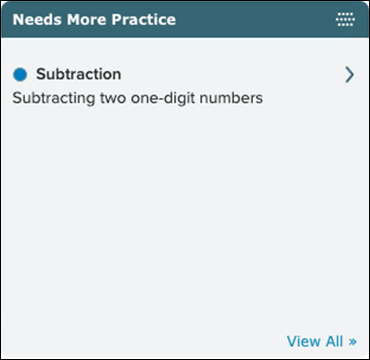
Needs More Practice
If a recent Progress Knowledge Check determines that students have not retained a topic they previously learned or mastered, the topic is labeled Needs More Practice and is indicated on the student-level dashboard or reports.