
How Review Mode Works in ALEKS Adventure
Learn how Review Mode works in ALEKS Adventure after students complete all grade‑level topics.
- Supplemental
- ALEKS Adventure
- Math
- Dashboard & Navigation Overview
- SSO & Manual-Rostering
- Customer Support
- Direct Login & Auto-Rostering
- School Student
- Direct Login & Manual-Rostering
- Classroom Teacher
- School Parent
- SSO & Auto-Rostering
- PreK-12
- Elementary School


Since ALEKS Adventure is self-paced, some students may reach the end of the grade level before the school year ends. When this occurs, students are automatically guided to play or re-play topics for further practice and reinforcement. Early finishers can continue working productively in their current ALEKS Adventure class with no action needed from the teacher; however, if teachers would like to move early finishers to a higher grade level, they can do so by creating a sub-class and moving students into the sub-class.
How Review Mode Works
When students see balloons on their home page, it means they’ve reached the end of the grade level and are now in review mode. Students will want to click on an open portal to continue working on their activities.
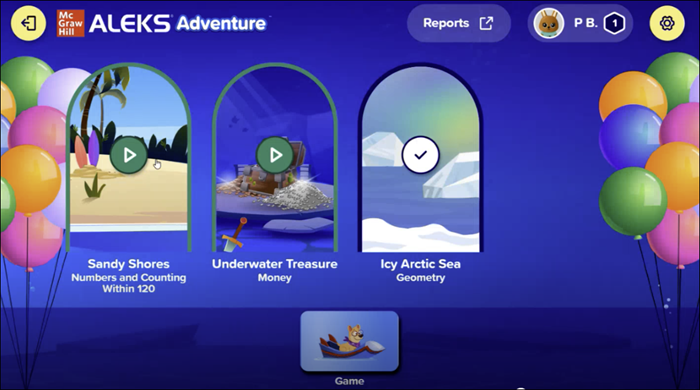
On the map, topics to review display a balloon icon. Review topics include:
- Topics that were not initially shown to the student because they were mastered on the Initial Knowledge Check or Progress Knowledge Checks.
- Topics the student learned on the map but did not master (retain) in a Progress Knowledge Check.
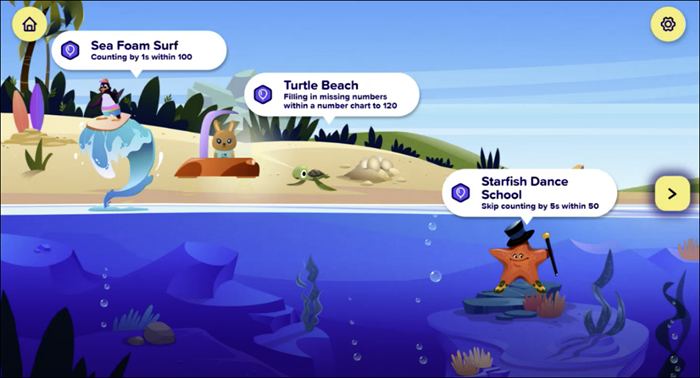
As students complete review topics, they will earn rewards and take Progress Knowledge Checks. They can grow their mastery percent by answering Progress Knowledge Check questions correctly.