Classic ALEKS Adventure Dashboard Navigation Overview
Learn how to navigate the ALEKS Adventure dashboard to access reports, settings, and tools.
- Supplemental
- ALEKS Adventure
- Math
- Getting Started & Orientation
- Dashboard & Navigation Overview
- SSO & Manual-Rostering
- Customer Support
- Direct Login & Auto-Rostering
- Middle School
- Direct Login & Manual-Rostering
- High School
- Classroom Teacher
- SSO & Auto-Rostering
- PreK-12
- Elementary School


Dashboard Overview
Instructor Dashboard
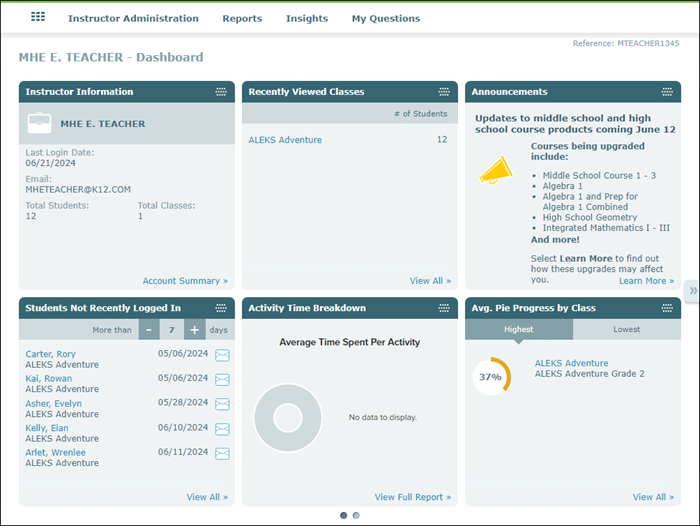
The Instructor Dashboard provides overall information about all classes assigned to the instructor and how many total students are assigned to the classes combined. The dashboard also includes tiles such as Announcements, Recently Viewed Classes, Students Not Recently Logged In, Pie Progress by Class, and the Time & Topic Report.
The Instructor menus include Instructor Administration, Reports, Insights, and My Questions. The Instructor Administration menu provides links to pages such as your class list and student roster; the Reports menu includes links to Activity Time Breakdown and Custom Reports; while the Insights menu includes links to Failed Topics, Decreased Learning, Unusual Learning, and Procrastination page options.
Click on the associated link on a tile to navigate to the page for that option for additional details and data.
Class Dashboard
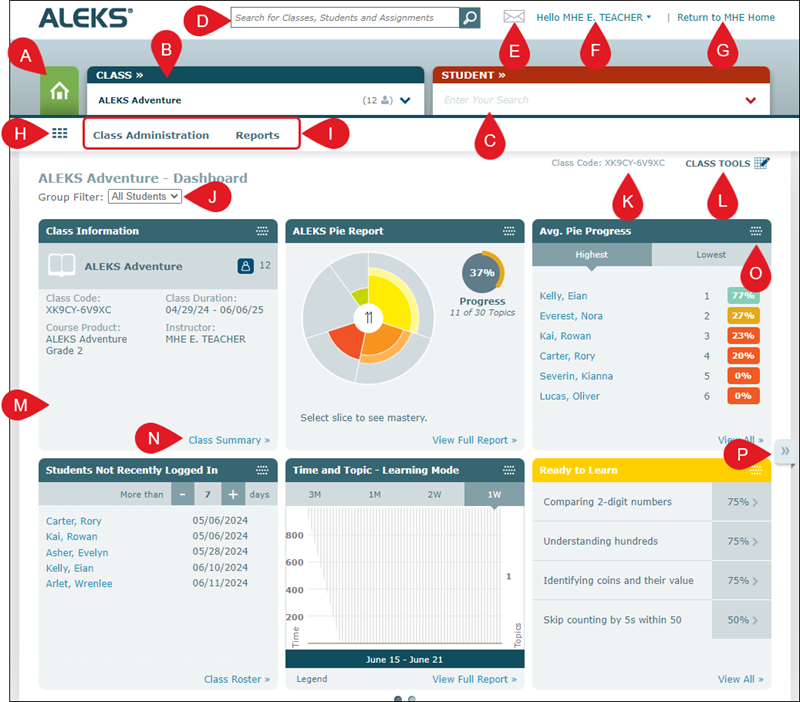
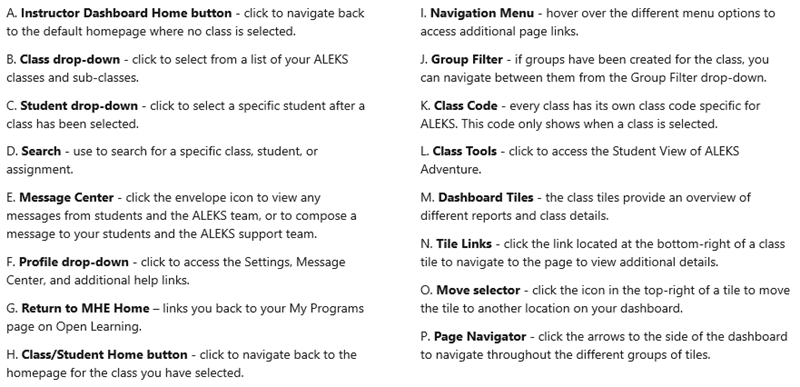
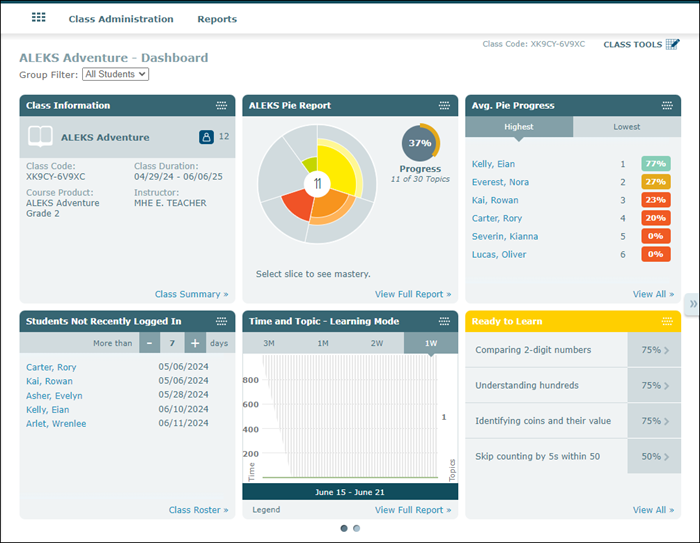
The Class Dashboard provides Class Information that includes the ALEKS Class Code, the Class Duration, and the Course Product assigned to the class. It has tiles that include an overall ALEKS Pie report for the class, Time and Topic report, and topic breakdowns.
The Class menus include Class Administration and Reports. The Class Administration menu provides links to easily navigate to pages such as the Class Summary, Class List, and Class Roster. The Reports menu gives access to various reports including Progress, Time & Topic, Standards, ALEKS Pie, and Custom Reports.
Student Dashboard
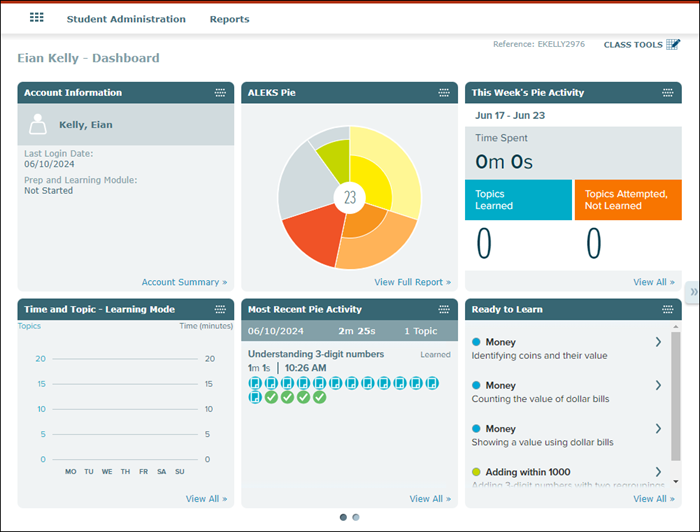
The Student Dashboard provides Account Information for the student, their ALEKS Pie data, their Week's Pie Activity, Time and Topic report, and topics they are ready to learn and need more practice on, among other information for the selected student.
The Student menus include Student Administration and Reports. The Student Administration menu provides links to their account summary and the Cleanup Tool. The Reports menu gives access to various reports including Progress, Time & Topic, Standards, ALEKS Pie, and more.