
Actively Learn - Student Reports
Access Actively Learn student reports to analyze reading progress and comprehension.
Tags
- Supplemental
- Getting Started & Orientation
- Literacy
- Actively Learn
- SSO & Manual-Rostering
- Customer Support
- Social Studies
- Direct Login & Auto-Rostering
- Reports & Analytics
- Middle School
- Direct Login & Manual-Rostering
- High School
- Classroom Teacher
- SSO & Auto-Rostering
- PreK-12
- Science
- Preschool
- Elementary School


For each assignment you give your students in Actively Learn, information on their progress is generated when you grade assignments, and students interact with the text.
Reviewing student work on a daily basis can provide insights and help you direct your focus to areas students need the most support. The various data reports across Actively Learn at the Assignment, Class, and Student levels provide real-time metrics on how their students are engaging with texts.
Check out this blog on Data-Driven Instruction
The assignment tab will show you this student's grade and progress for each assignment. Note that the first column shows the grade earned so far and the second column shows how far along the student is in the assignment. Click on any title to be taken to the text.
Reviewing student work on a daily basis can provide insights and help you direct your focus to areas students need the most support. The various data reports across Actively Learn at the Assignment, Class, and Student levels provide real-time metrics on how their students are engaging with texts.
Check out this blog on Data-Driven Instruction
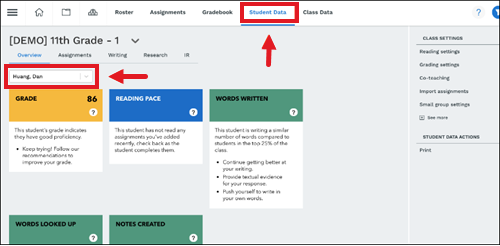
- Select Student Data and select a student.
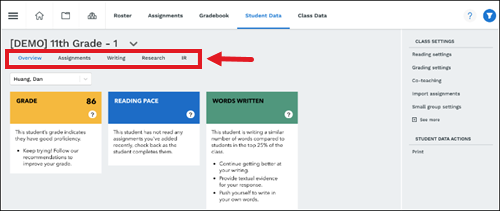
- Navigate to which report to view.
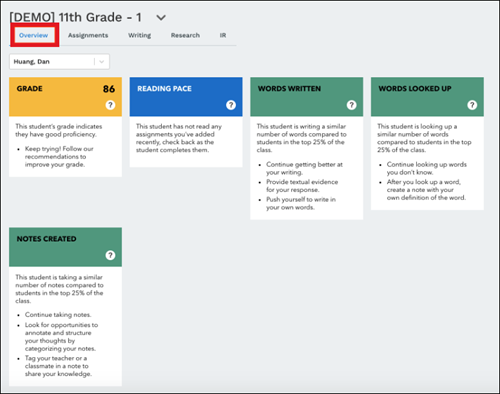
Overview
Scroll down to view the reading activity for that student.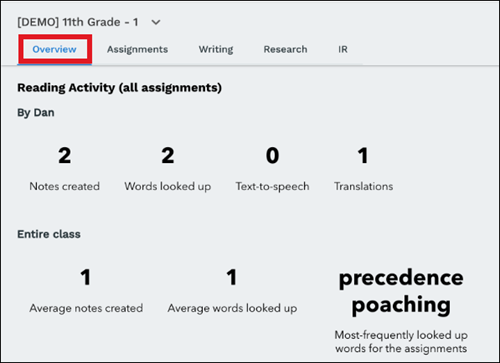
Assignments
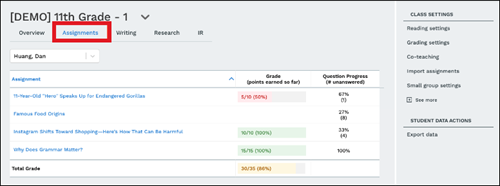
The assignment tab will show you this student's grade and progress for each assignment. Note that the first column shows the grade earned so far and the second column shows how far along the student is in the assignment. Click on any title to be taken to the text.
Writing
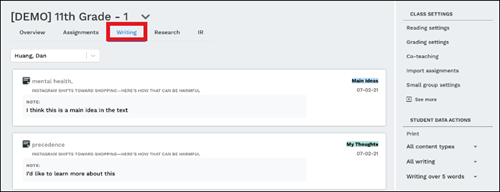
The writing tab will show the notes and discussion created by a student. Teachers can view the text that the student highlighted, their note, the theme of the note, and the title of the text.
Research
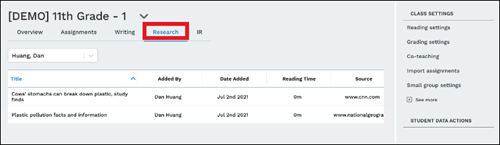
This report gets populated when students add texts to their My Research section. You can see the texts students are using for their research, the date it was added, the reading time, and where they obtained it. To view the full text and the student's notes, click on the title and you'll be re-directed to the text.
Independent Reading
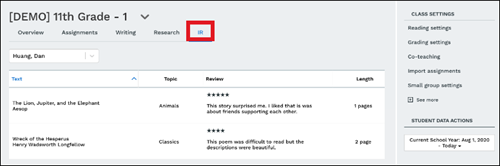
This report gets populated when a student reads texts from the student library and writes a review.