Actively Learn Gradebook Navigation and Settings
Get an overview of the Actively Learn gradebook and reporting features.
- Customer Support
- PreK-12
- Classroom Teacher
- Elementary School
- Middle School
- High School
- Direct Login & Auto-Rostering
- Direct Login & Manual-Rostering
- SSO & Auto-Rostering
- SSO & Manual-Rostering
- Supplemental
- Literacy
- Science
- Social Studies
- Actively Learn
- Dashboard & Navigation Overview
- Grades & Assignments


Article Contents
Access and Navigate the Gradebook
Access and Navigate the Gradebook
1. Click Menu at the top-left.
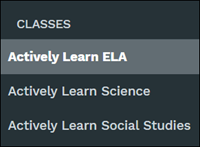
2. Click on a class from the Classes section.
3. Click Gradebook in the navigation menu.
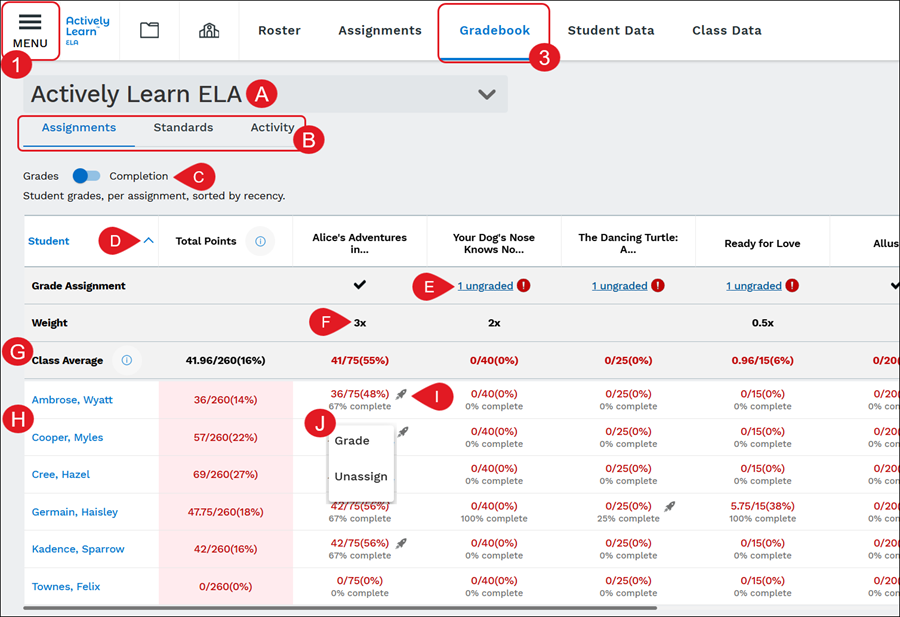
A. Click the drop-down to toggle between different classes.
B. Click Assignments (shown above), Standards, or Activity to switch to the different data views.
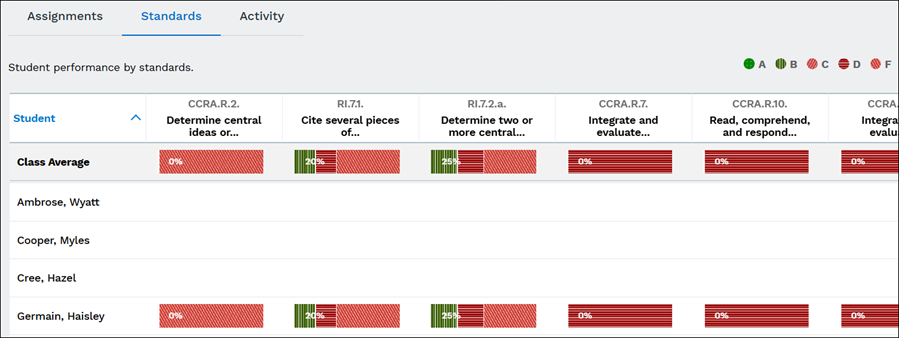
Standards View - Student performance by standards.
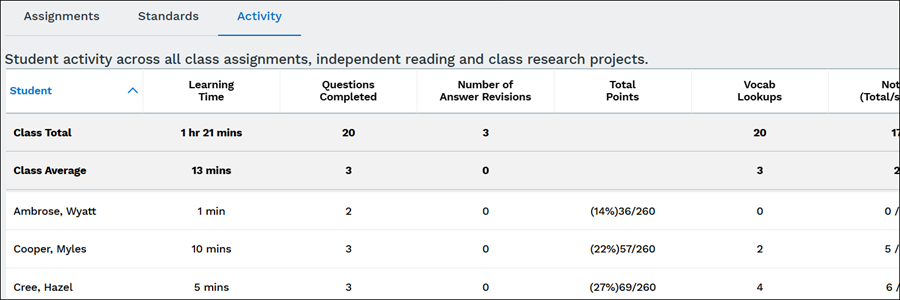
Activity View - Student activity across all assignments, independent reading, and class research projects.
C. On the Assignments view, toggle between viewing student Grades per assignment sorted by recency or Completion percentage of gradable questions the students have answered.
D. Click on a column to sort the data by that option.
E. The Grade Assignment column will show a checkmark if the assignment has been fully graded. Click any Ungraded links to navigate to the assignment to finish scoring student responses.
For steps on grading assignments, refer to the Manually Grade Actively Learn Assignments article.
F. The Weight row will show if an assignment is weighted differently.
G. The Class Average will show the total score/grade percentage or completion percentage (this is based on what option is selected) as a whole for the class and each individual assignment.
H. Each student that has launched Actively Learn that is assigned to the roster will show listed.
If a student is not showing in the list, that means they have not signed into their account and launched Actively Learn.
I. A rocket ship icon will show next to a student's grade if they received Extra Help while answering the questions in that assignment.
J. Click on a student's grade to Grade or Unassign that specific assignment for the student.
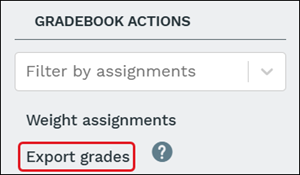
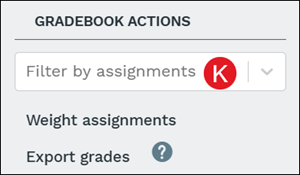
K. Assignments can be viewed by assignment by selecting an option from the Filter by assignments drop-down in the side panel.
Change Grading Settings
The grading settings can be changed from the Grading panel within the assignment or from the Gradebook.
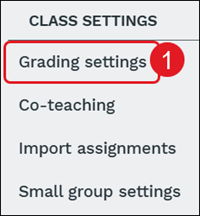
1. From the Gradebook, click Grading settings on the side panel.
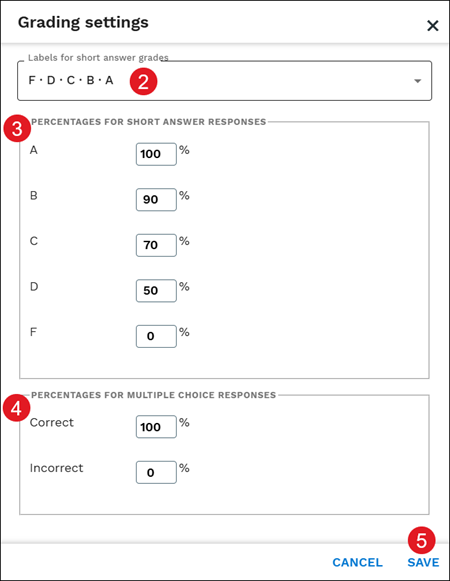
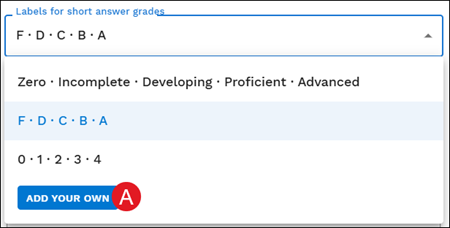
2. Select the preferred Labels for short answer grades from the drop-down.
3. Enter the Percentages for Short Answer Responses in each field.
4. Enter the Percentages for Multiple Choice Responses in each field.
5. Click the Save button.
You can also create your own Grading settings by clicking on the Labels for short answer grades drop-down and clicking the Add Your Own button (A).
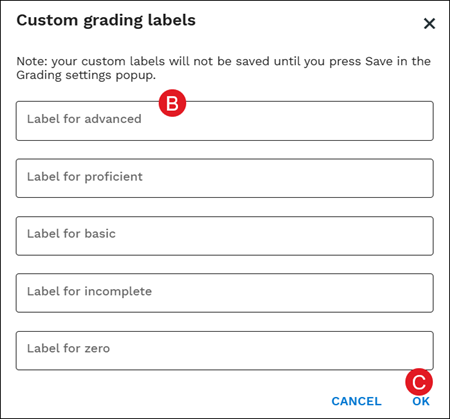
Enter Custom grading labels for advanced, proficient, basic, incomplete, and zero (B). Click the OK button (C) to save changes.
Change Assignment Weights
You may have an assignment that you make more challenging and want to designate a higher point value to reflect the difficulty of the assignment. Or you may have an assignment that's meant to be supplemental reading with less complex questions and want to adjust the weight of the assignment to have less of an impact on final grades. Changing the assignment weights allow you to adjust the scoring to what you prefer it to be.
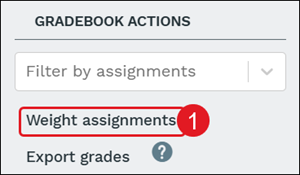
1. Click Weight assignments on the side panel.
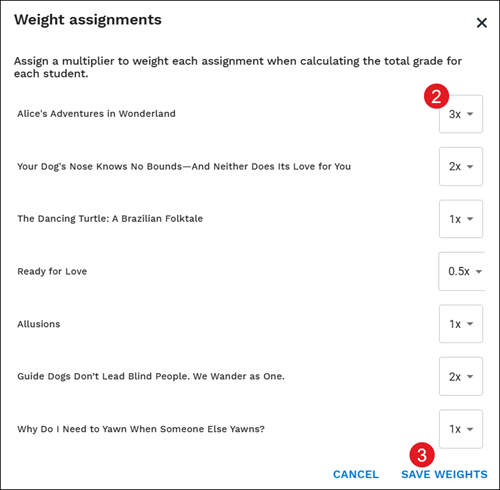
2. On the pop-up, click on the drop-down for each assignment and select the preferred multiplier option.
3. Click the Save Weights button to confirm changes.
Export Grades
We've made it easy for you to export your grades to a CSV file. This is helpful if you're importing the data into another system, or if you're using Excel to build reports for your students.
Please note:
- Ungraded responses ARE included when calculating points.
- Use bulk grading in an assignment to grade many questions at once.
- The total column is a sum of points earned/sum of points possible (it is not an average).
Click Export grades on the side panel. This will auto-download a CSV version of the gradebook data.