Assign Extra Help to Students for Actively Learn Assignments
Add Extra Help in Actively Learn assignments to differentiate instruction and provide additional scaffolds to students.
- Customer Support
- PreK-12
- Classroom Teacher
- Elementary School
- Middle School
- High School
- Direct Login & Auto-Rostering
- Direct Login & Manual-Rostering
- SSO & Auto-Rostering
- SSO & Manual-Rostering
- Supplemental
- Literacy
- Science
- Social Studies
- Actively Learn
- Tools & Resources
- Grades & Assignments
- Online Assessments


Extra Help allow teachers to differentiate instruction and provide additional scaffolds for their students. Since students need different levels of support, you can easily offer assistance to those who need more help.
Article Contents
Assign Extra Help to Individual Student
Assign Extra Help to Individual Student
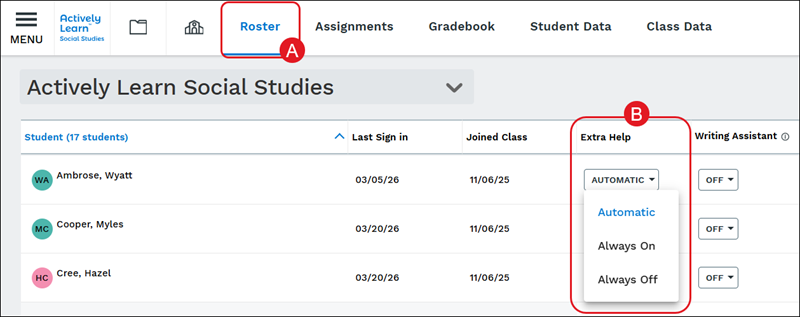
Teachers can assign Extra Help to individual students from the Roster page (A). In the Extra Help column, click on the drop-down to select Automatic, Always On, or Always Off for the student (B). Changes will automatically save.
Note: For students to receive extra help with answering questions within an assignment among other assisting features, Extra Help will need to be set for the student.
Extra Help Within Questions
We understand providing instructional support for students as they are answering questions is beneficial. To help with that process, we have added Extra Help in questions.
When customizing a text or video assignment, teachers can edit questions and add extra help for students.
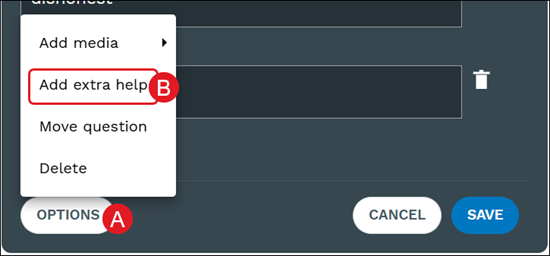
This can be done by clicking Options (A) on the question and selecting Add extra help (B) from the menu.
In the Extra Help field (C), enter notes and click the Save button.

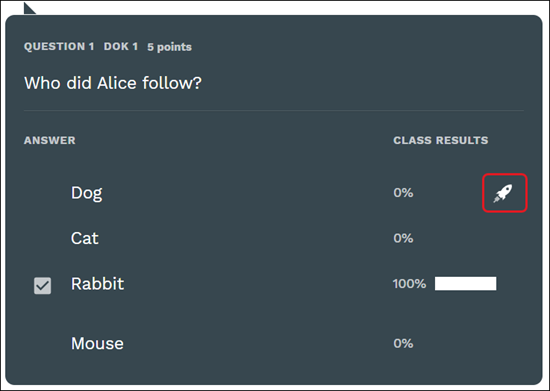
Extra help in multiple choice questions will remove one incorrect choice. The choice that will be removed will have the Extra Help student icon (rocket ship).
Extra Help Notes
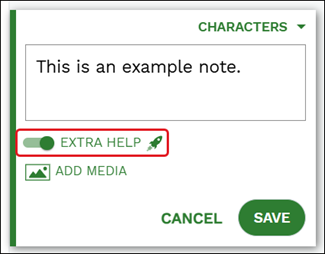
When customizing assignments, teachers have the ability to add notes to share with students. When creating notes, toggle on the Extra Help option to make the note only visible to students who have had the Extra Help feature activated on their profile.
The toggle will not activate to be turned on until text has been added to the note.
Extra Help Summary
Add an Extra Help Summary to provide students with an outline to better understand the text. This can be added when customizing text and video assignments.
On text assignments, there will be a button at the top while customizing a text assignment.
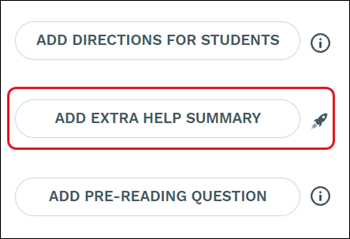
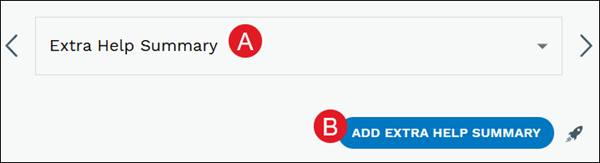
On video assignments, the option can be found by selecting the Extra Help Summary option from the drop-down (A) and clicking the Add Extra Help Summary button (B) while customizing video assignments.